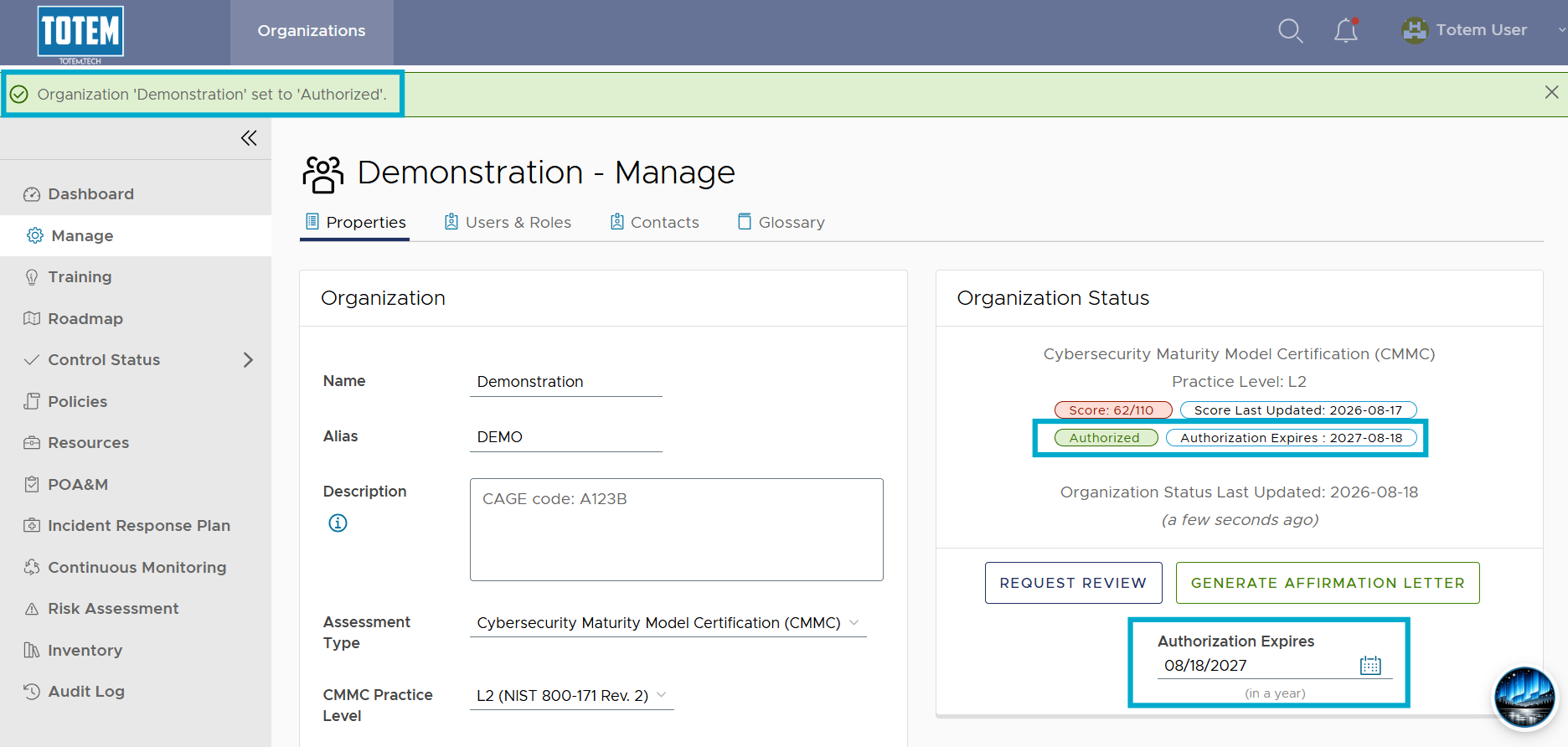
Authorizing an organization
Totem administrators or users with the Owner or Authorization Official roles may authorize their organization’s System Security Plan (SSP). In other words, they place their stamp of approval on the SSP, saying it is complete and accurate. Typically, you don’t authorize an organization until it has reached a state of full compliance with the standard (e.g., NIST 800-171) and has entered Continuous Monitoring.
To authorize your organization:
- Log in to Totem.
- Navigate to the Manage module. By default, you’ll arrive on the Properties page.
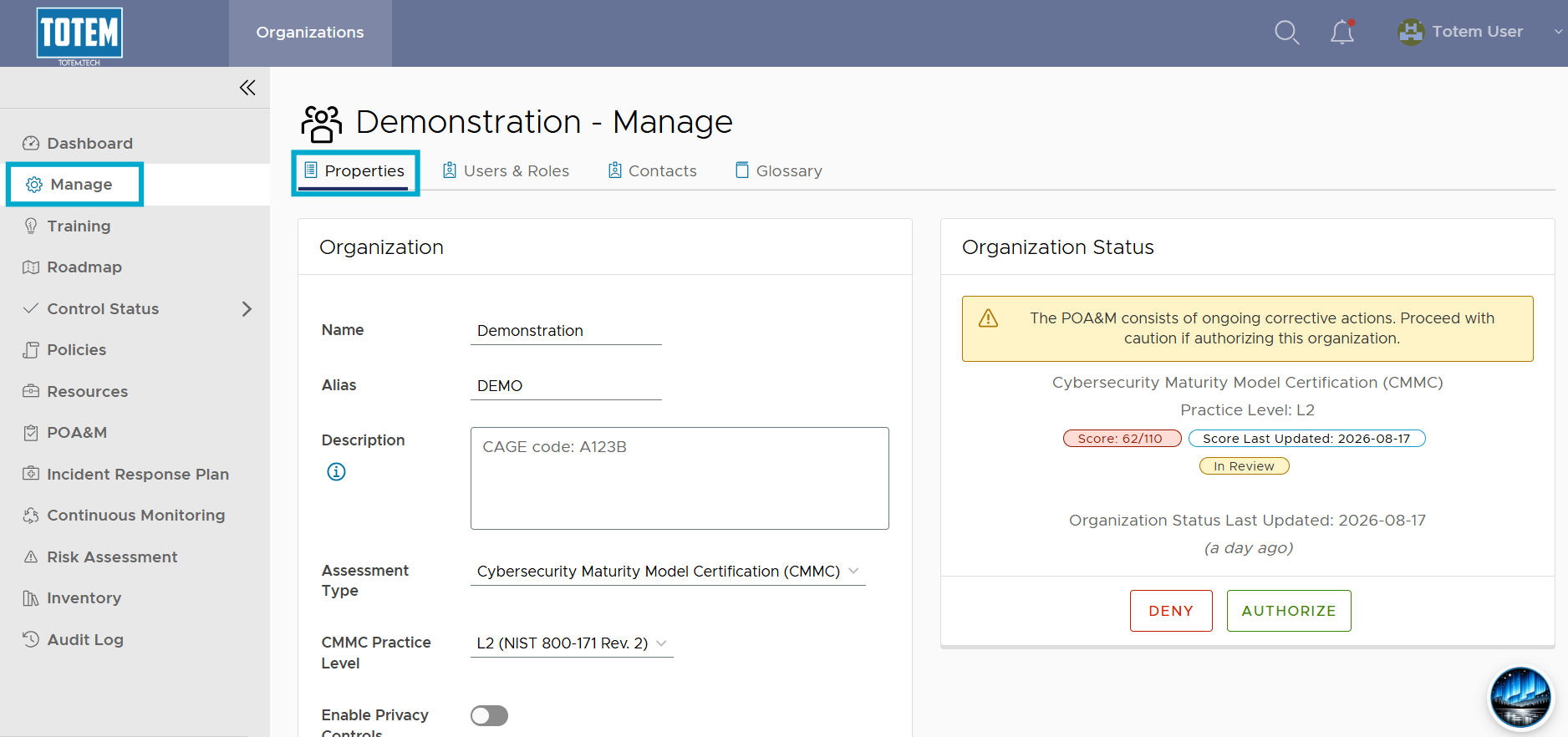
- See the Organization Status section, which contains an Authorize option.
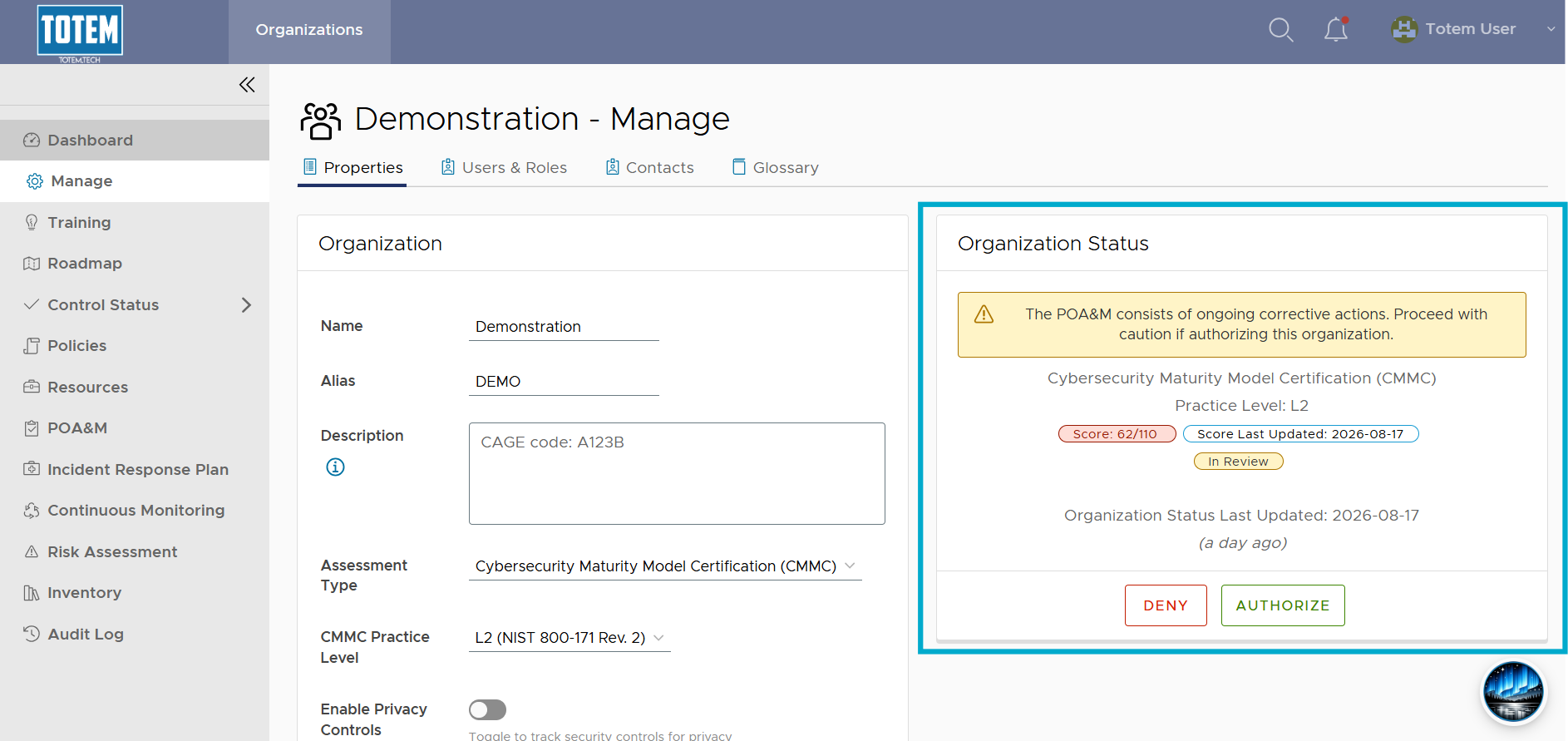
- Select the Authorize button.
- Totem has additional logic built-in to help ensure you are truly ready to authorize your SSP. If you attempt to authorize your SSP, you may be met with the following error message:
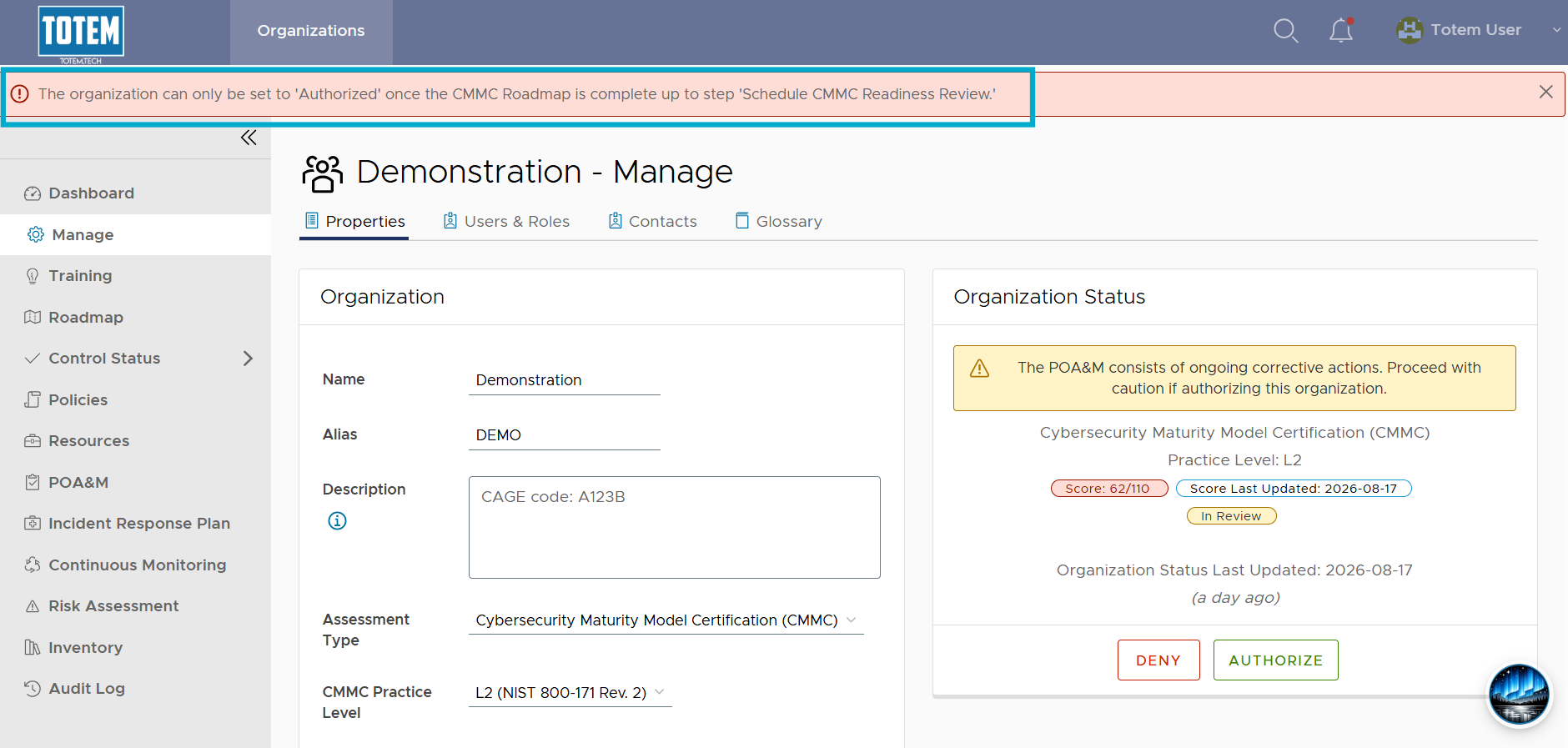
- As it states, there are additional steps that must be completed first. Navigate to the Roadmap module and ensure you’ve completed ALL steps leading up to the Schedule CMMC Readiness Review step.
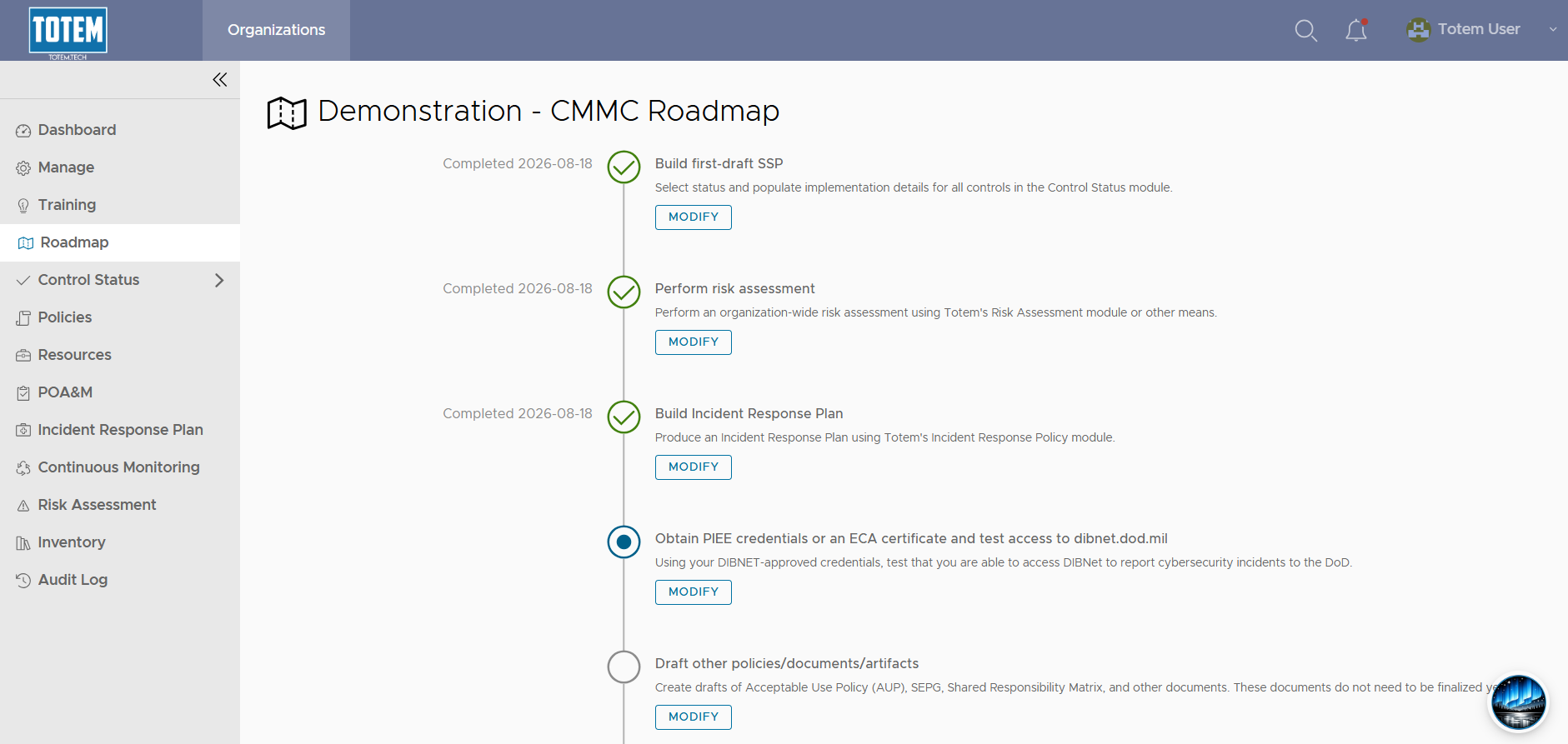

- Once you’ve done so, you’ll be able to authorize the organization’s SSP. The authorization will last for one year. Ensure that you have a task on your Continuous Monitoring plan (use our “System Security Plan” Continuous Monitoring task template!) to review and re-authorize your SSP on an annual basis.