
Add/remove Organization Actions to/from a Corrective Action
You can modify existing Corrective Action Plans (CAP) to add/remove Organization Actions. This is helpful when you need to make changes you a CAP after you’ve already created it. This guide walks you through how to accomplish this.
- Log in to Totem.
- Navigate to the POA&M module.
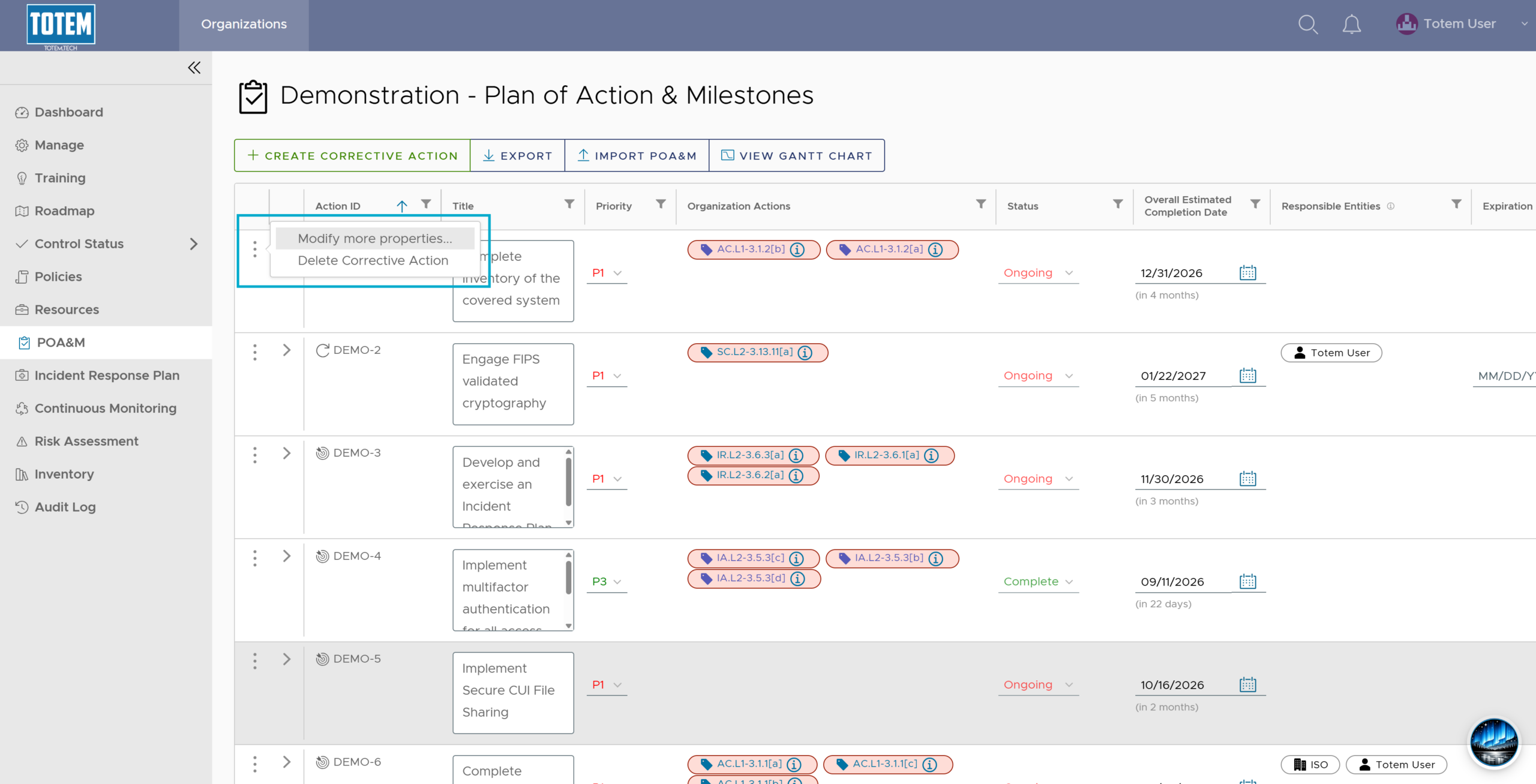
- Select the vertical ellipses (⋮) next to the CAP you want to modify. Select Modify more properties.
- In the Organization Actions field, add or remove any desired actions. When finished, select OK.

- Your modifications can then be seen in the CAP on the POA&M page.