
Viewing the POA&M Gantt Chart
Totem allows you to view all Corrective Action Plans (CAP) on a single a Gantt Chart, giving you a helpful visual depiction of start and end dates for your CAP progress. This guide shows you how to access the Gantt Chart.
- Log in to Totem.
- Navigate to the POA&M module.

- Select the View Gantt Chart button.
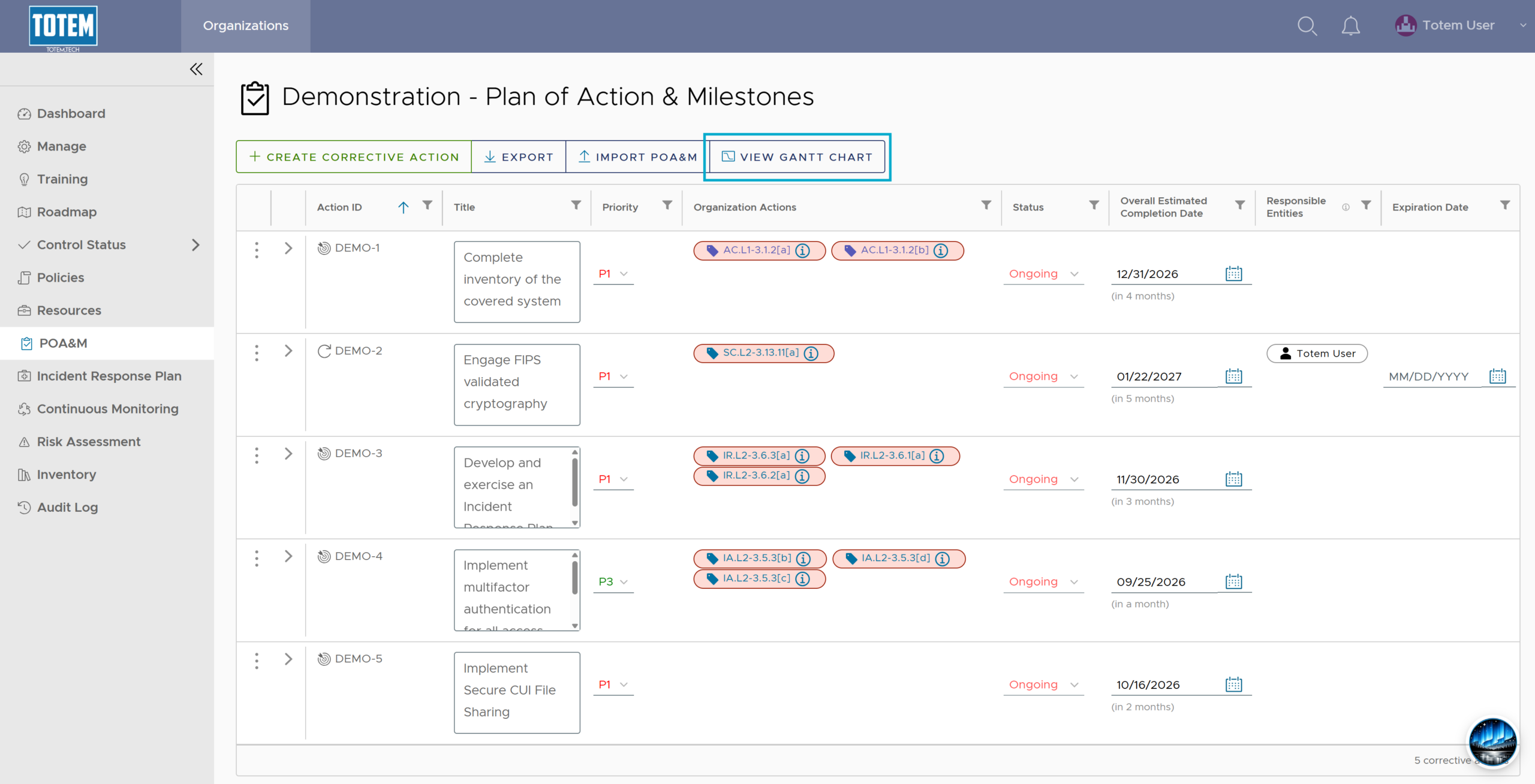
- You will be presented with the Gantt Chart:
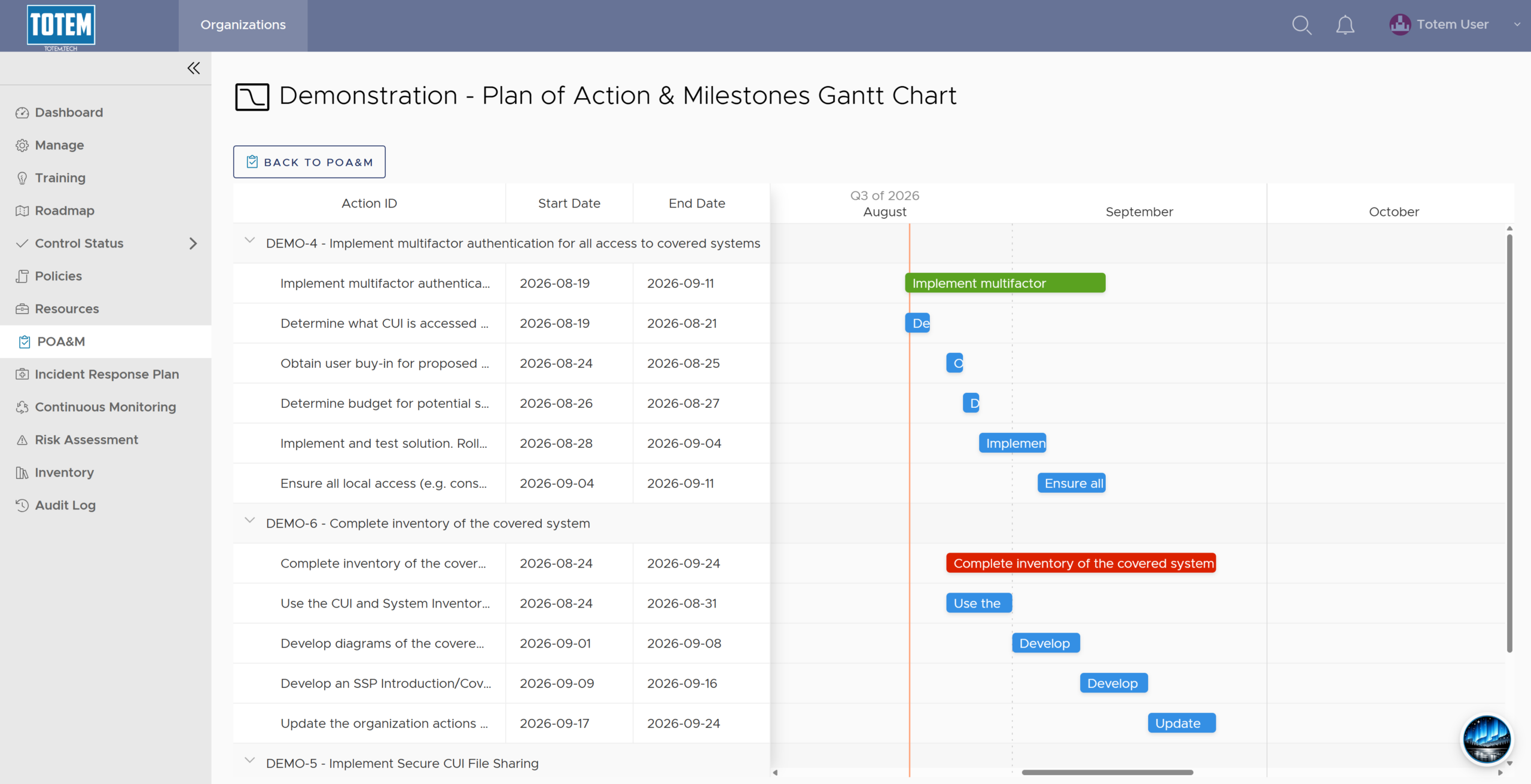
- The CAP ID and title is presented and broken down by step, with all start and end dates listed. CAP titles in green indicate they are Complete, while CAP titles in red indicate they remain ongoing. Scroll up/down to see the full list of CAPs and scroll left/right to see the timeline of CAP action steps. Collapse the CAP item to hide it from the Gantt Chart view.