
Performing a risk assessment
This guide walks you through how to perform a qualitative risk assessment using Totem’s Risk Assessment module.
- Log in to Totem.
- Navigate to the Risk Assessment module. If you’ve never performed a risk assessment in Totem previously, yours will look similar to the image below. Grey boxes indicate an assessment that has yet to be performed; black boxes indicate assessments that are not applicable.
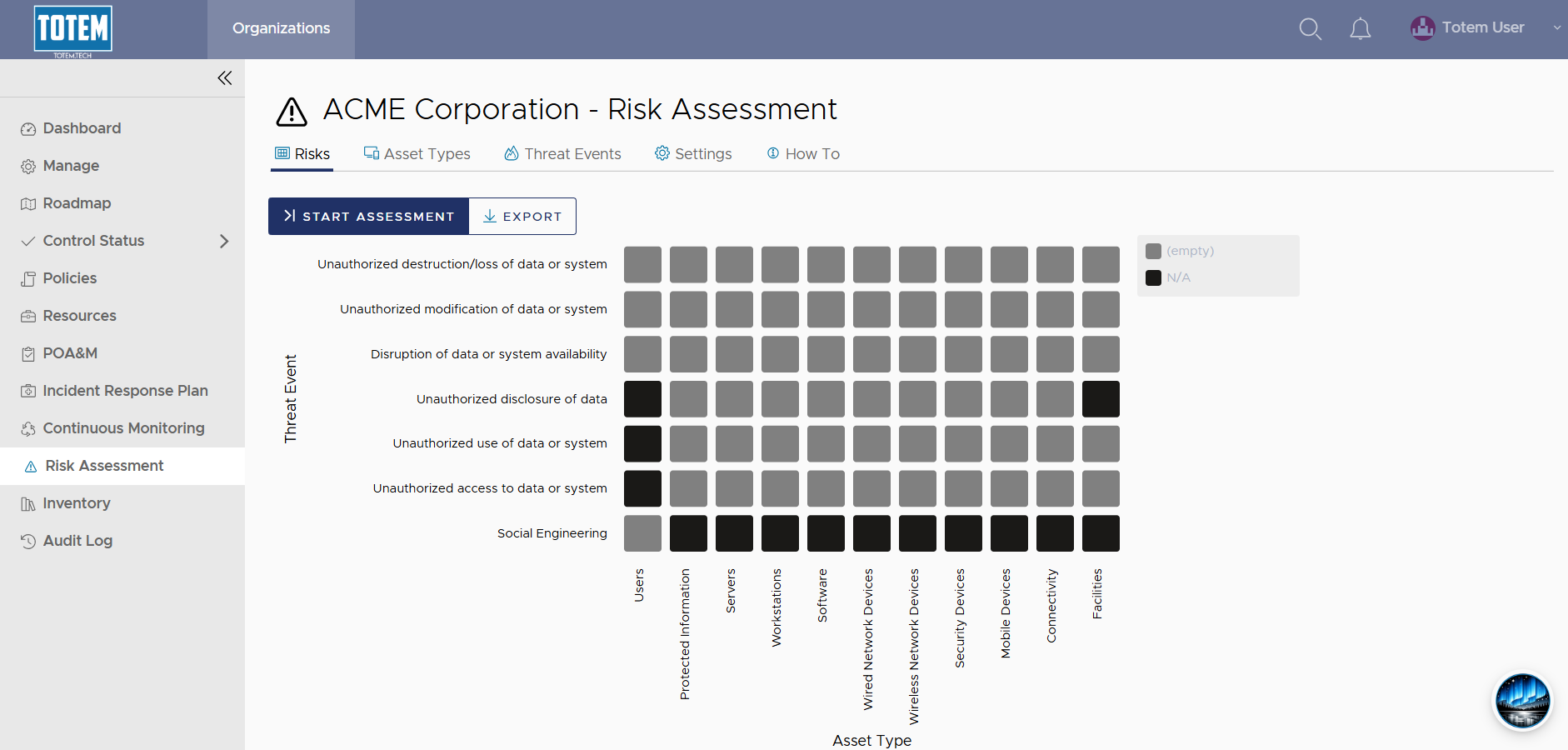
- Determine if you want to add any additional Asset Types or Threat Events. If so, create these, and you’ll see them appear in the matrix.
- Determine if you want to modify any of the Risk Assessment settings, including the Type or the Tolerance Threshold. Make these changes if so, otherwise leave default.
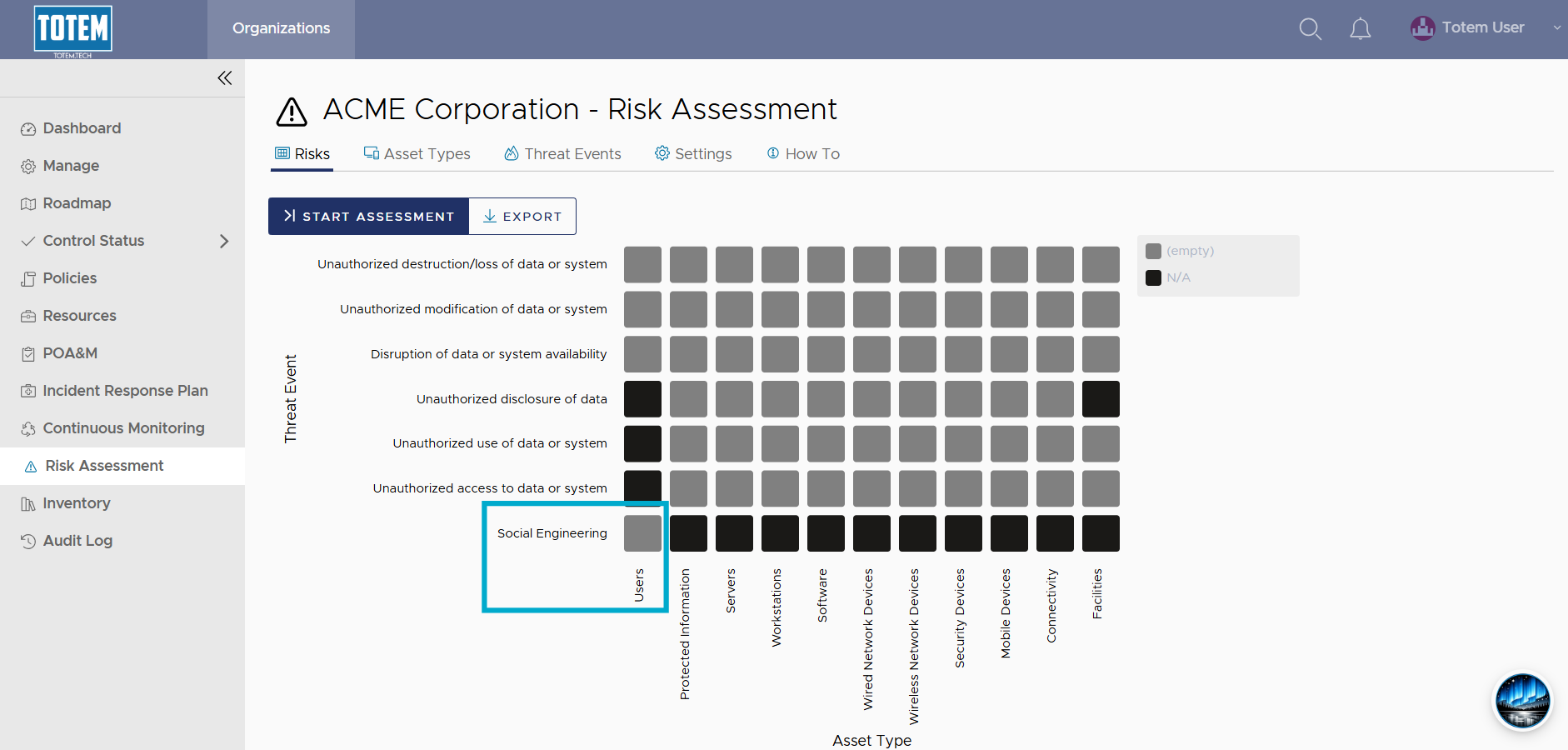
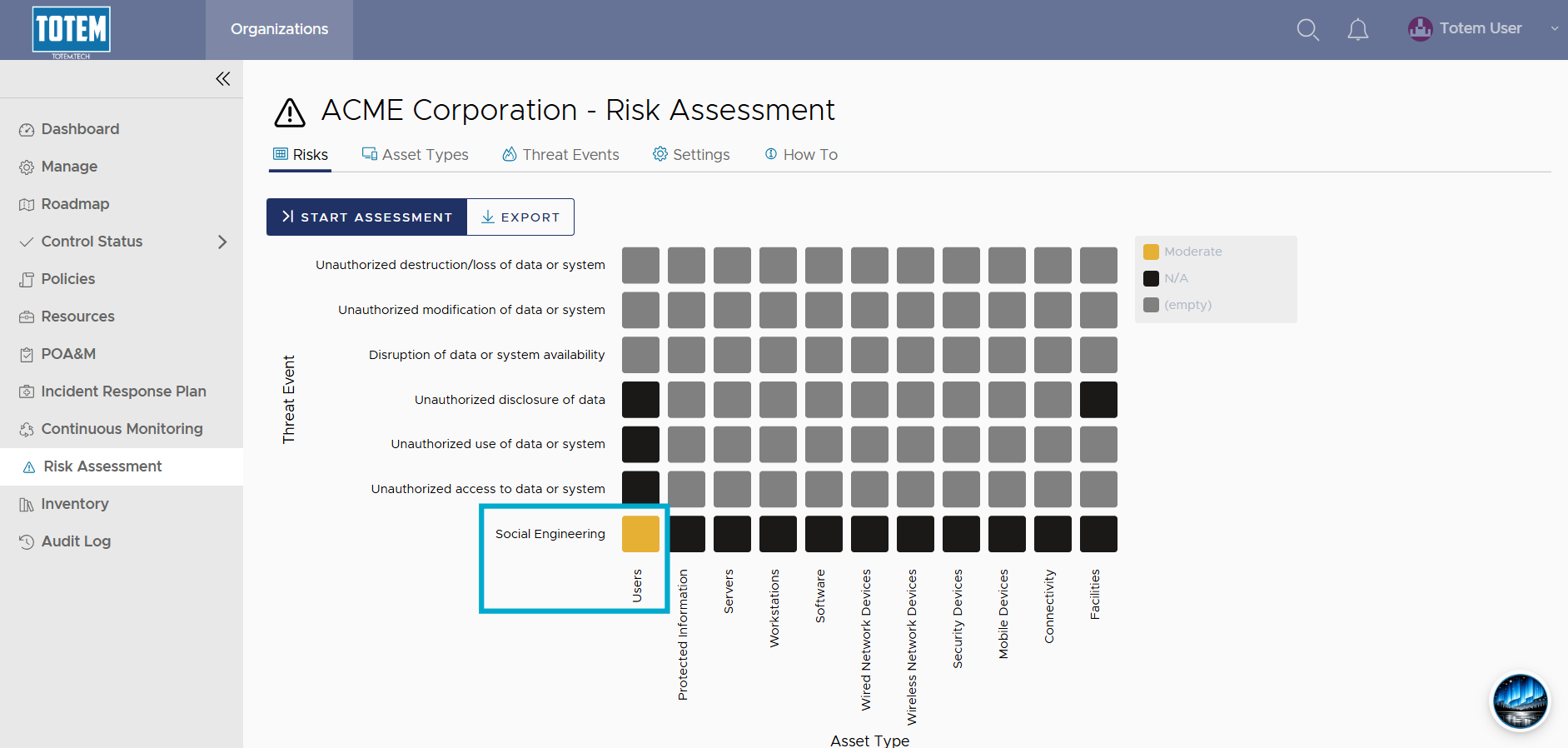
- Select the grey box for the first risk assessment you’d like to perform. You’ll be evaluating the risk of the Threat Event impacting the intersected Asset Type. For instance, the lower left grey box is evaluating the risk of social engineering impacting your users:
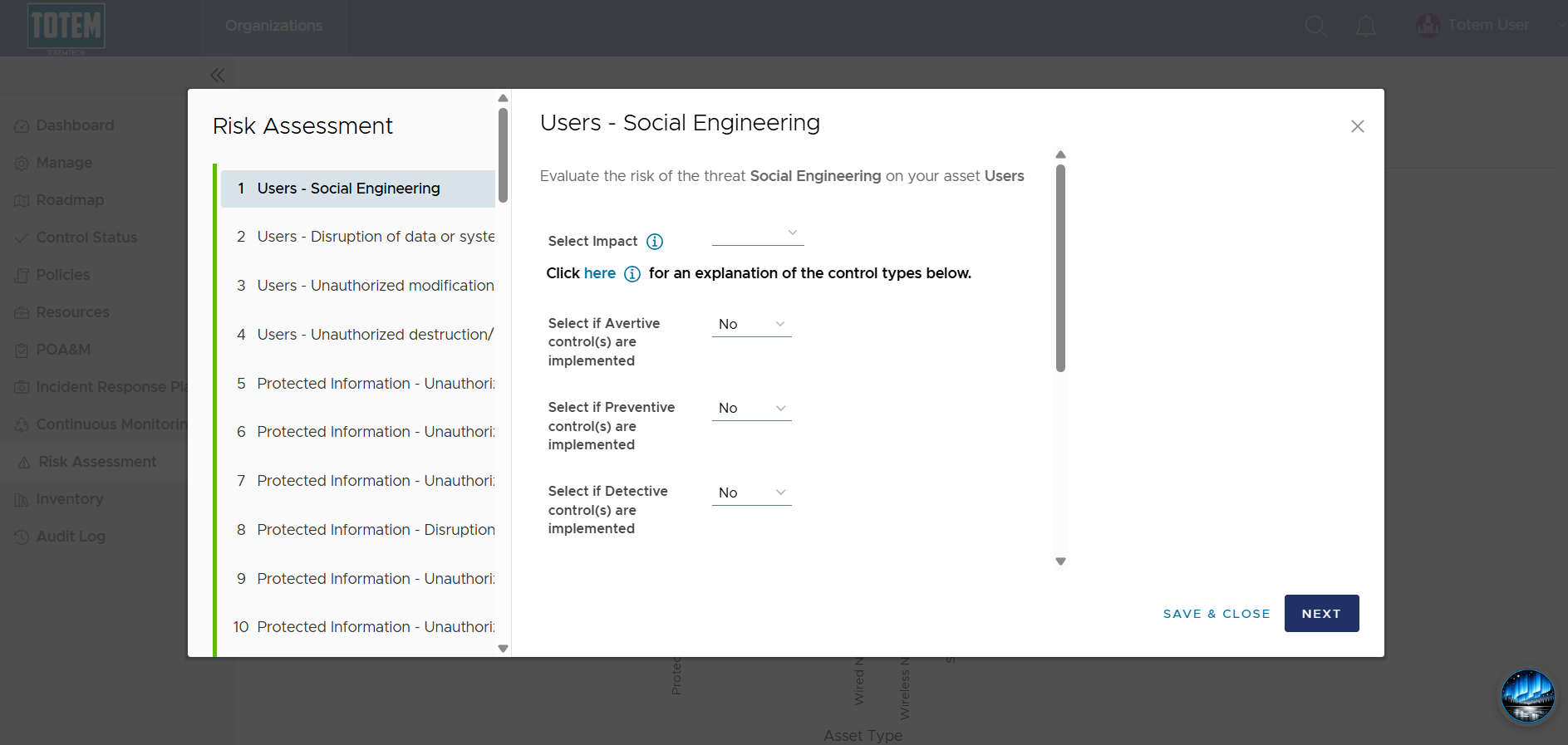
- Identify the Impact (High, Moderate, or Low) on the organization if the threat successfully compromises your asset type, not yet taking controls into account. In this example, what is the impact on the organization if, say, a user clicks on a phishing link? Probably high!
- Notice that selecting the Impact level will immediately assign an overall risk at the top. In this case, with only a High Impact specified, the overall Risk is deemed High:
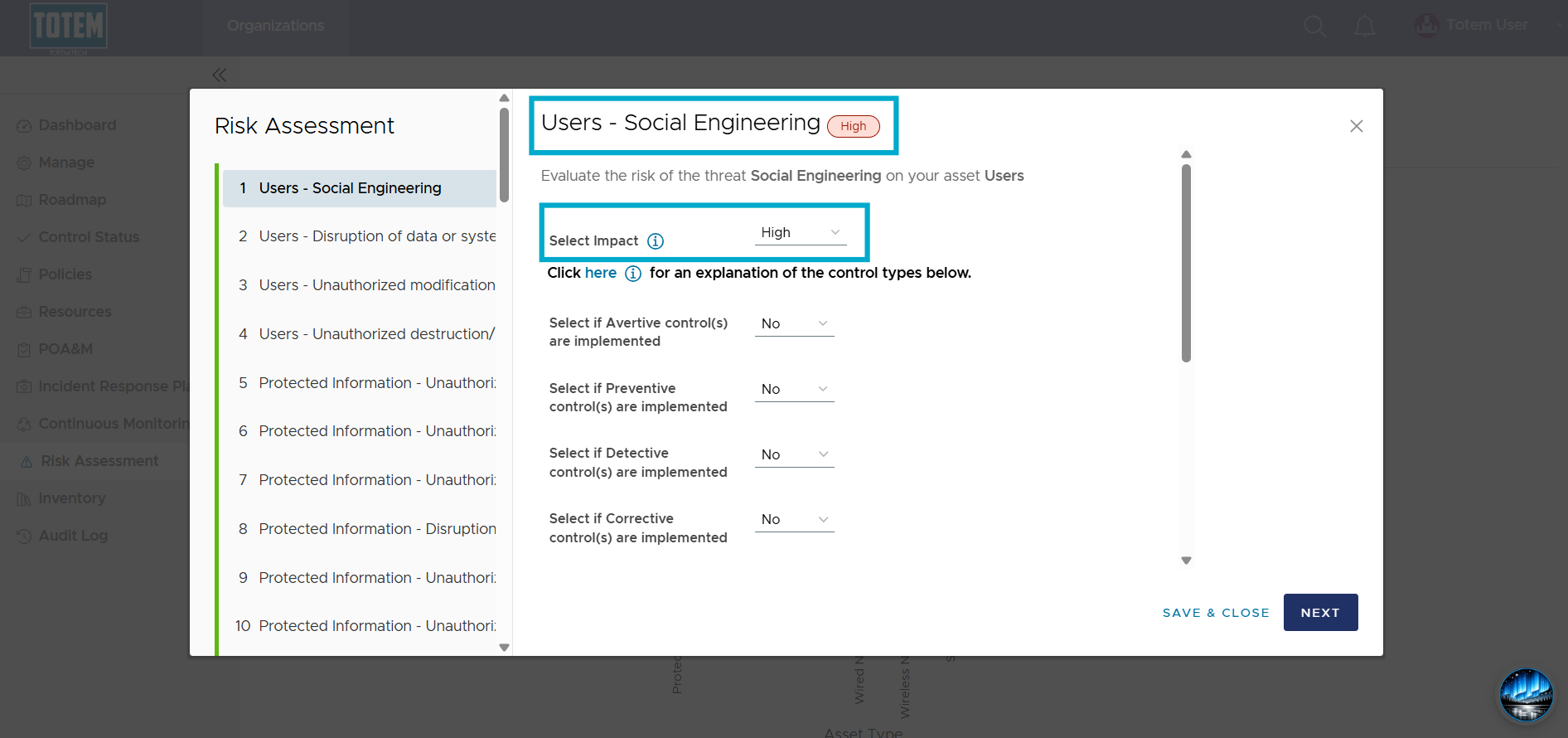
- While Risk is currently deemed High, this isn’t the end of the story. Your organization has likely (or should, if it has not) implemented controls to drive the Risk down. In other words, controls are implemented to reduce the likelihood and impact of a user clicking on a phishing link.
- Determine if you have implemented any relevant security controls, and if so, across which categories: Avertive, Preventive, Detective, and Corrective. Refer to our Control Types description for more. For example, an avertive control for reducing the risk of phishing is user training, preventive is an email security system, detective is an email quarantine and alerting mechanism, and corrective is a data backup.
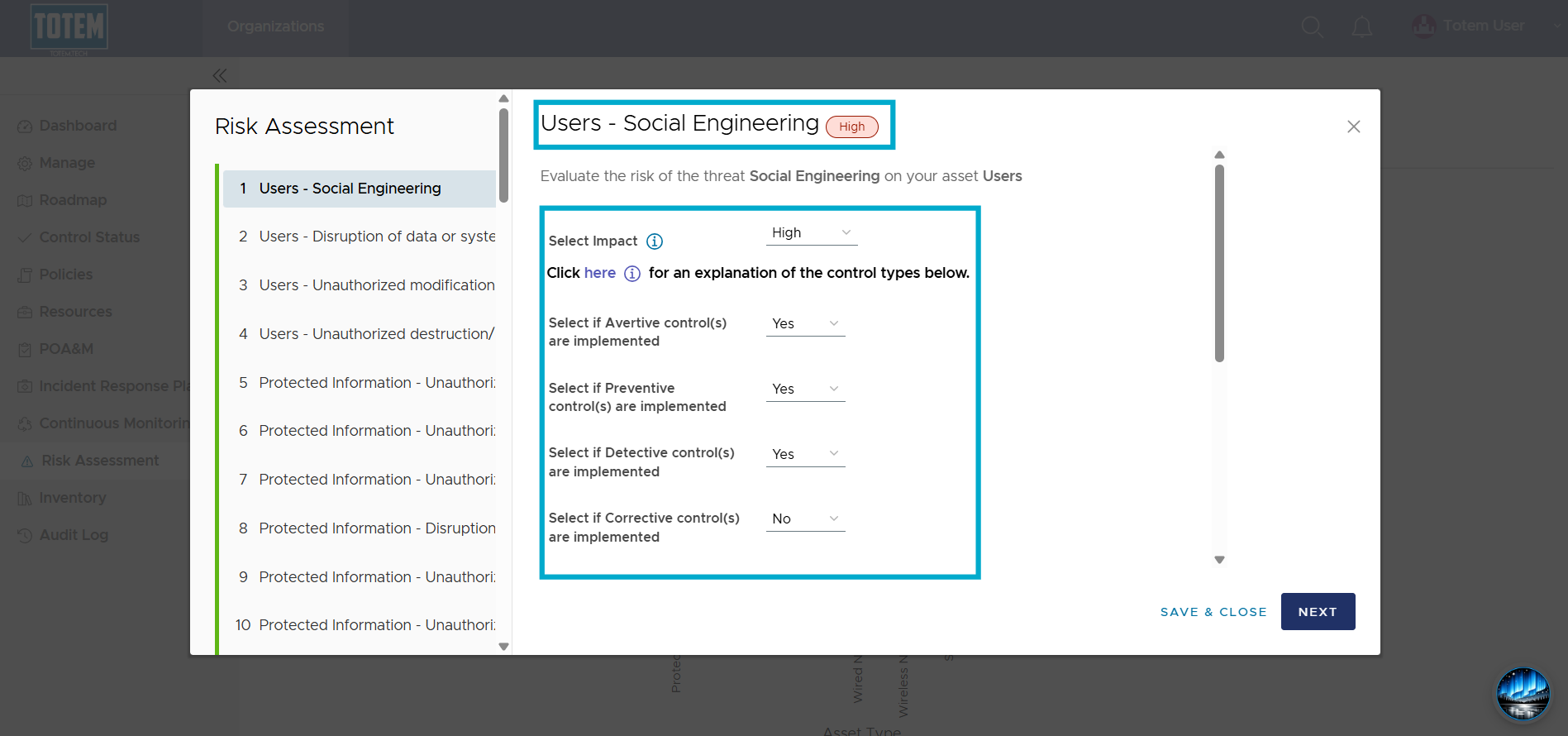
- In general, the more types of controls you have in place, the lower your overall Risk. However, this also depends on your Impact level. For example, because Impact of Social Engineering on Users is High, only having one, two, or three control types in place will still keep Risk as High:
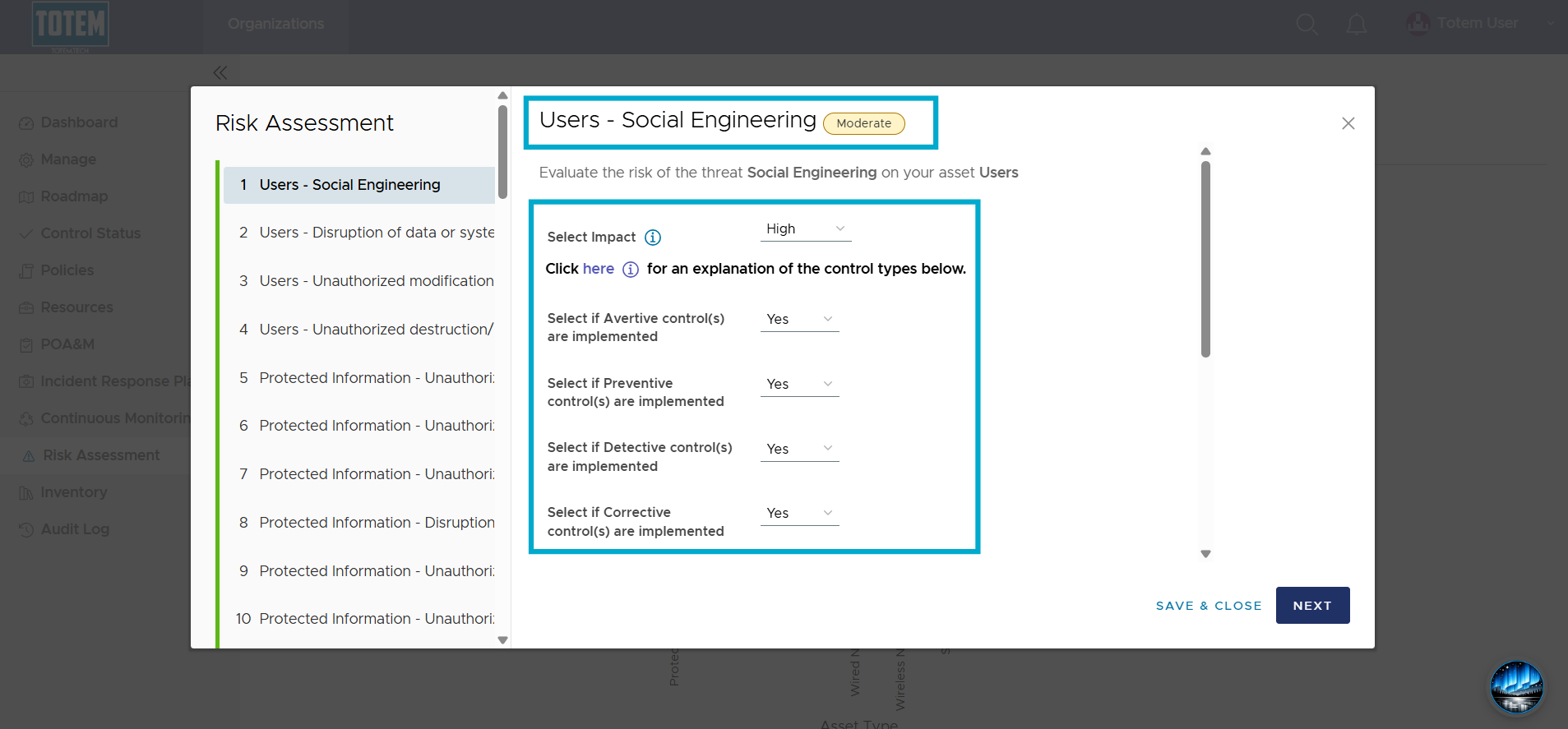
- But implementing a fourth control type will drive the Risk down to Moderate:
- The Risk will then be shown in the heat map:
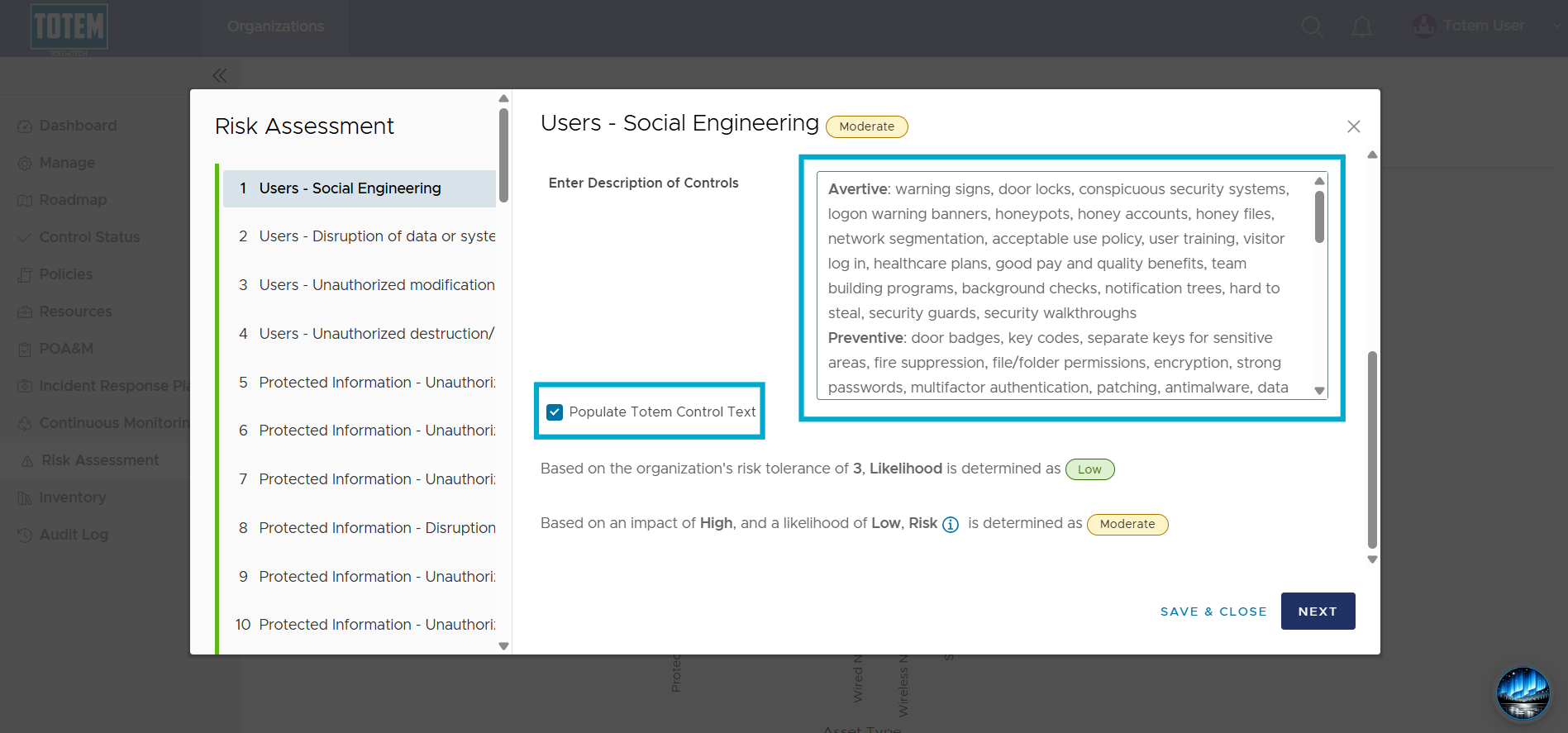
- When assessing a Risk, Totem provides a text field you can use to describe how you’ve implemented Avertive, Preventive, Detective, and Corrective controls. Scroll down in the Risk modal to view the text box. If you want to utilize Totem’s Risk control text template, select Populate Totem Control Text.
- When complete, select Next to move on to the next Risk or Save & Close to exit the modal.
- Repeat the steps in this guide for assessing other Risks.