Marking tasks Complete
This guide shows you how to mark a Continuous Monitoring tasks as Complete.
- Log in to Totem.
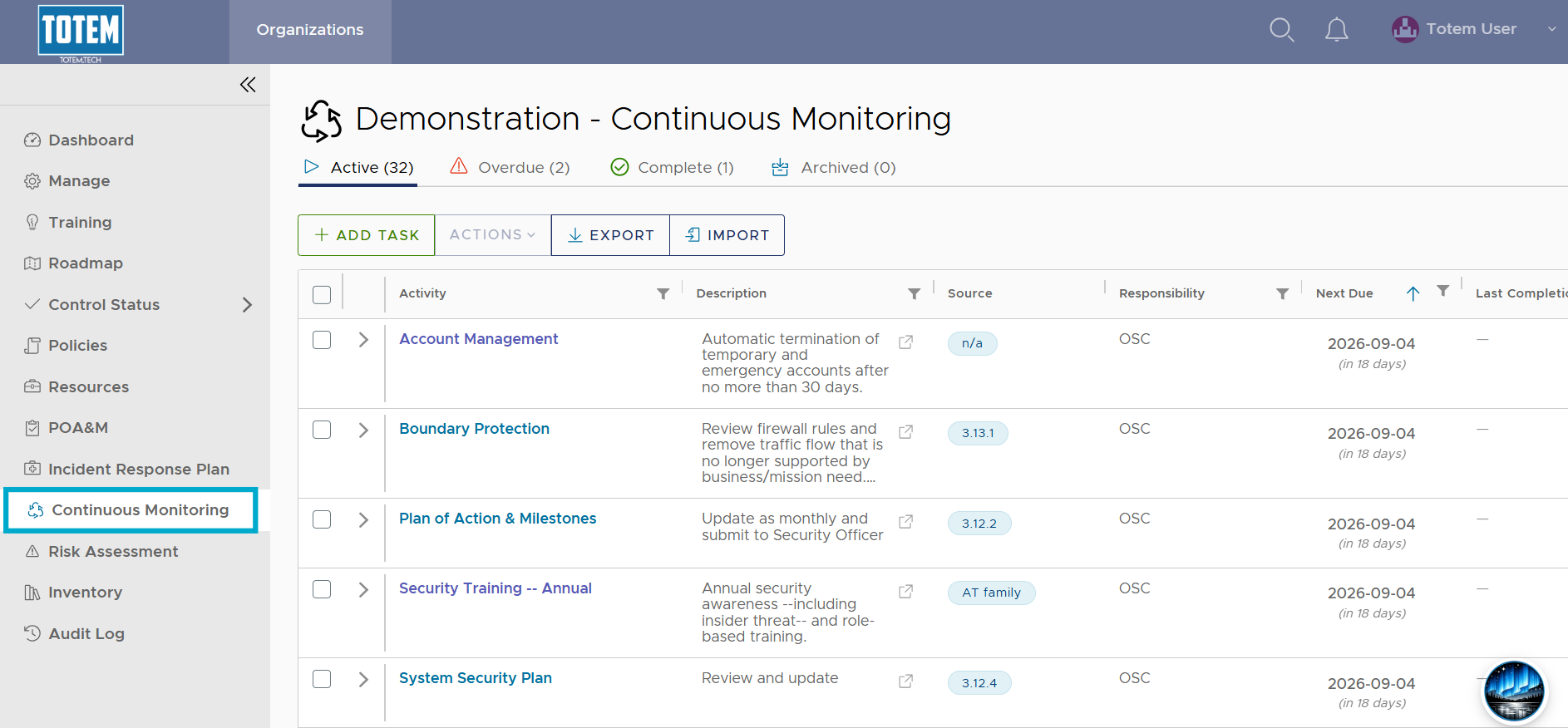
- Navigate to the Continuous Monitoring module via the left-hand menu:
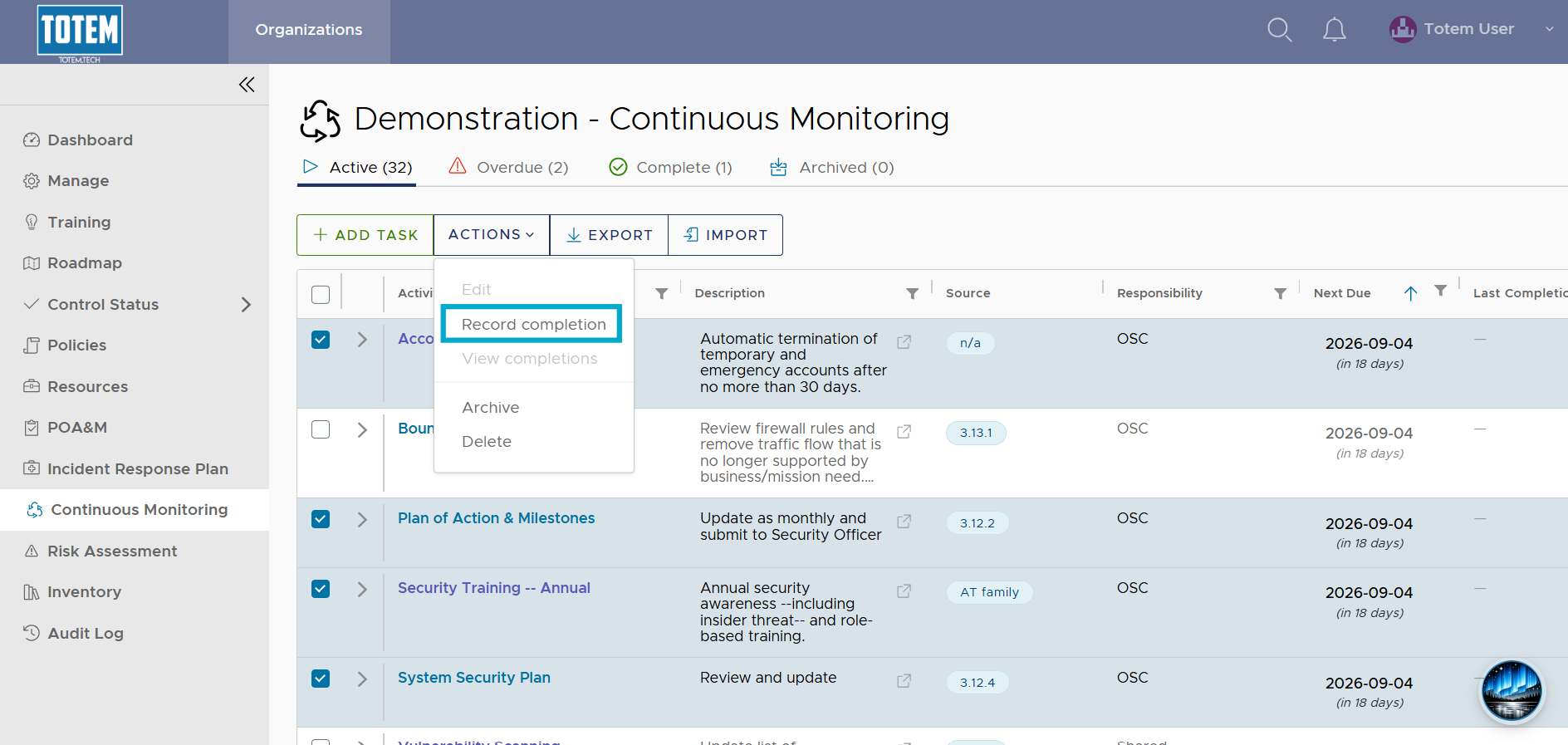
- Regardless of the task group (Active, Overdue, or Complete), identify the task(s) that you have completed and would like to record as Complete within Totem. Select the checkbox next to the task, then choose Record Completion from the list.
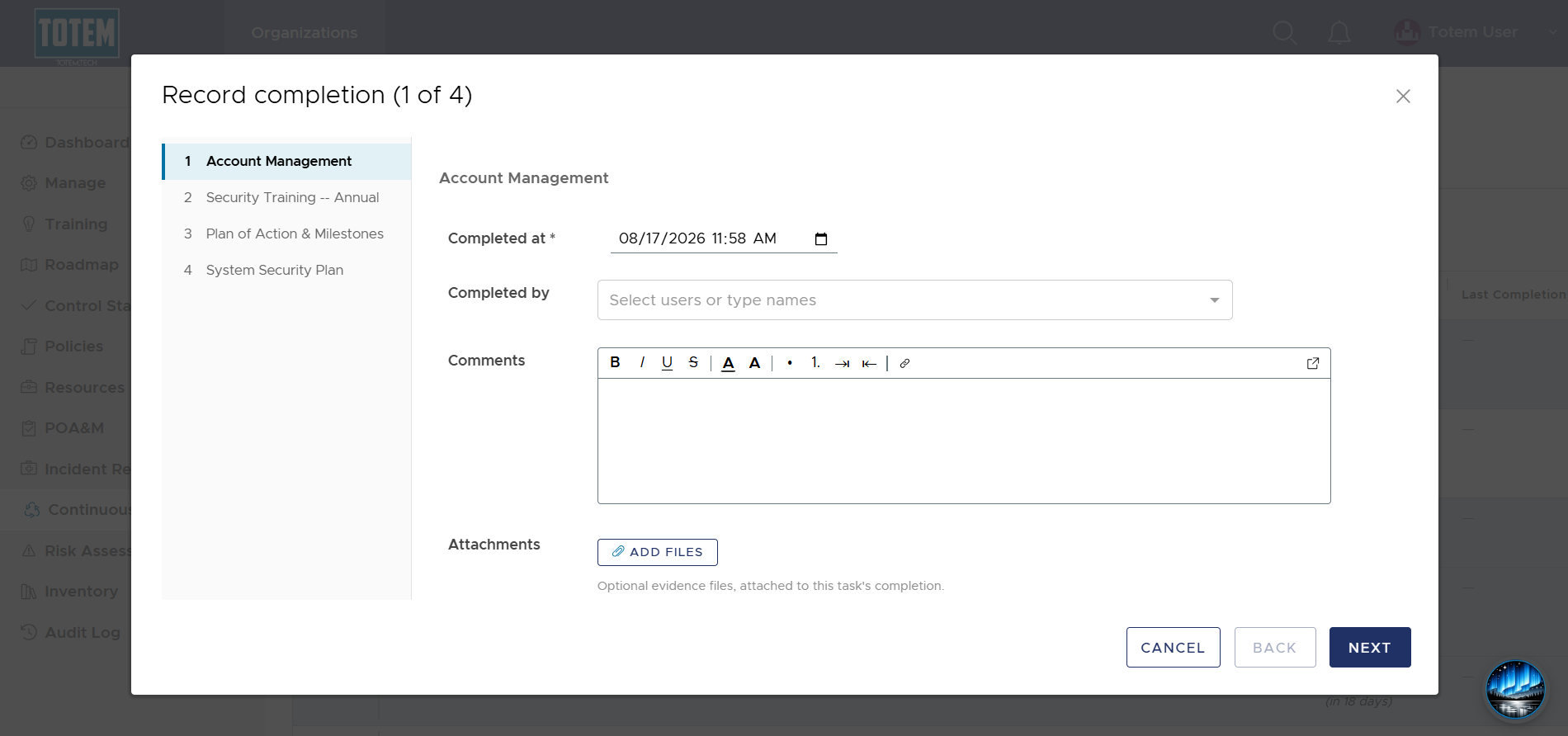
- The completion wizard will appear, where you can add any relevant completion notes or attachments for any selected tasks.
- Proceed through the completion wizard and record the task(s). Notice the task move to the Complete group (unless the task is an Ongoing task, in which it will always remain Active). Additionally, notice that the Next Due date has been updated to the date of completion + the interval. When the Next Due date passes, these tasks will automatically move back from Complete to Active. Lastly, note that a Completion Log is now available.
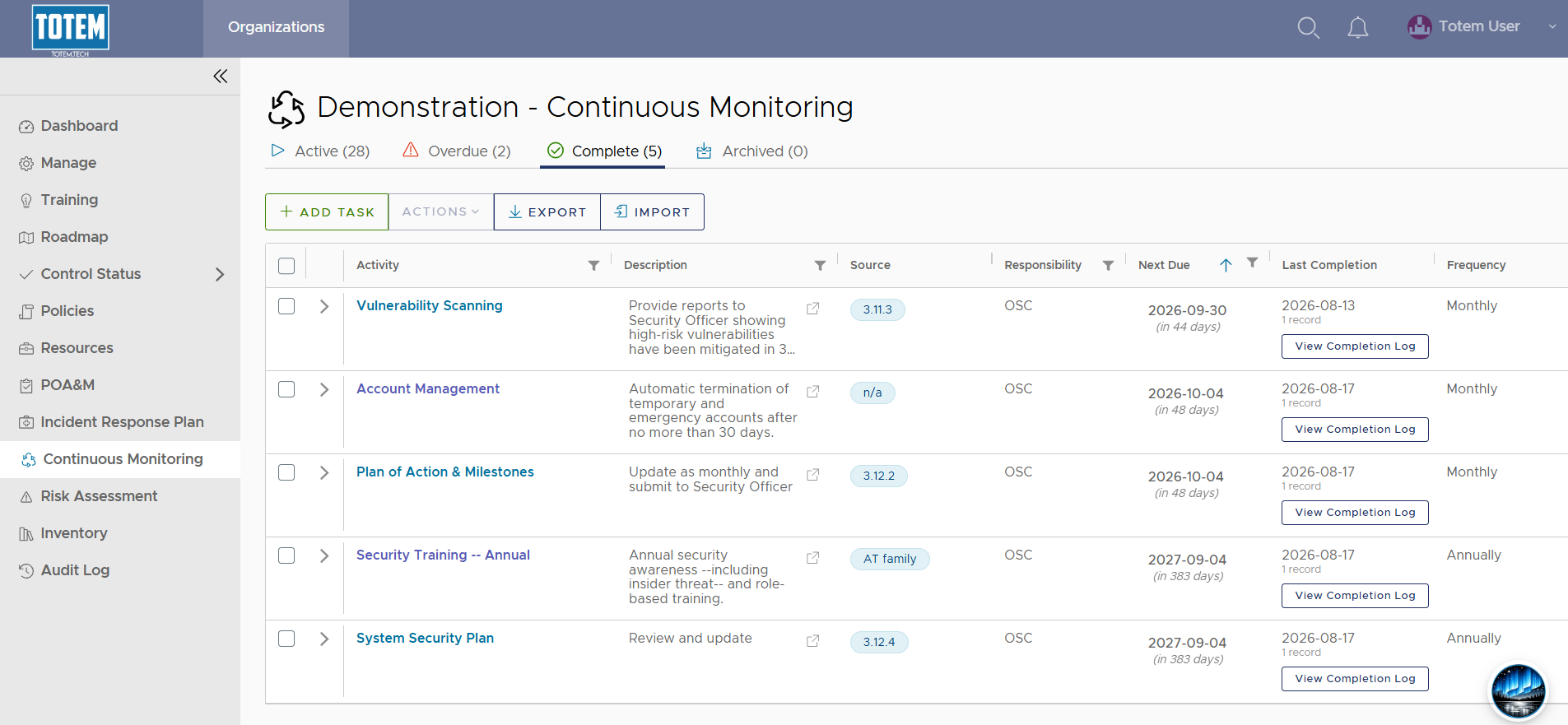
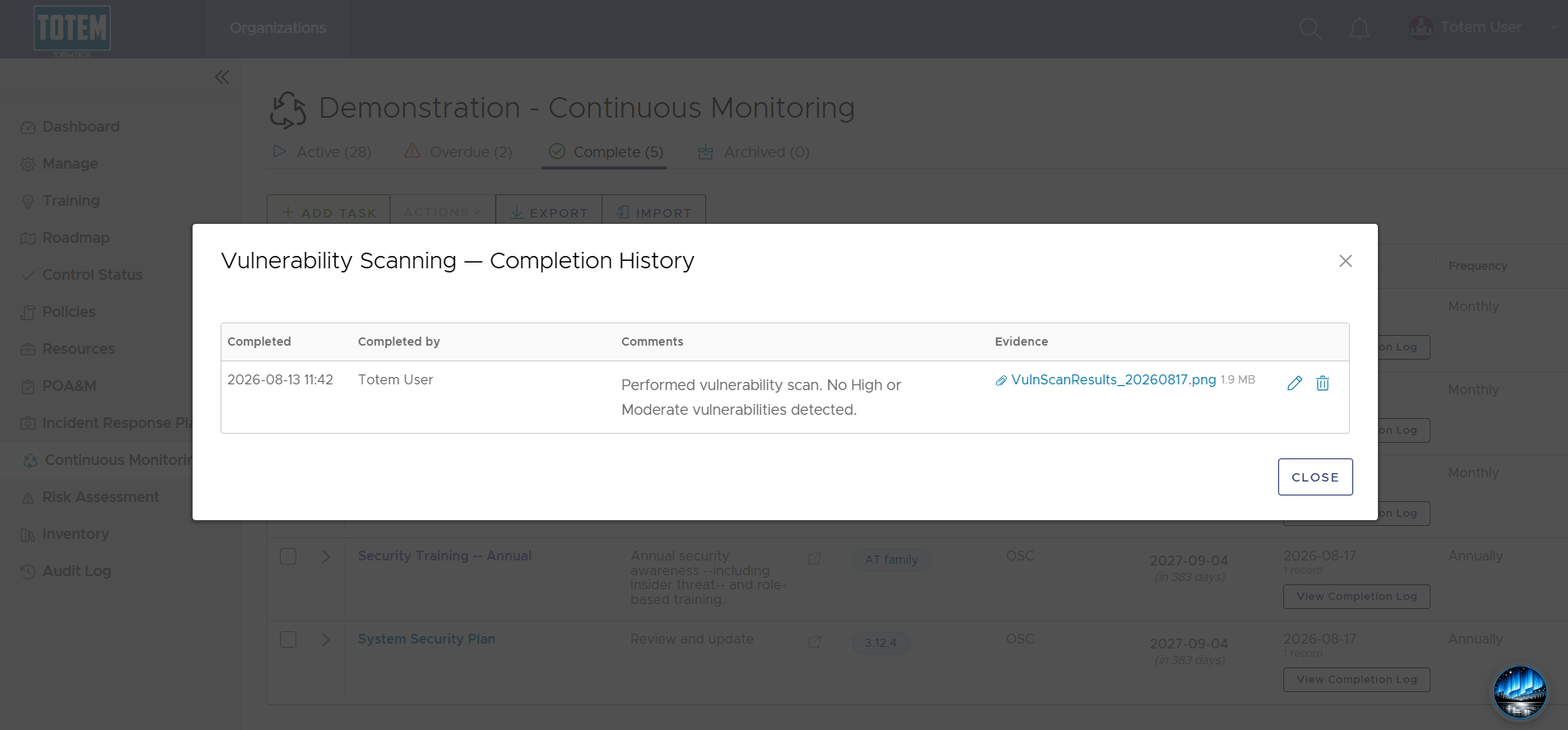
- You can select View Completion Log to view, edit, or delete historical completion records at any time.