
Making tasks Active again
Once an Active Continuous Monitoring task has been marked Complete, it can be confusing how that task becomes Active again. This guide walks you through how Totem automatically marks Complete tasks as Active again, or how you can manually move tasks to Active.
- Log in to Totem.
- Navigate to the Continuous Monitoring module via the left-hand menu:
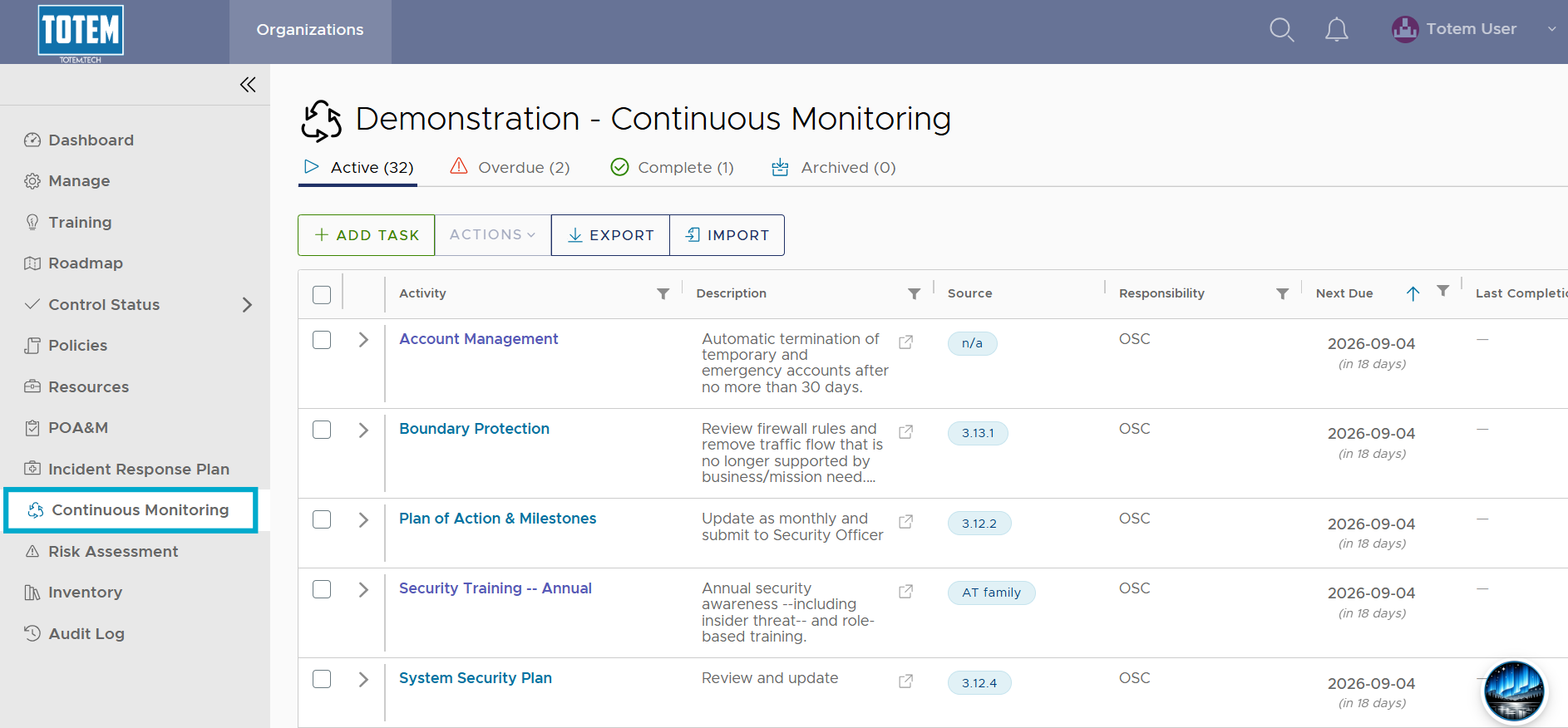
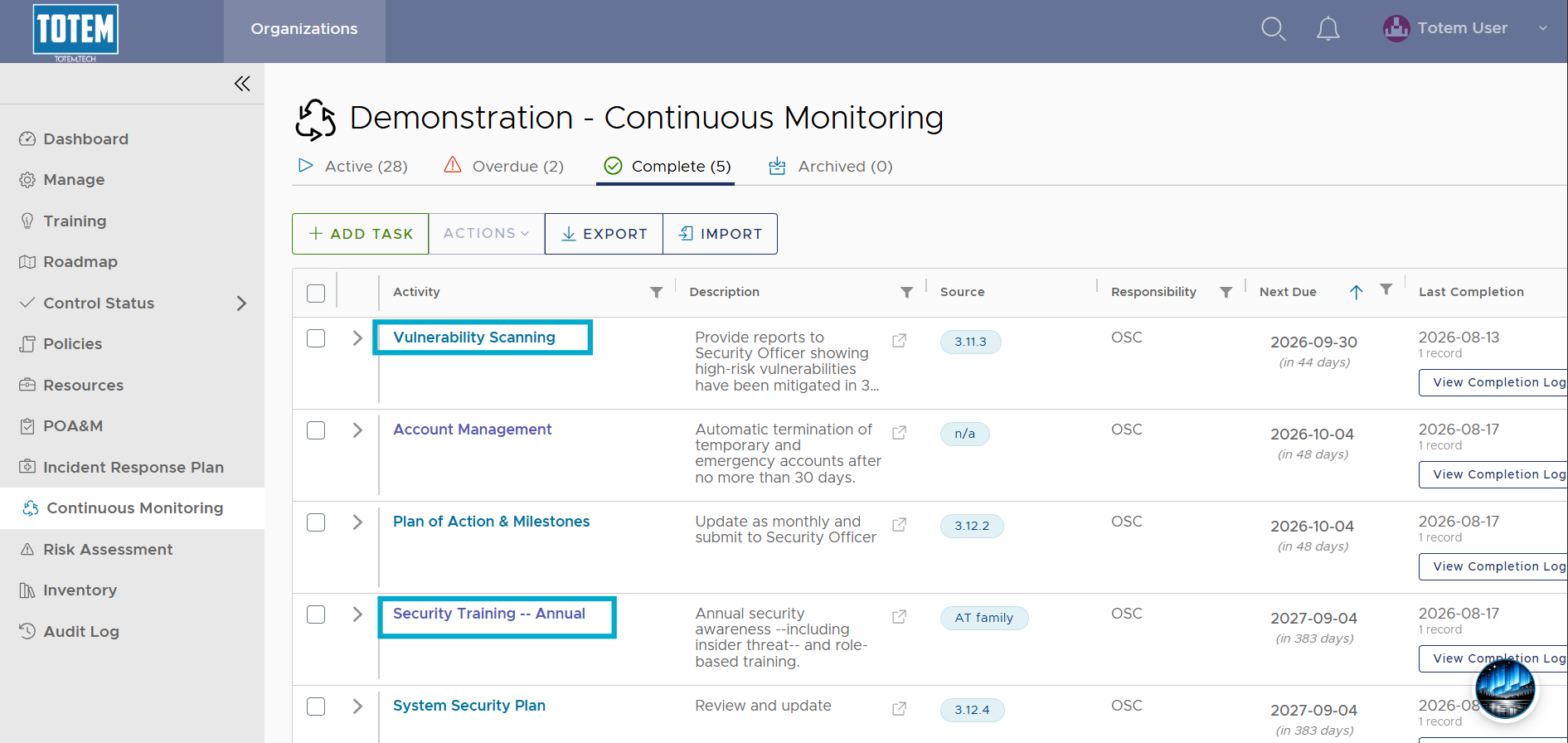
- Within the Complete group, identify a task that you would like to move back to Active. For that task, note both the Next Due and the Frequency fields.
- If the task has a distinct frequency (e.g., Weekly, Monthly, Quarterly, Annually, etc.), the Next Due date will automatically be set for you. This is calculated based on the day that you recorded the task as Complete, where Next Due is the completion date plus the specified interval. Totem will automatically move these tasks from Complete to Active after the Next Due date passes.
- If the task has an arbitrary frequency (As Required), there will be no set Next Due date, and therefore no automatic moving of these tasks from Complete to Active. To move these tasks back to Active, do the following:
- In the Complete group, identify the task(s) you’d like to move back to Active.
- Select the checkbox next to these tasks, then select Actions and Mark active.
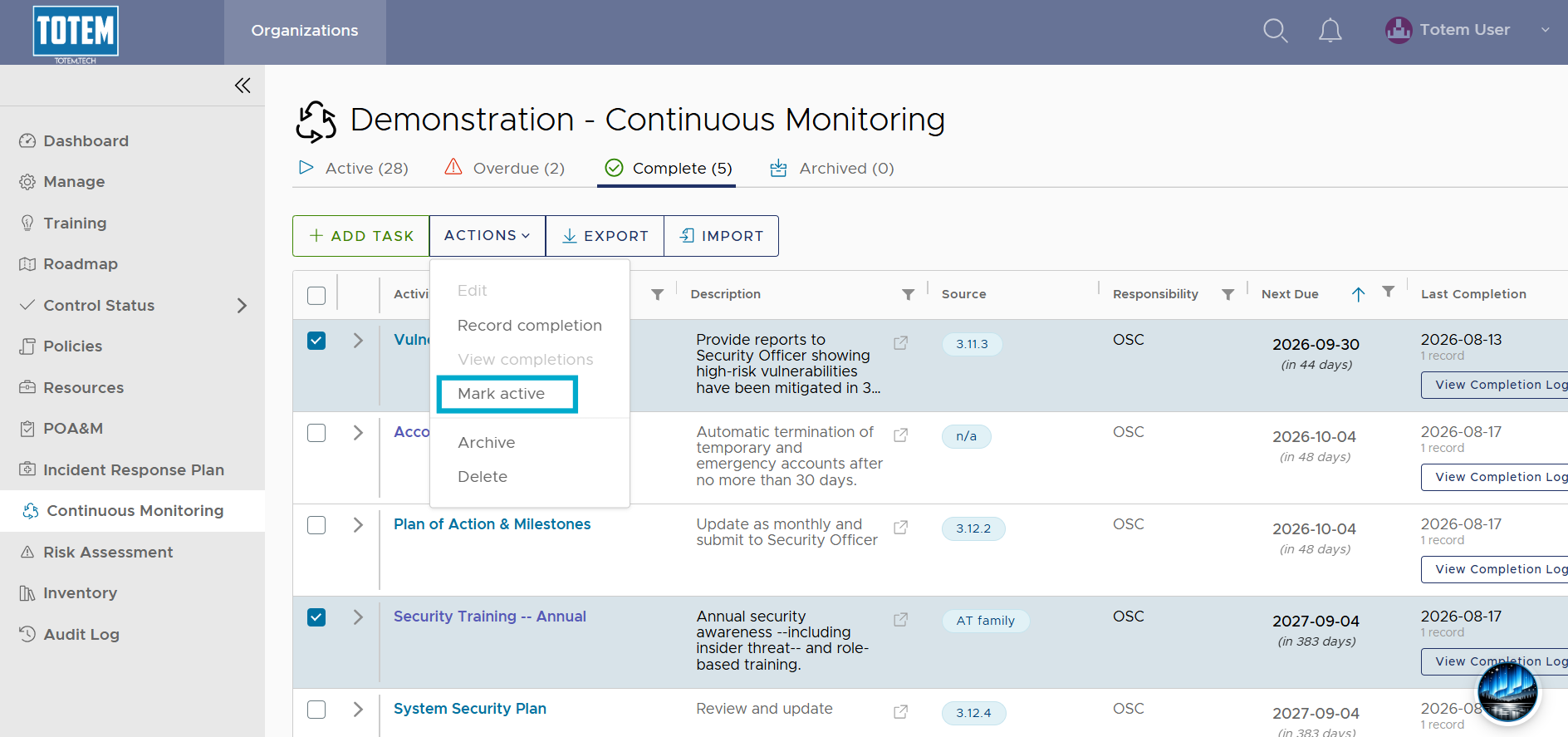
- The tasks will move back to the Active group.