Adding Organization Actions to a POA&M
When you identify a deficiency in an Organization Action (e.g., a requirement is Not Met), you can add these Organization Actions to your POA&M via the Control Status module. This guide walks you through how to add an Organization Action to your POA&M via Control Status. For more on creating a POA&M, refer to our Building a POA&M guide.
- Log in to Totem.
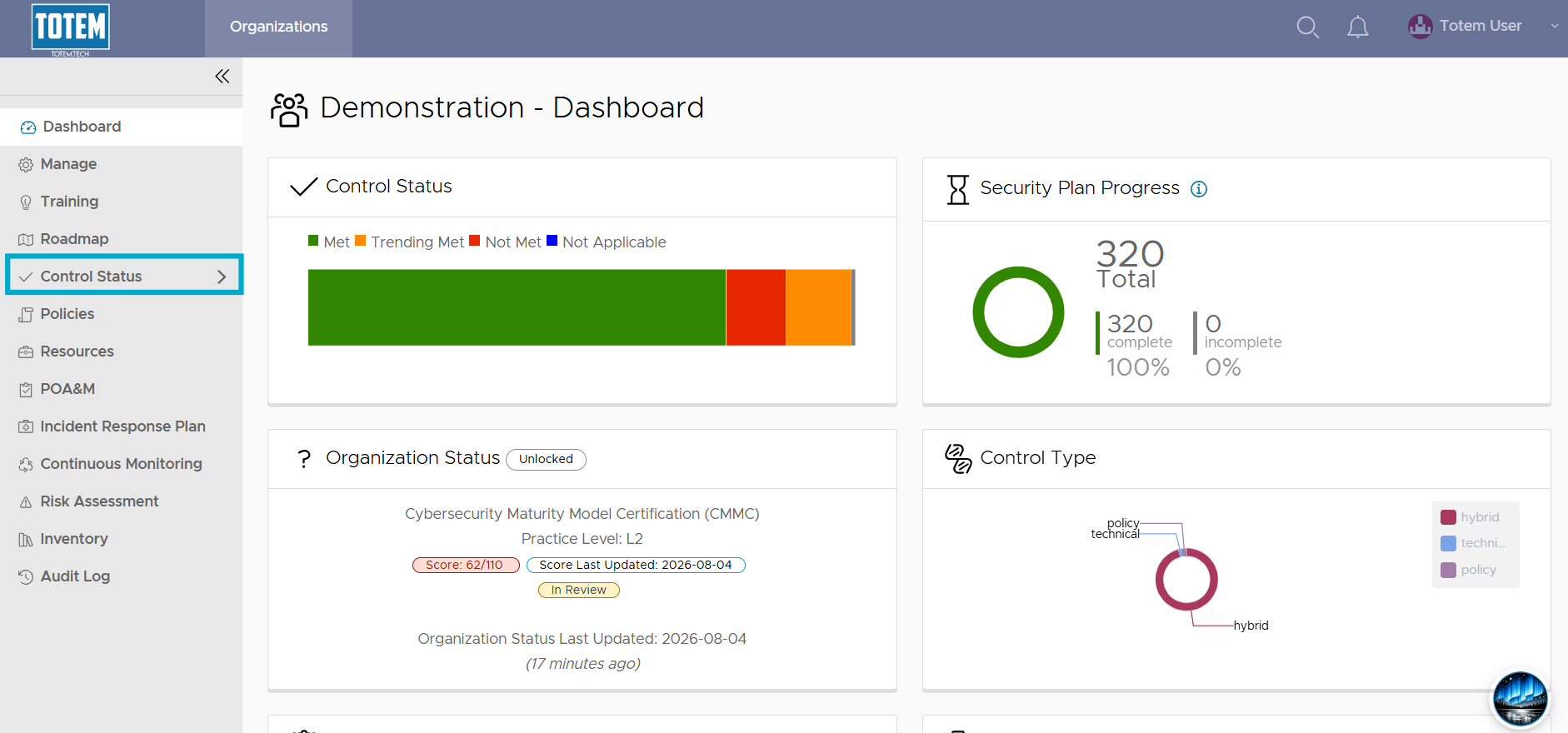
- Navigate to the Control Status module via the left-hand menu:
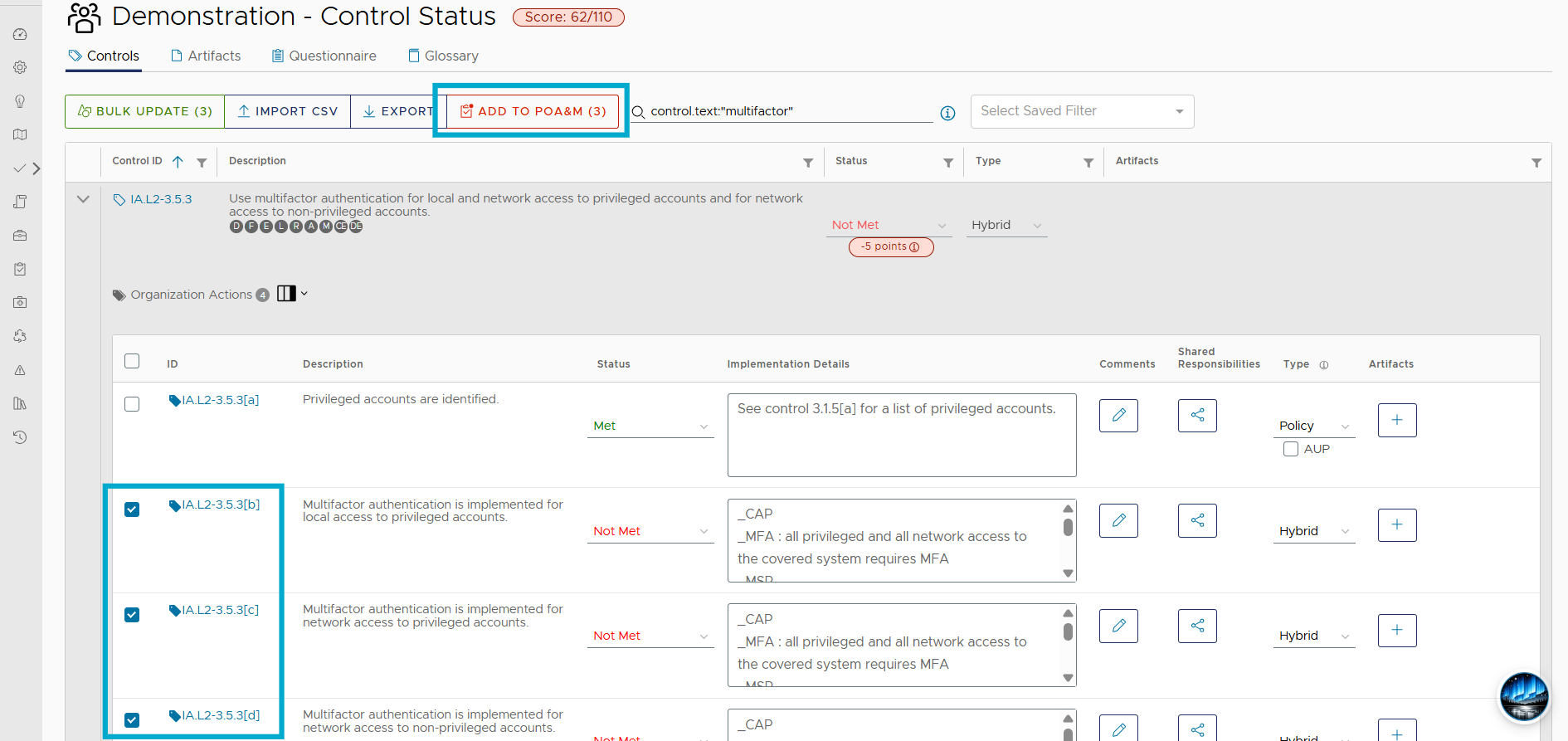
- Identify the Organization Actions you’d like to add to your POA&M. Select the checkbox next to these actions, and the Add to POA&M button will appear at the top of the page. The Add to POA&M button will present the number of actions selected (e.g., “(3)”. You can select and add actions across multiple deficient controls to your POA&M; you are not limited to only selecting actions from a single control. However, a maximum of 30 actions may be added to a single Corrective Action Plan at once.
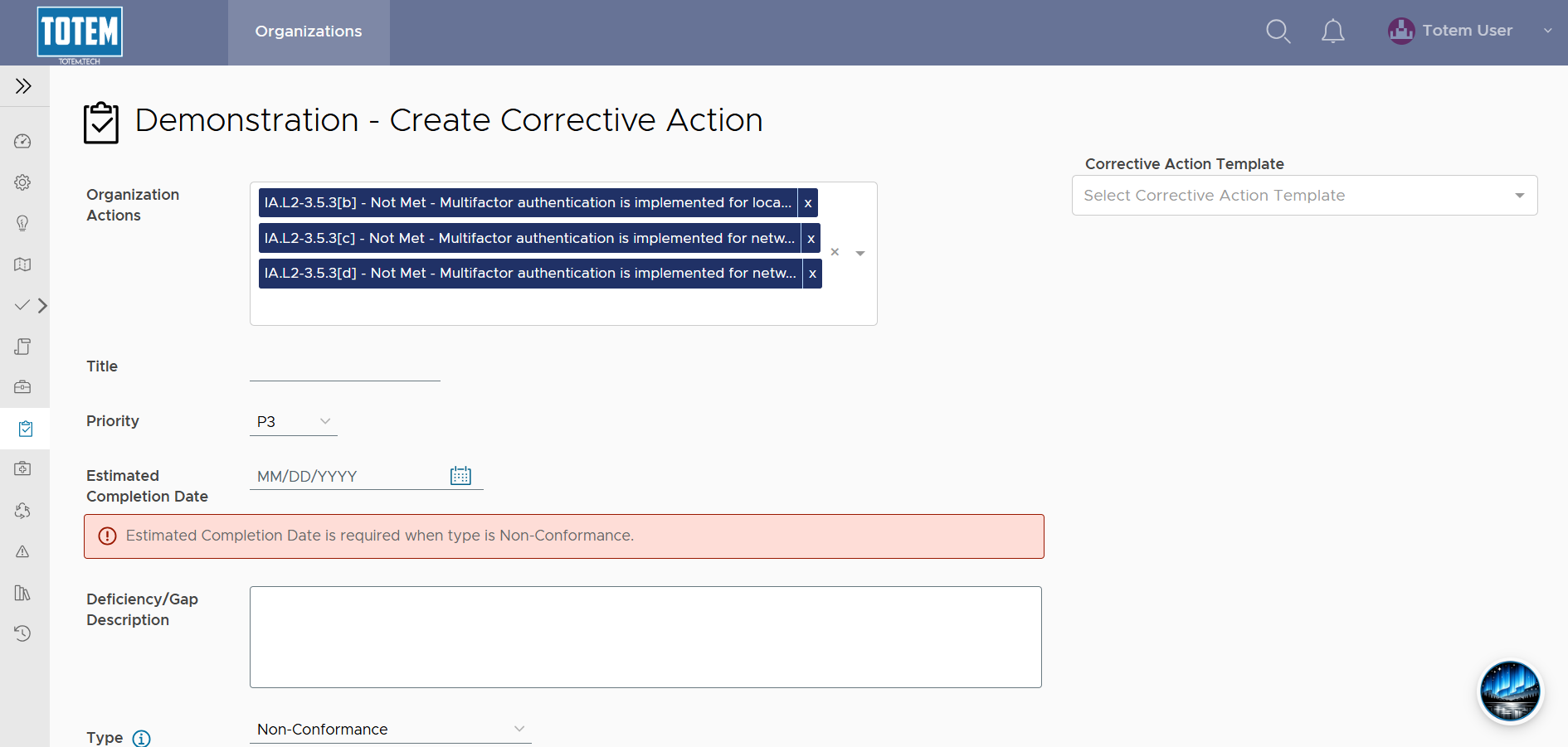
- Upon selecting Add to POA&M, you will be brought to the Create Corrective Action page, where you can build your plan to remediate the Organization Actions identified. Refer to our Creating a POA&M guide for more.