
Bulk-updating controls
Totem contains a Bulk Update tool to help you make changes to many Organization Actions at once. This guide walks you through how to use the tool to make changes such as updating assessment status or adding implementation details. Note that if you’d prefer to use Aurora to make these bulk updates, she can help!
- Log in to Totem.
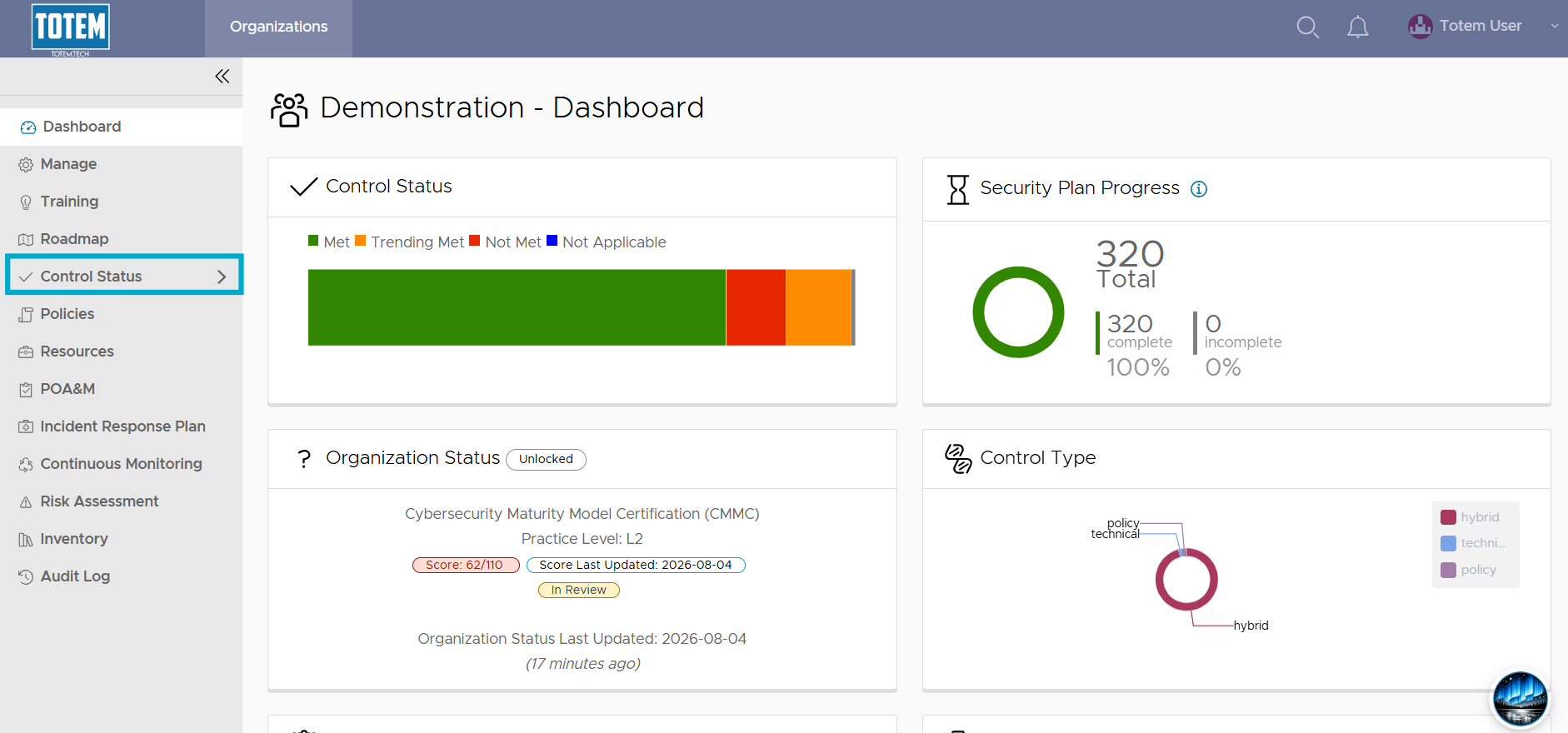
- Navigate to the Control Status module via the left-hand menu:
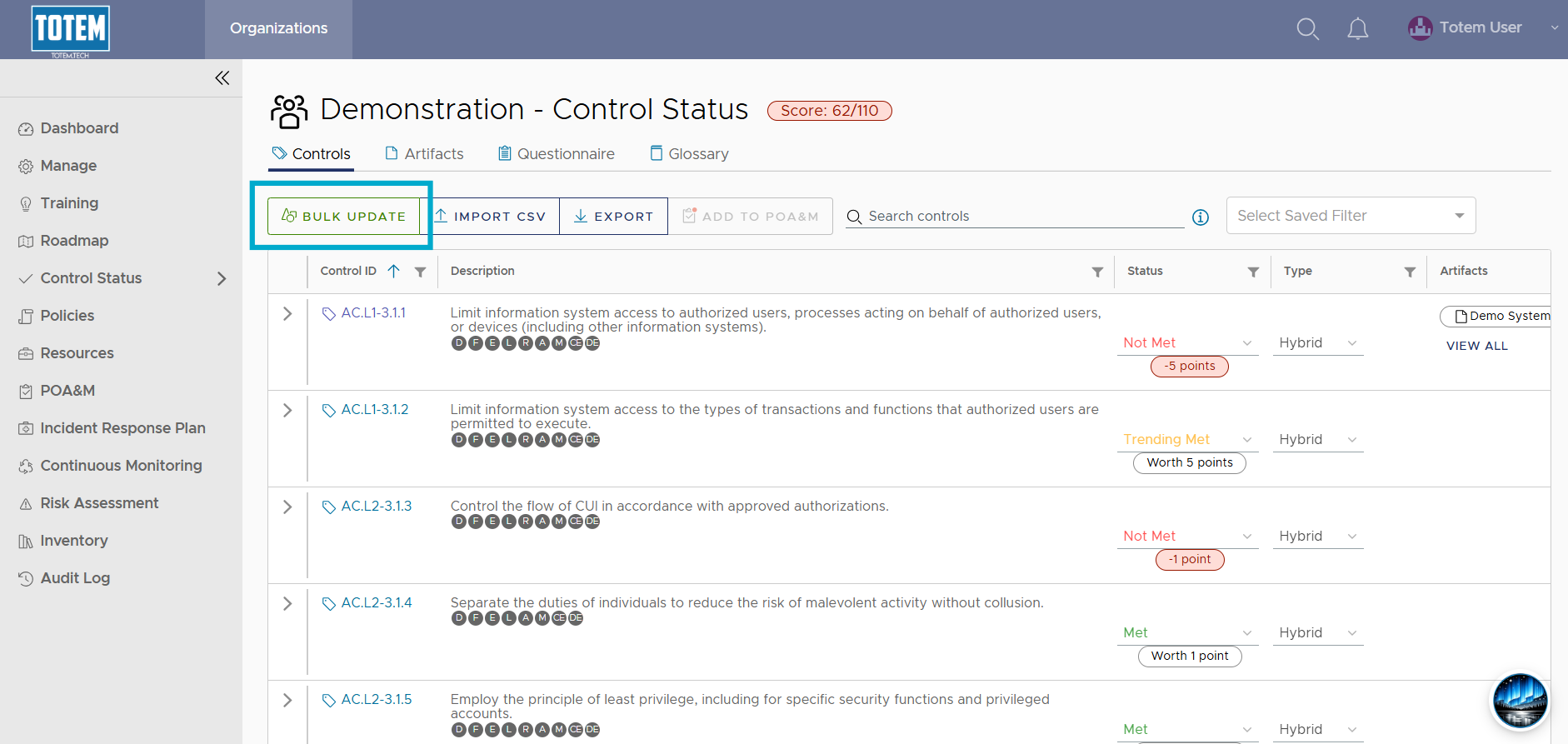
- Select Bulk Update.
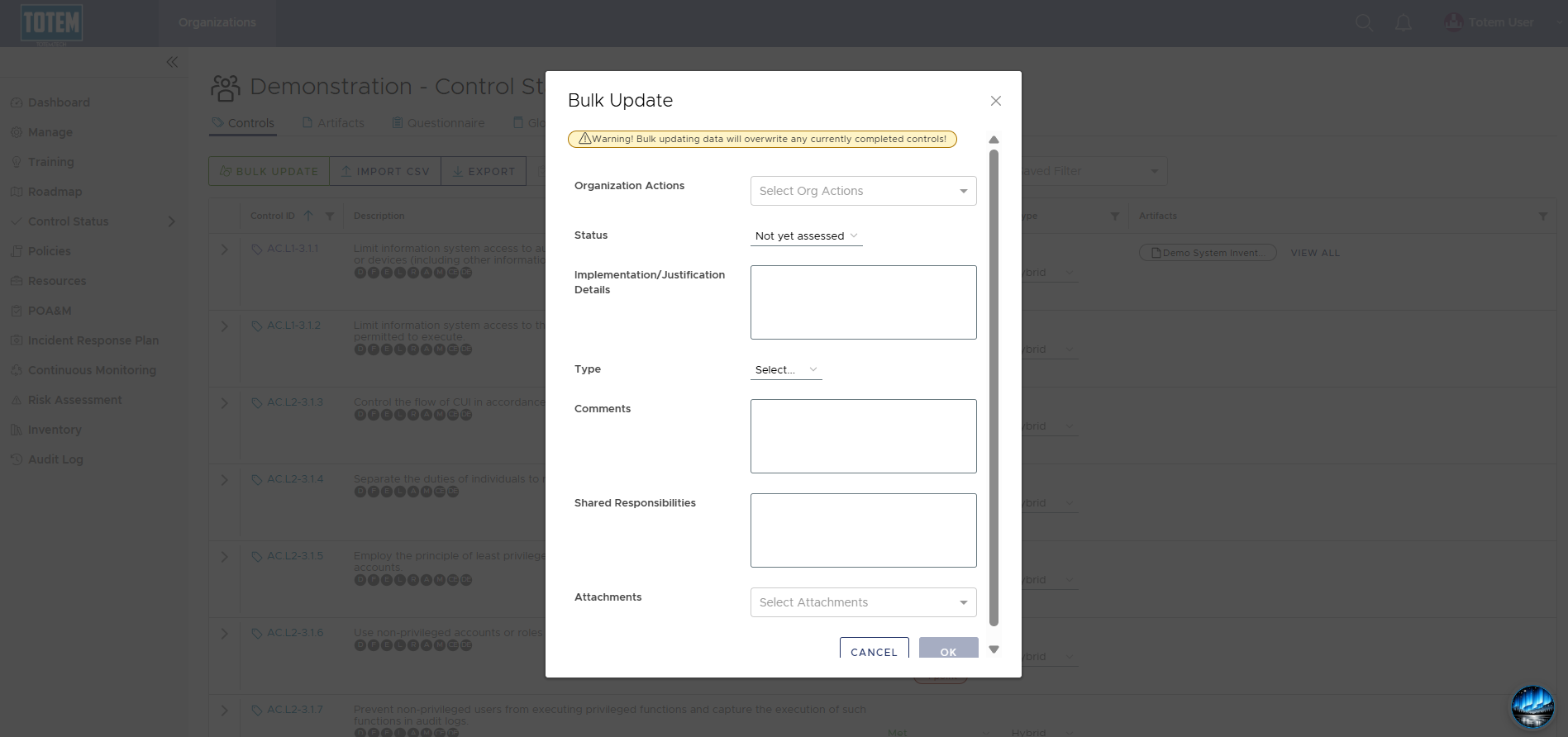
- The bulk update interface will appear. Explanations of each field are below.
- Organization Actions: Select the Organization Actions that you would like to update.
- Status: If you want to change the Organization Action(s) status to Met, Trending Met, Not Met, or Not Applicable. Note that leaving as Not yet assessed in the Bulk Update tool will NOT update those Organization Actions to Not yet assessed.
- Implementation/Justification Details: If you want to populate text in the Implementation Details fields. Note that this will overwrite ALL existing text in these fields.
- Type: If you want to update the Organization Action Type field to Policy, Technical, or Hybrid.
- Comments: If you want to populate text in the Comments fields. Note that this will overwrite ALL existing text in these fields.
- Shared Responsibilities: If you want to populate text in the Shared Responsibilities fields. Note that this will overwrite ALL existing text in these fields.
- Attachments: If you want to associate existing attachments (Artifacts) to the selected Organization Actions.
- Once you have configured the Bulk Update tool to make your desired changes, select OK. Depending on the changes made, it may take ~30 seconds to apply.