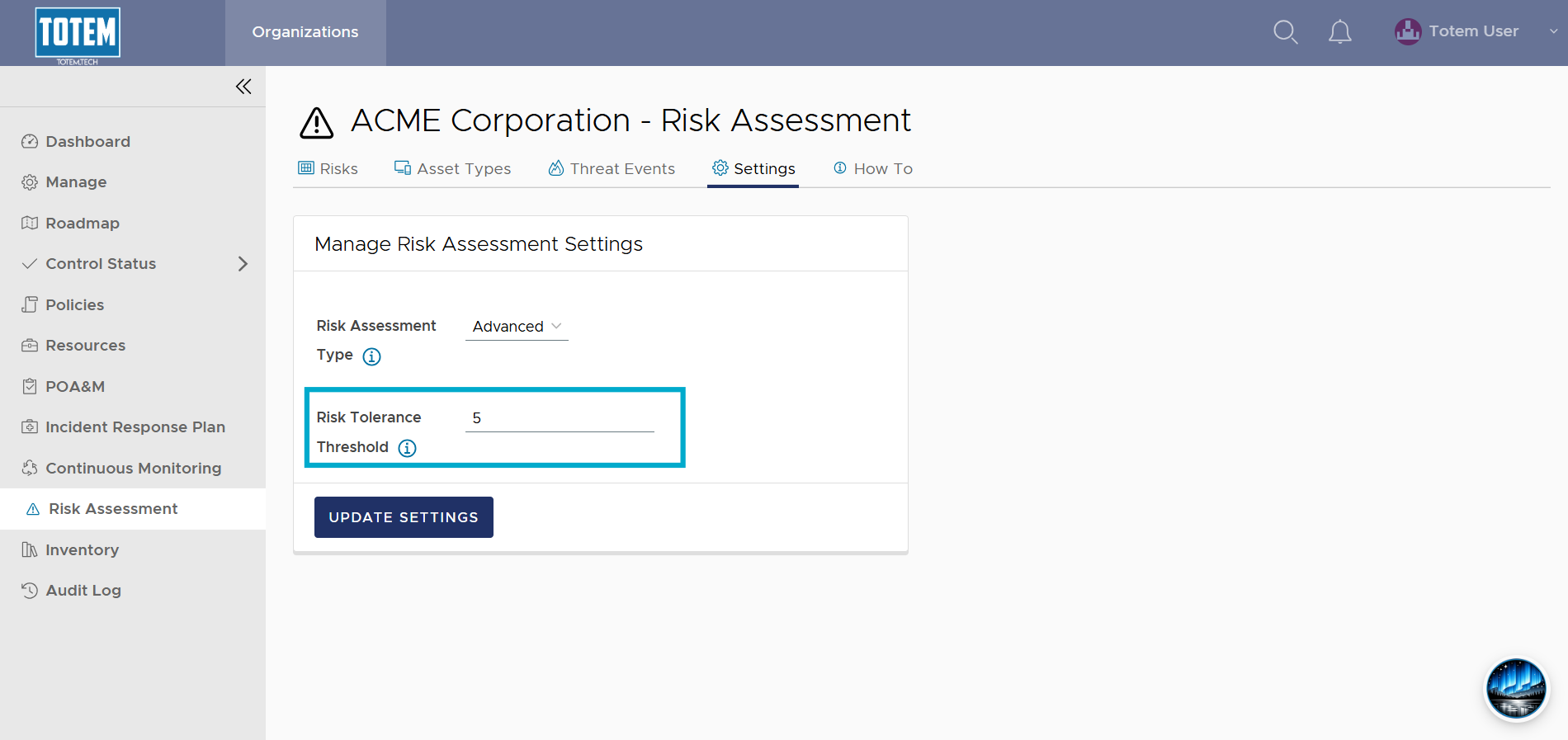
Changing the risk assessment type or tolerance threshold
You can update Totem’s Risk Assessment settings to change how you evaluate and determine risk. This guide walks you through how to adjust these settings and what they mean.
- Log in to Totem.
- Navigate to the Risk Assessment module and choose the Settings page.
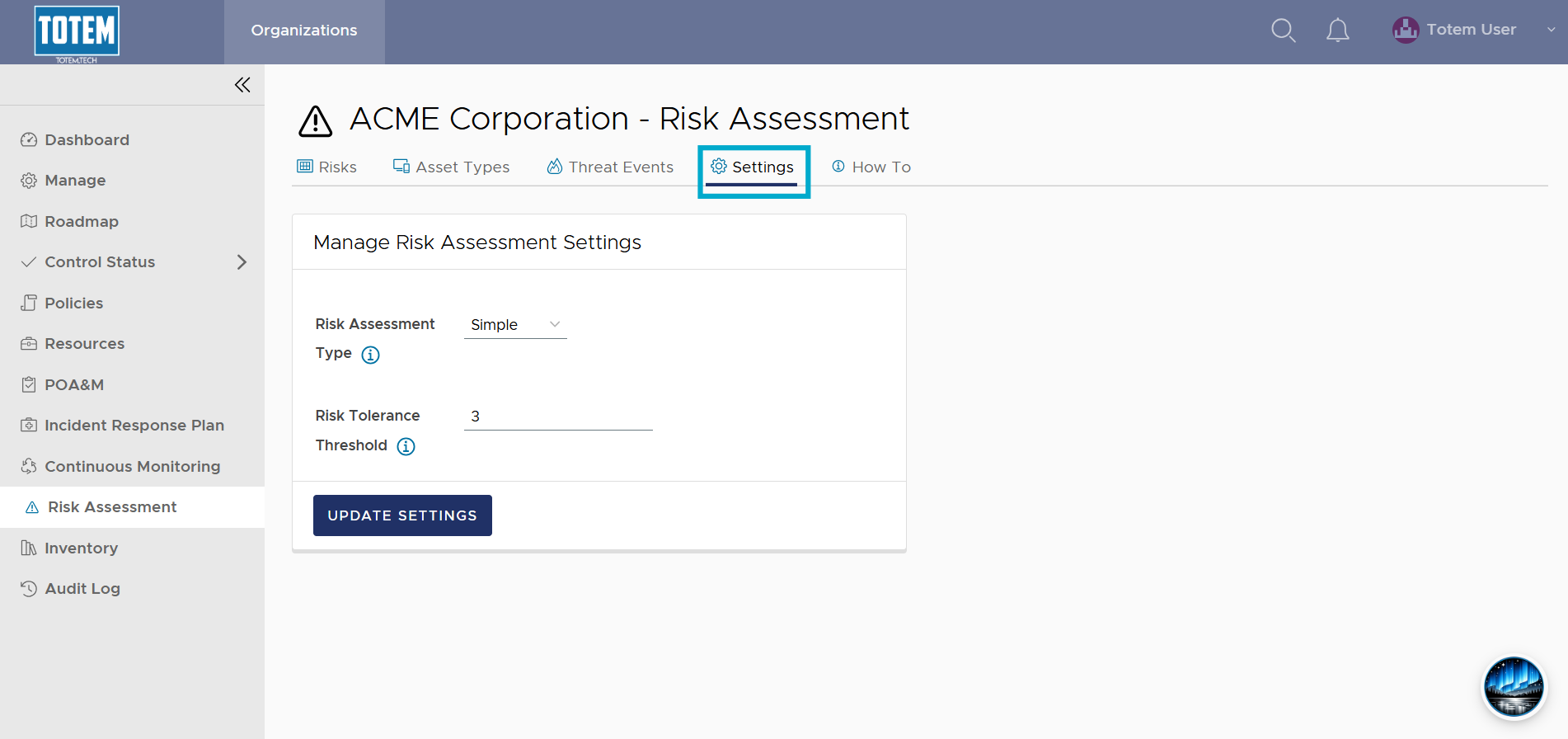
- For the Risk Assessment Type, when set to Simple (default), as you assess your risks, you are only asked to provide Yes or No answers for implementation of the four Control Types:
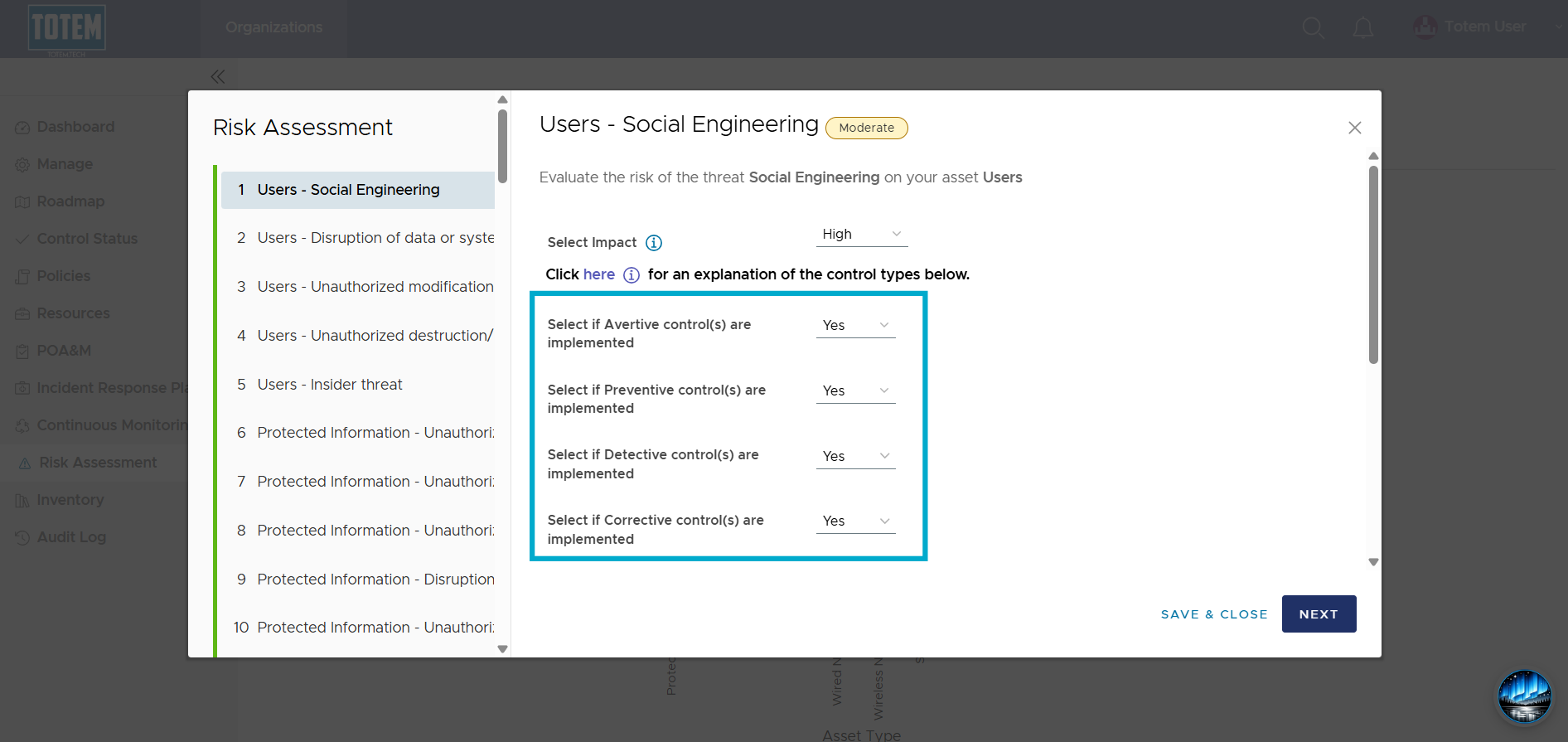
- However, when the Risk Assessment Type is set to Advanced, you’ll need to specify the number of controls you’ve implemented across each Control Type, where the quantity of controls and control types calculate the Risk:
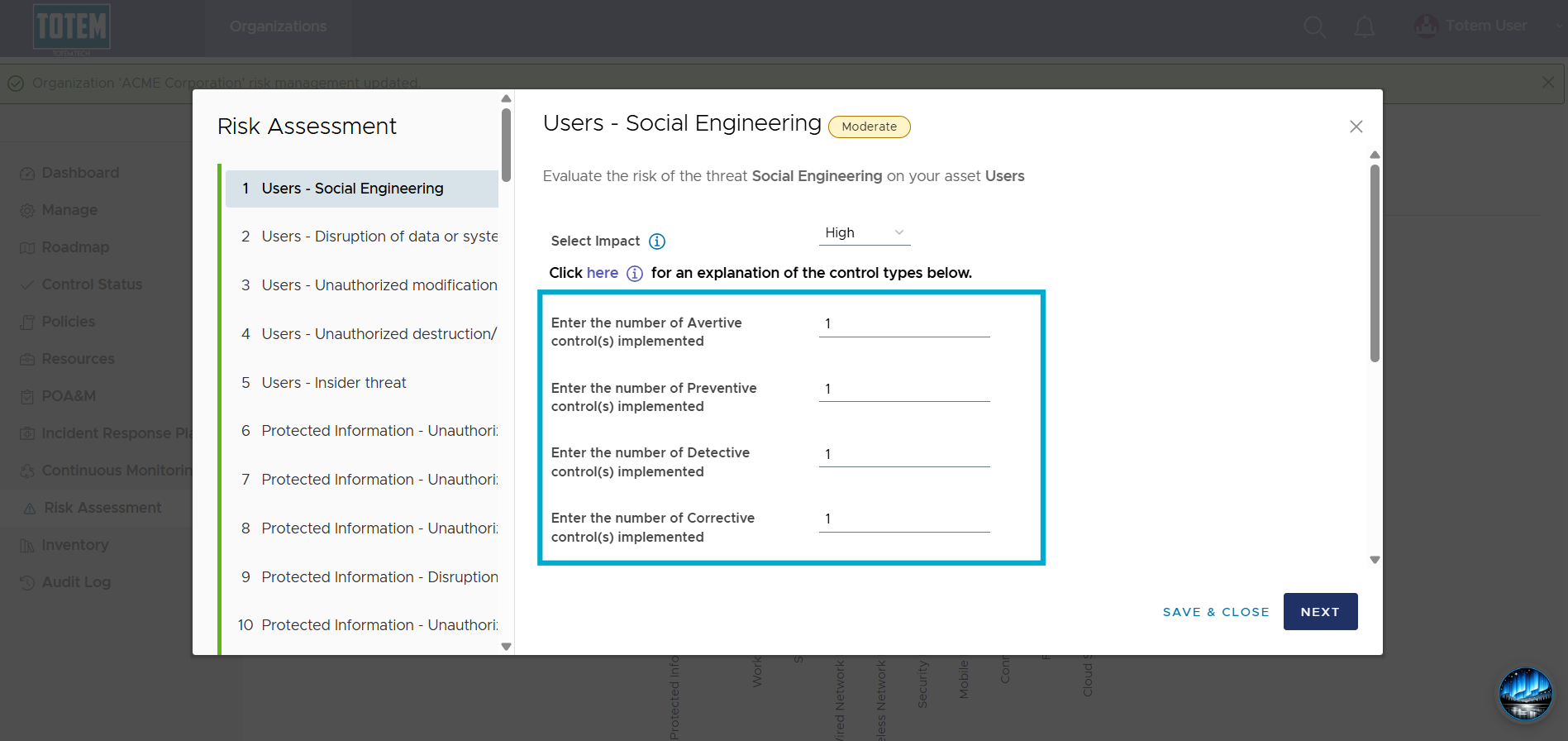
- For the Risk Tolerance Threshold, you can increase or decrease the threshold depending upon your organization’s tolerance of risk. By default, the value is 3. For example, an organization that feels more risk averse may choose to increase their Risk Tolerance Threshold. Practically, this means the organization will need to implement more controls to drive their risk score down compared to those with a lower Risk Tolerance Threshold.
- This tolerance threshold is calculated by this formula:
- If the number of controls implemented is less than the threshold value, the likelihood is high
- If the number of controls implemented is equal to the threshold value, the likelihood is moderate
- If the number of controls implemented is greater than the threshold value, the likelihood is low