
Completing Roadmap tasks
Totem’s Roadmap module separates big-picture CMMC Level 2 milestones into individual tasks. This guide walks you through completion of tasks and explains which tasks include additional automation.
To begin completing Roadmap tasks:
- Log in to Totem.
- Navigate to the Roadmap module.
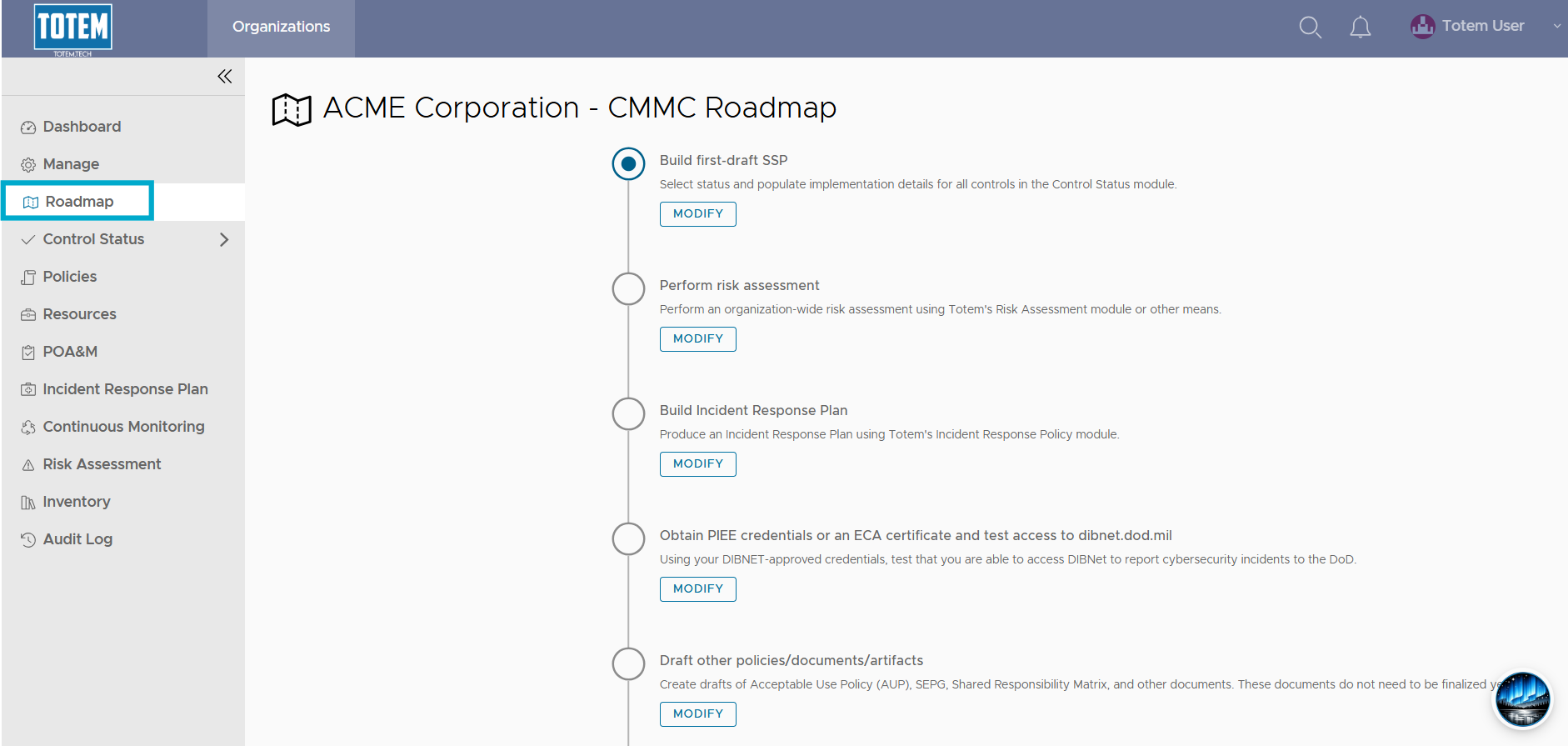
- Depending on your progress, you may or may not already see certain tasks marked Complete. To modify the completion progress of any step, select Modify:
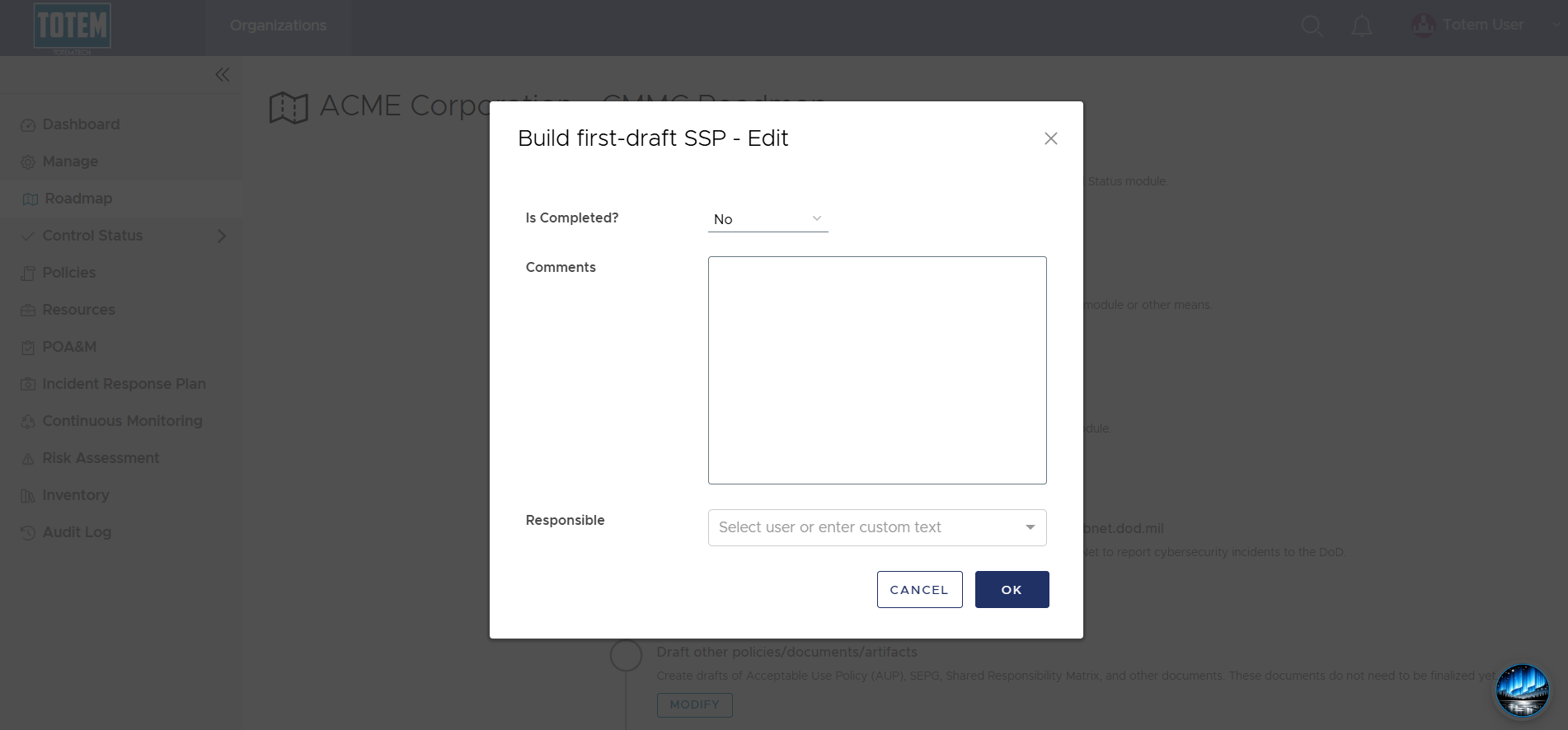
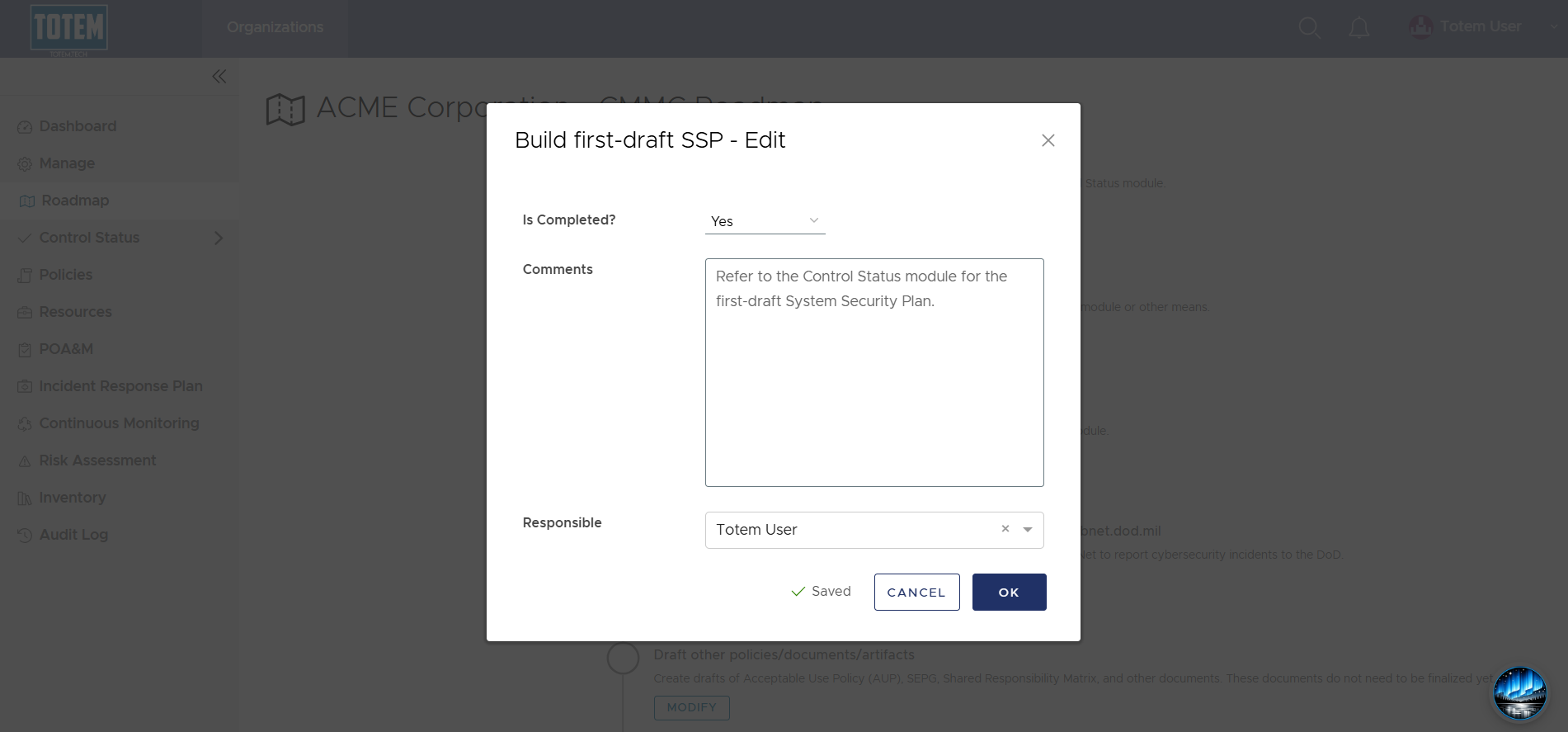
- In the completion form, you can manually complete the task by selecting Yes. Add any additional comments or responsible entities, then choose OK.
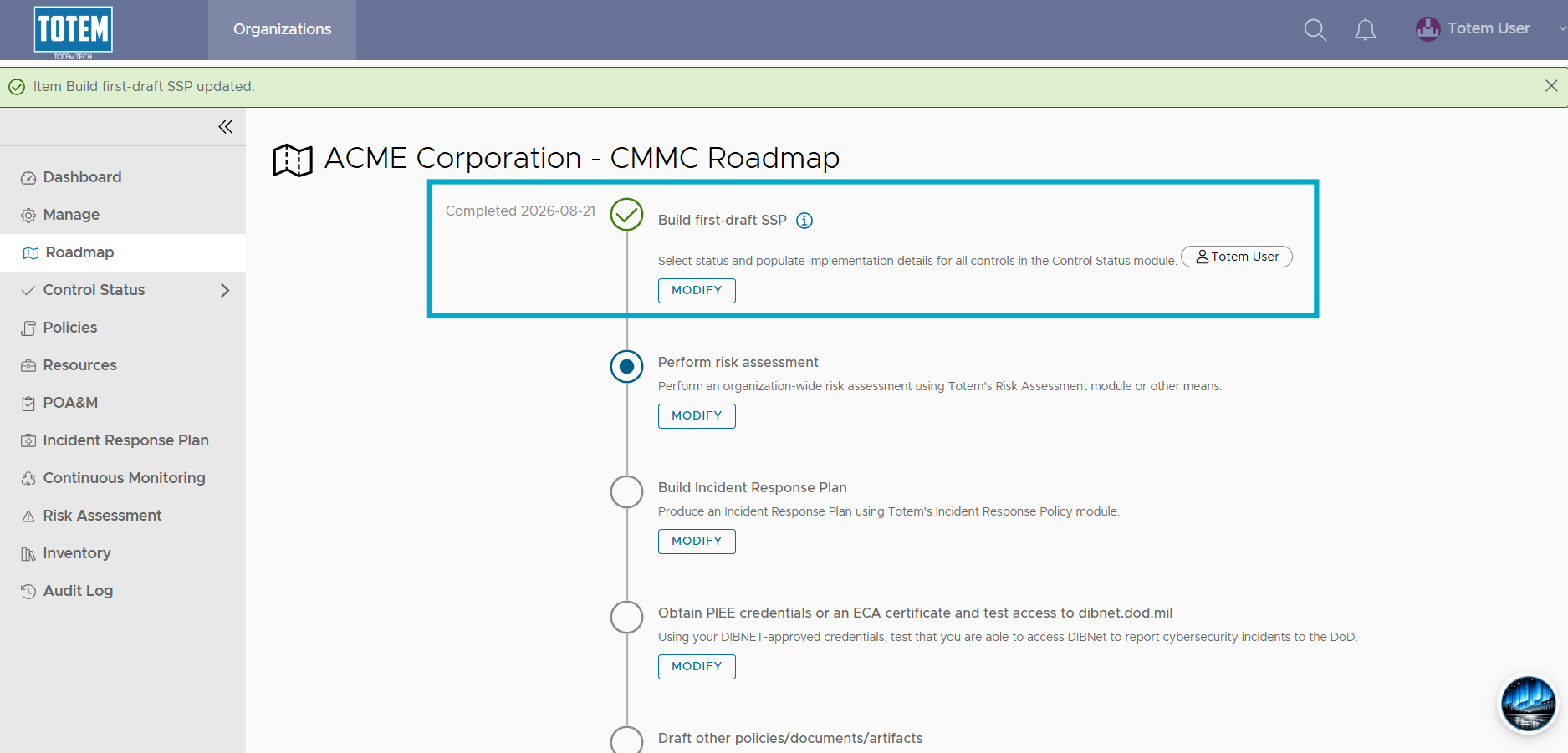
- The task will show as Complete, and the completion indicator will move to the next step.
- If you need to uncomplete any step, you can modify the step again and change completion progress to No. The completion indicator will adjust accordingly.
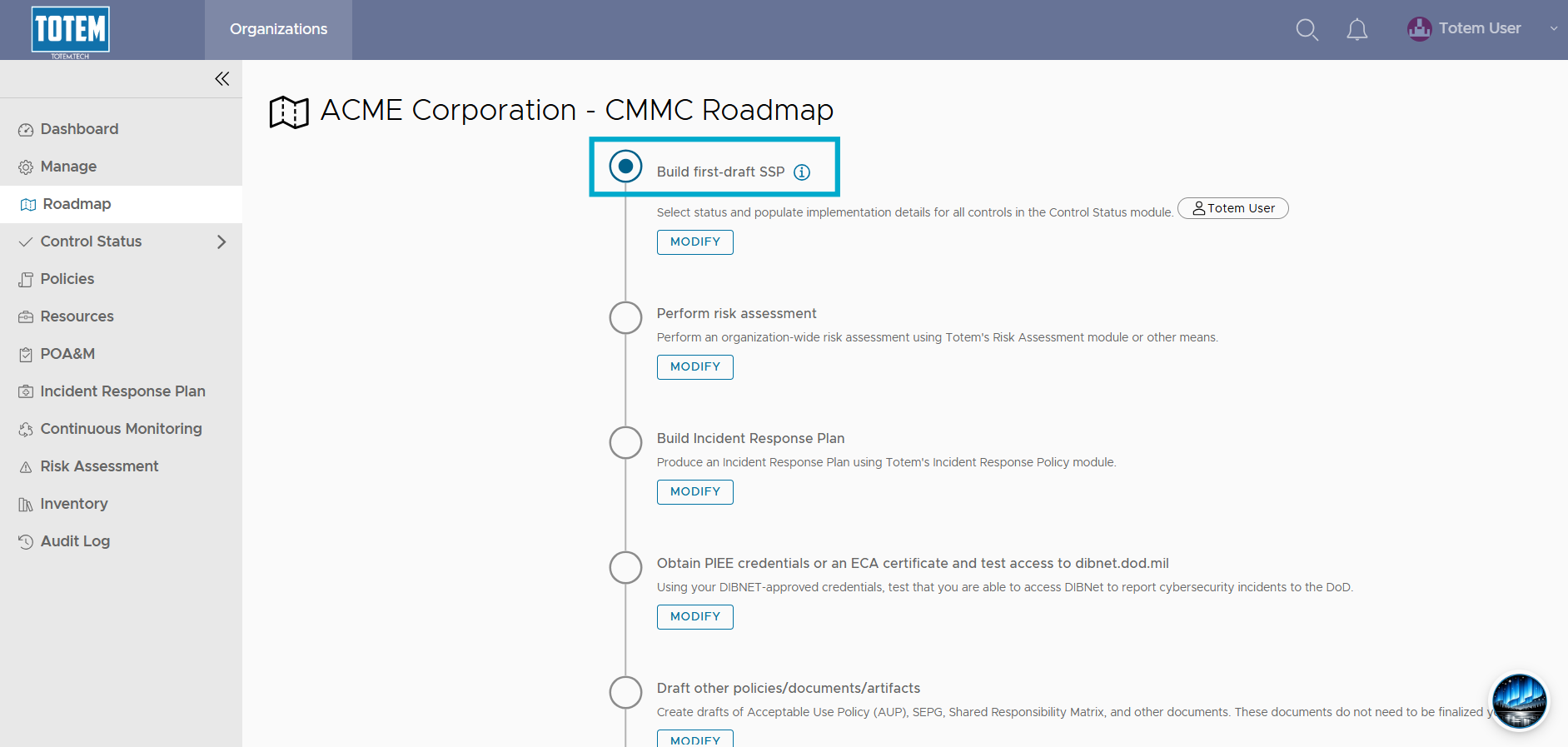
Roadmap steps with additional built-in logic
Some Roadmap steps may have been already complete the first time you used this module. This is intentional, as there is additional logic present in Totem to track certain tasks automatically. This list explains which steps contain this logic and what you can expect.
- Build first-draft SSP: This step will look at your Control Status module, specifically that you have assessed ALL Organization Actions (e.g., identified Met, Not Met, Trending Met, etc.) and that you have populated the Implementation Details fields or all actions. If you’ve done this, the Build first-draft SSP step will automatically complete.
- Perform risk assessment: This step will look at your Risk Assessment module to determine if you’ve performed a complete risk assessment. If so, this step will automatically be marked complete.
- Build Plan of Action and Milestones: This step will look at your POA&M module to determine if you’ve created any Corrective Action Plans. If so, this step will automatically be marked complete.
- Test Incident Response Plan: This step will look at your Incident Response Plan module to determine if you’ve logged any incident/exercise records. If so, this step will automatically be marked complete.
- Implement Corrective Actions: This step will look at your POA&M module to determine if all non-conformance Corrective Action Plans are marked Complete. Additionally, it will check that your total score is 110/110. If so, this step will automatically be marked complete.