
Delete existing organization
Instance administrators can permanently delete organizations within their Totem instance. This will result in all organization data being purged. Once deleted, the organization will no longer be visible by users within the organization, but the associated user accounts will remain intact. For more on permanently deleting users, see our guide on deleting users.
- Log in to Totem.
- From the Organizations page, identify the organization you’d like to delete.
- Select the organization, then navigate to the Manage module.
- In the lower-right corner, you’ll find the Danger Zone:
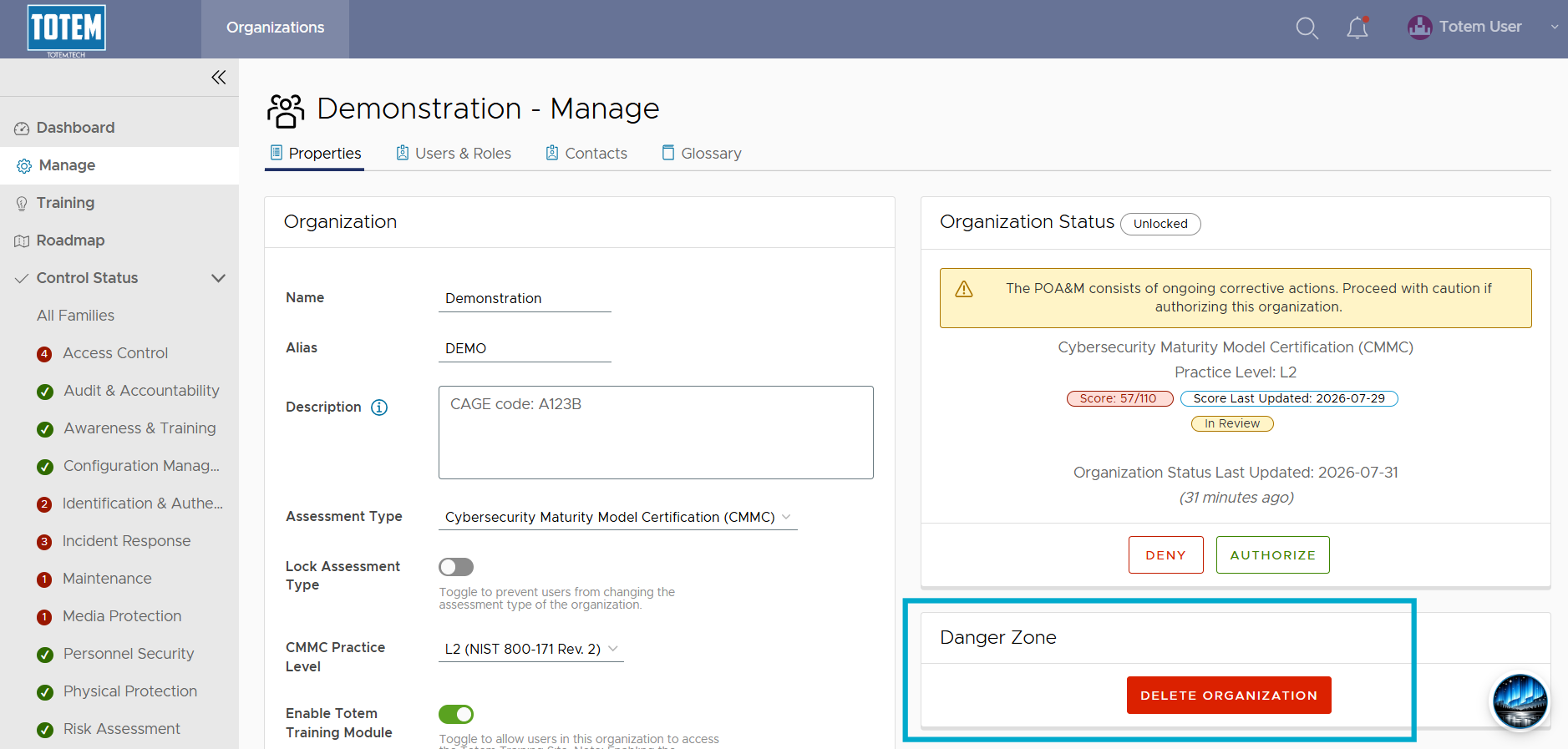
- Select Delete Organization. You will be prompted to confirm the action before you delete.
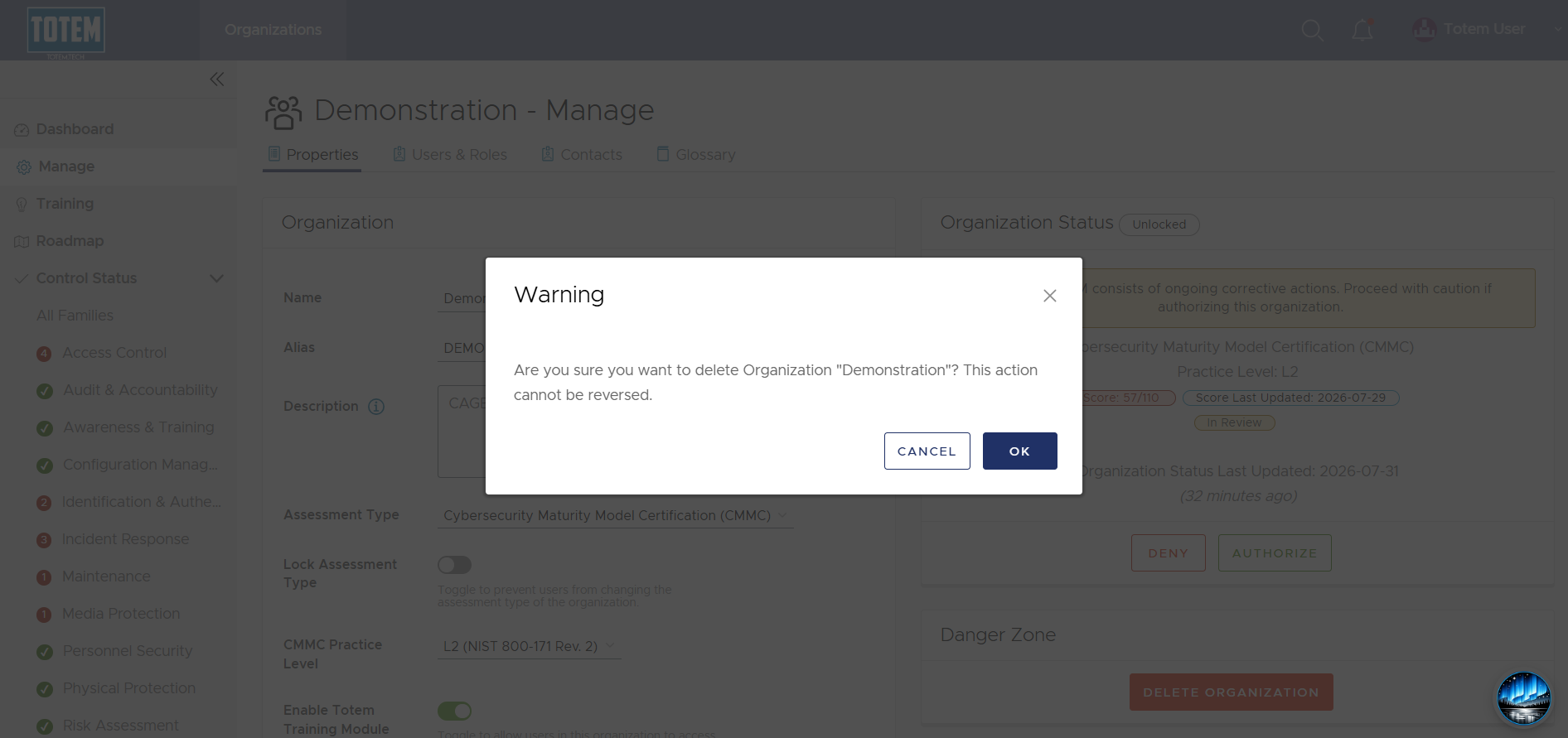
- To confirm, choose OK. NOTE: Deletion can only be undone by Totem Technologies restoring from a backup, which will incur a fee. Double- and triple-check that you are deleting the right organization.
- See that the deletion succeeded and the organization no longer appears within the Organizations list.
- To permanently delete any users associated with the organization, please see our guide on deleting users.