
Enable the Training module
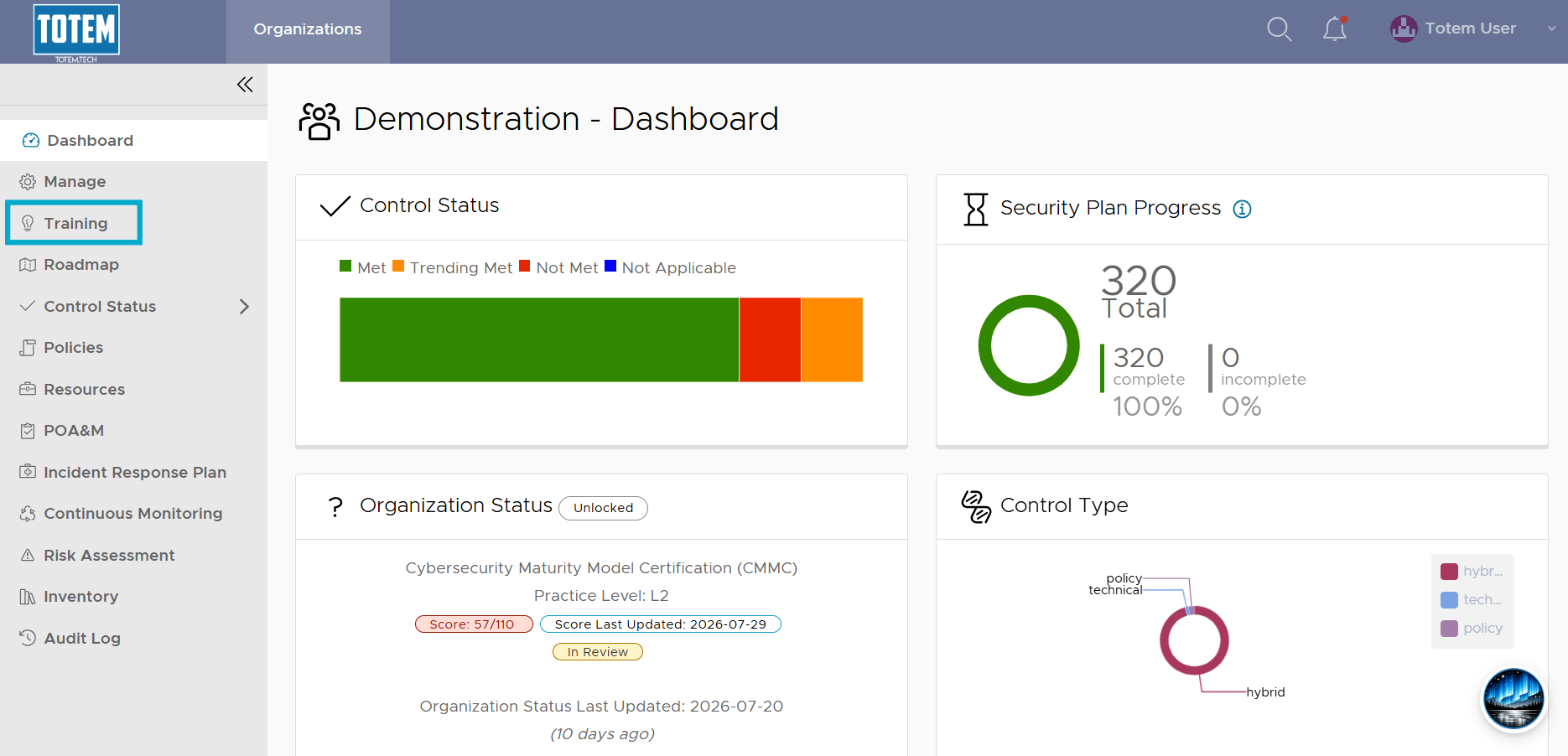
Totem subscribers at the Engaged tier get access to our integrated Learning Management System (LMS), accessible right in Totem via a left-hand Training module. Instance administrators can enable or disable this module at the Organization level via the Manage page.
- Log in to Totem.
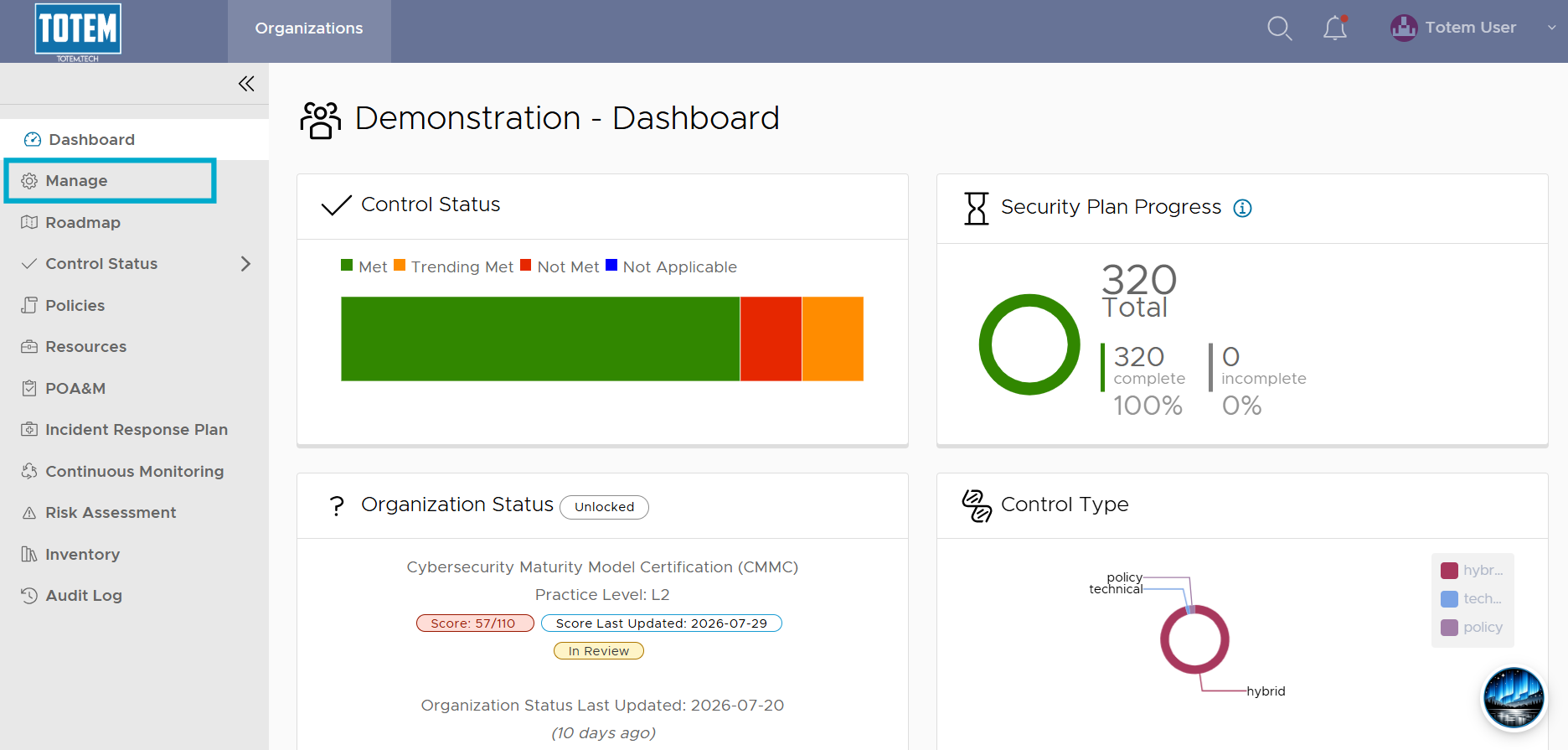
- Navigate to the Manage left-hand module.
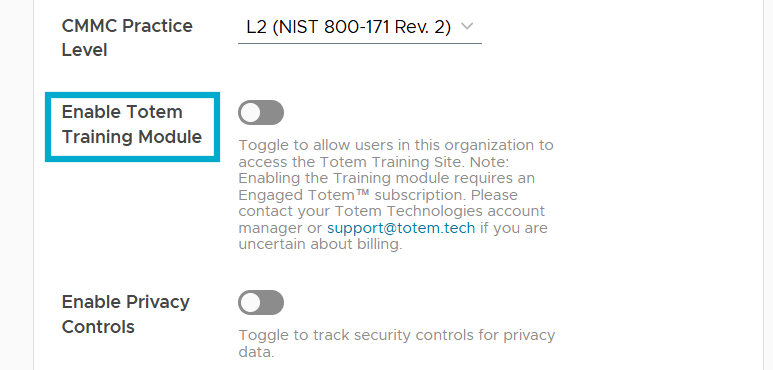
- Scroll down until you see the Enable Totem Training Module setting. Enable the toggle.
- You’ll be presented with the following confirmation message:
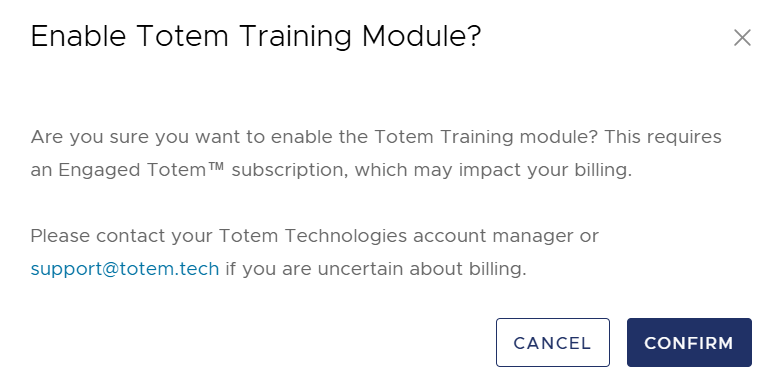
- If you’d like to proceed, select Confirm.
- Refresh the page, and the Training module will be visible in the left-hand menu. Your users can now access the Training module.
Important notes
For MSPs, consultants, partners, and those with a dedicated Totem instance: You receive complimentary access to the Training module. However, an Engaged subscription is required for your clients to access the Training module. Enabling the Training module for your clients may incur additional costs. Please contact your Totem Technologies account manager or [email protected] if you are uncertain about billing.