
Modifying asset types or threat events
Totem’s Risk Assessment module contains pre-defined Asset Types and Threat Events. However, users can modify, add, or delete these if they choose. This guide walks you through how to make changes to the Asset Types or Threat Events in the Risk Assessment module.
- Log in to Totem.
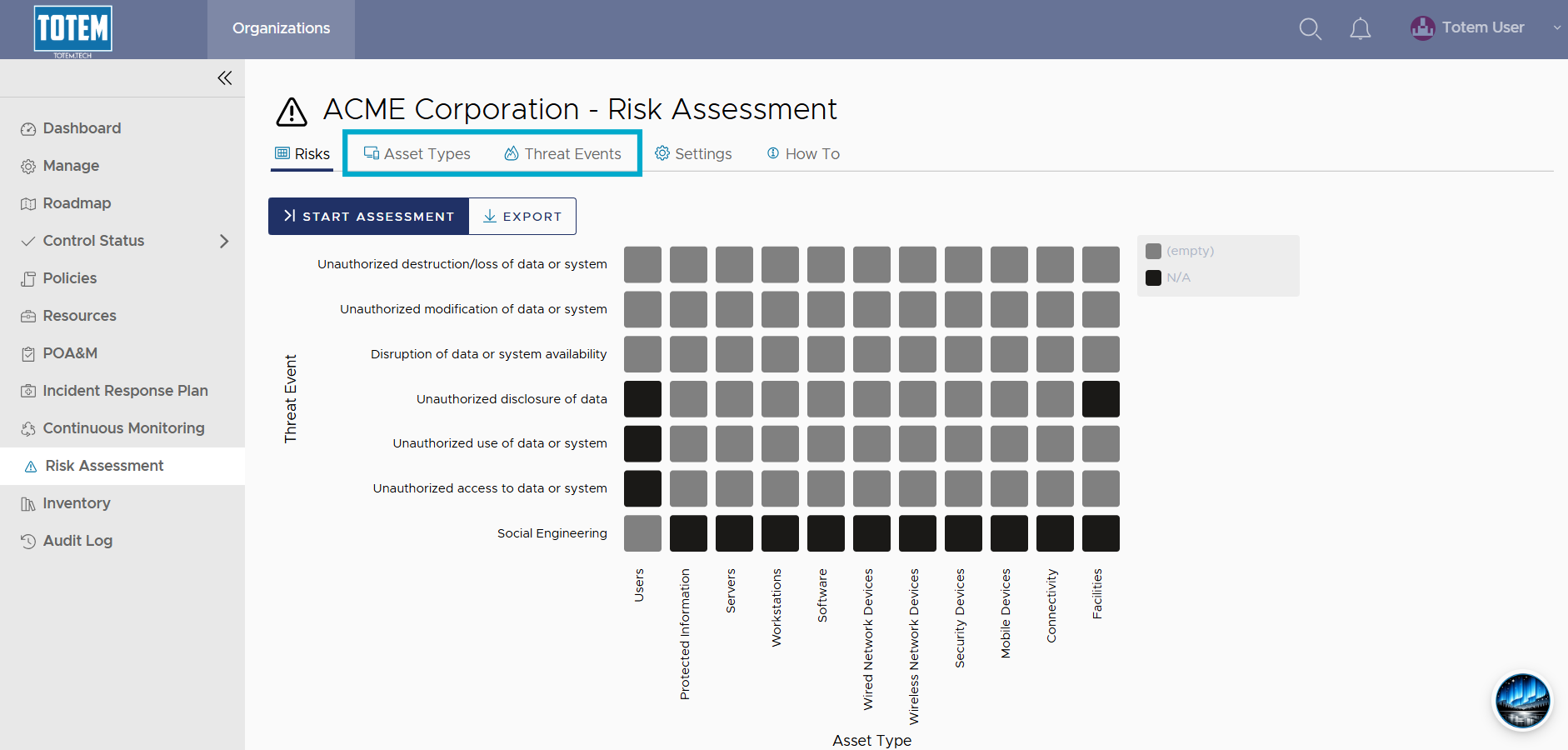
- Navigate to the Risk Assessment module. Determine if you want to modify an Asset Type or a Threat Event. Select the respective page near the top of the screen.
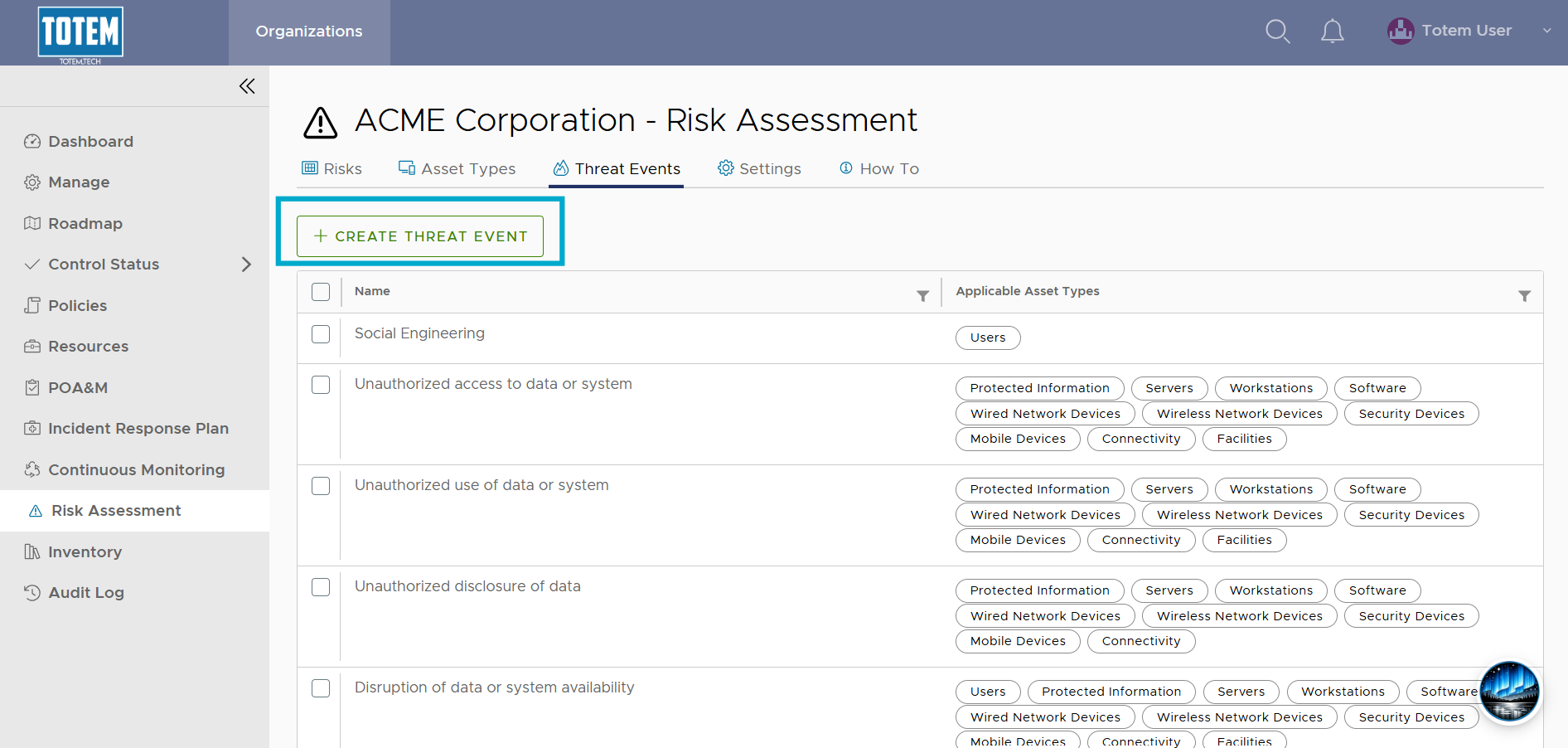
- To create a new Asset Type or Threat Event, select the Create button.

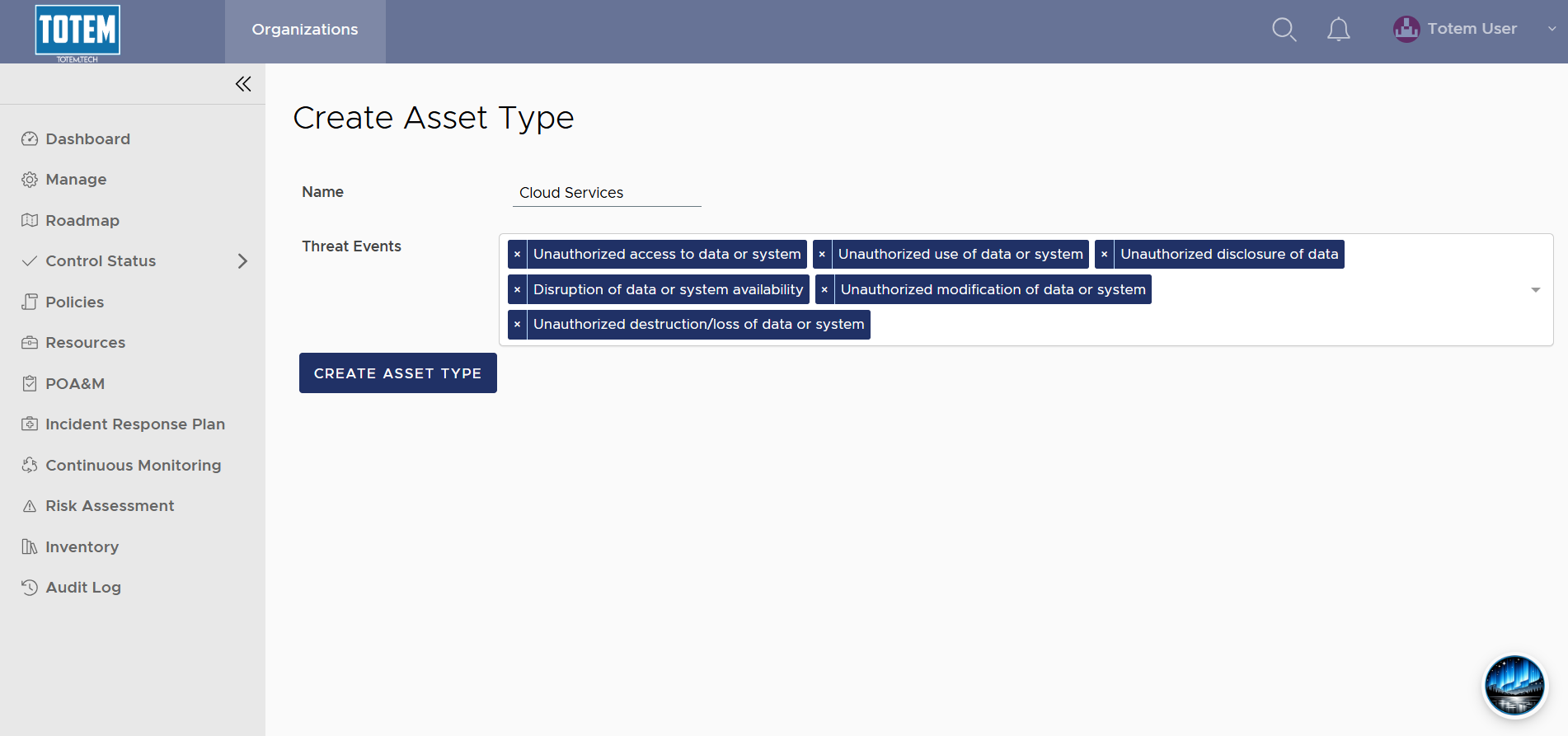
- If creating a new Asset Type, add a name and select the applicable Threat Events, then choose Create Asset Type:
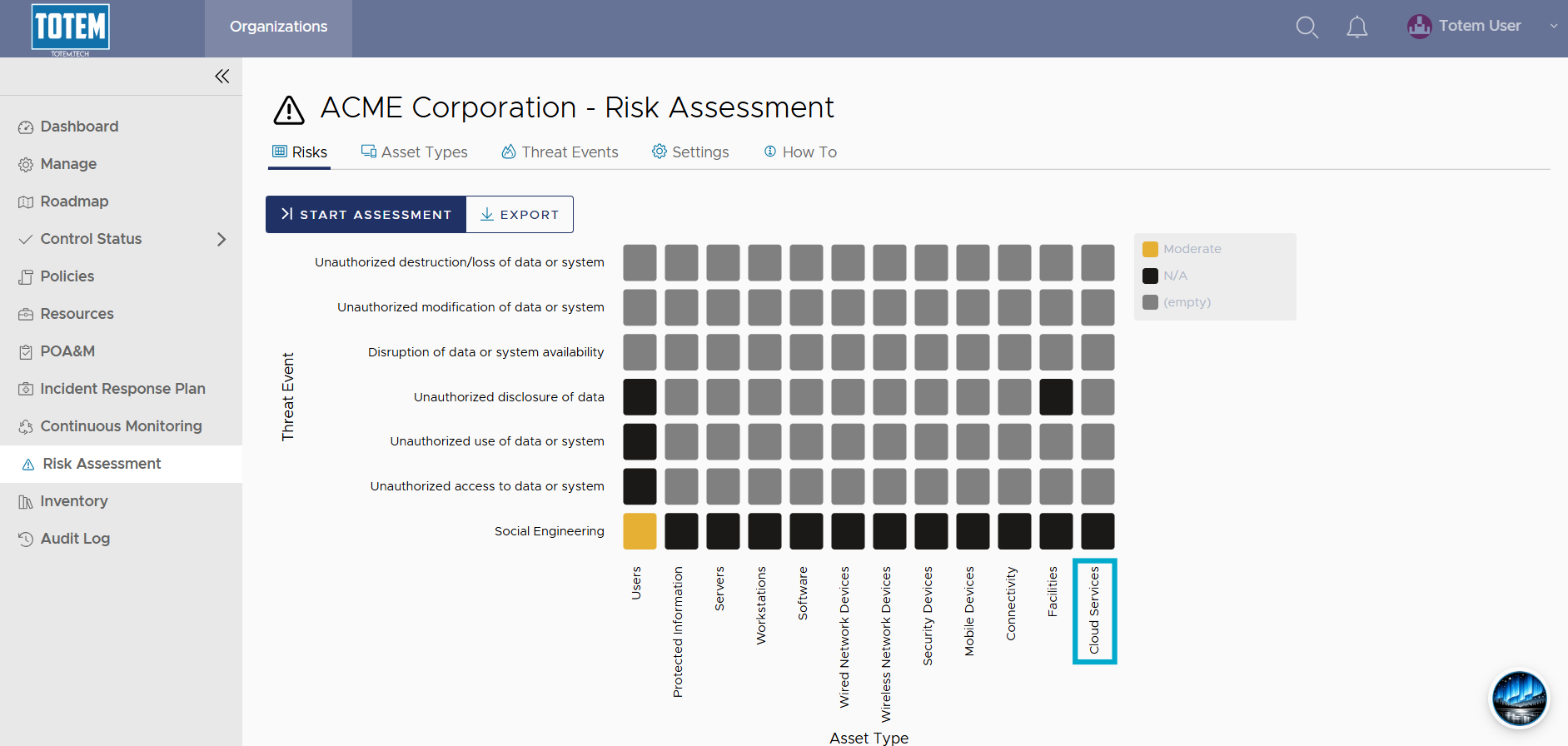
- See that the new Asset Type now appears on the Risk Assessment matrix:
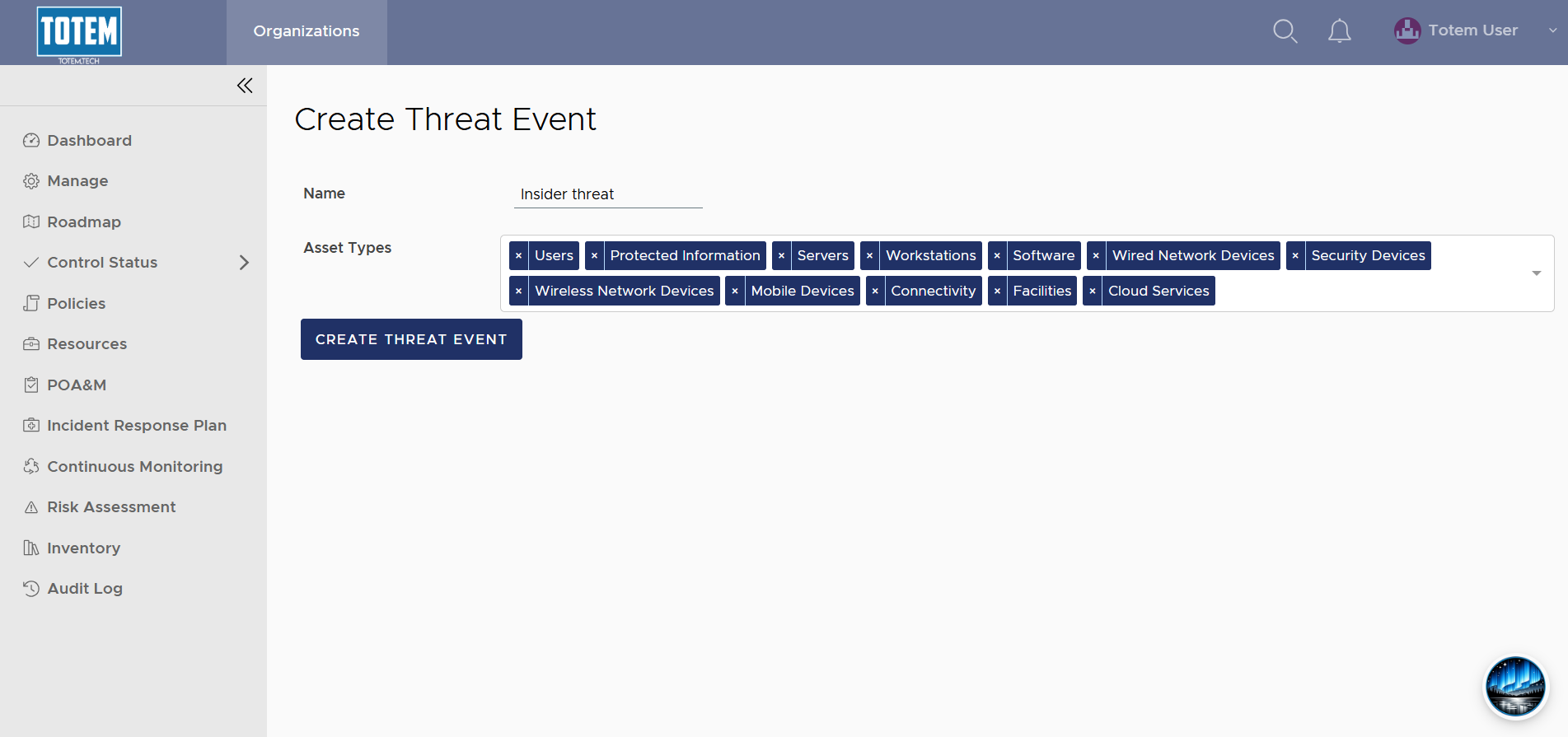
- Similarly, if creating a new Threat Event, add a name and select the applicable Asset Types, then choose Create Threat Event:
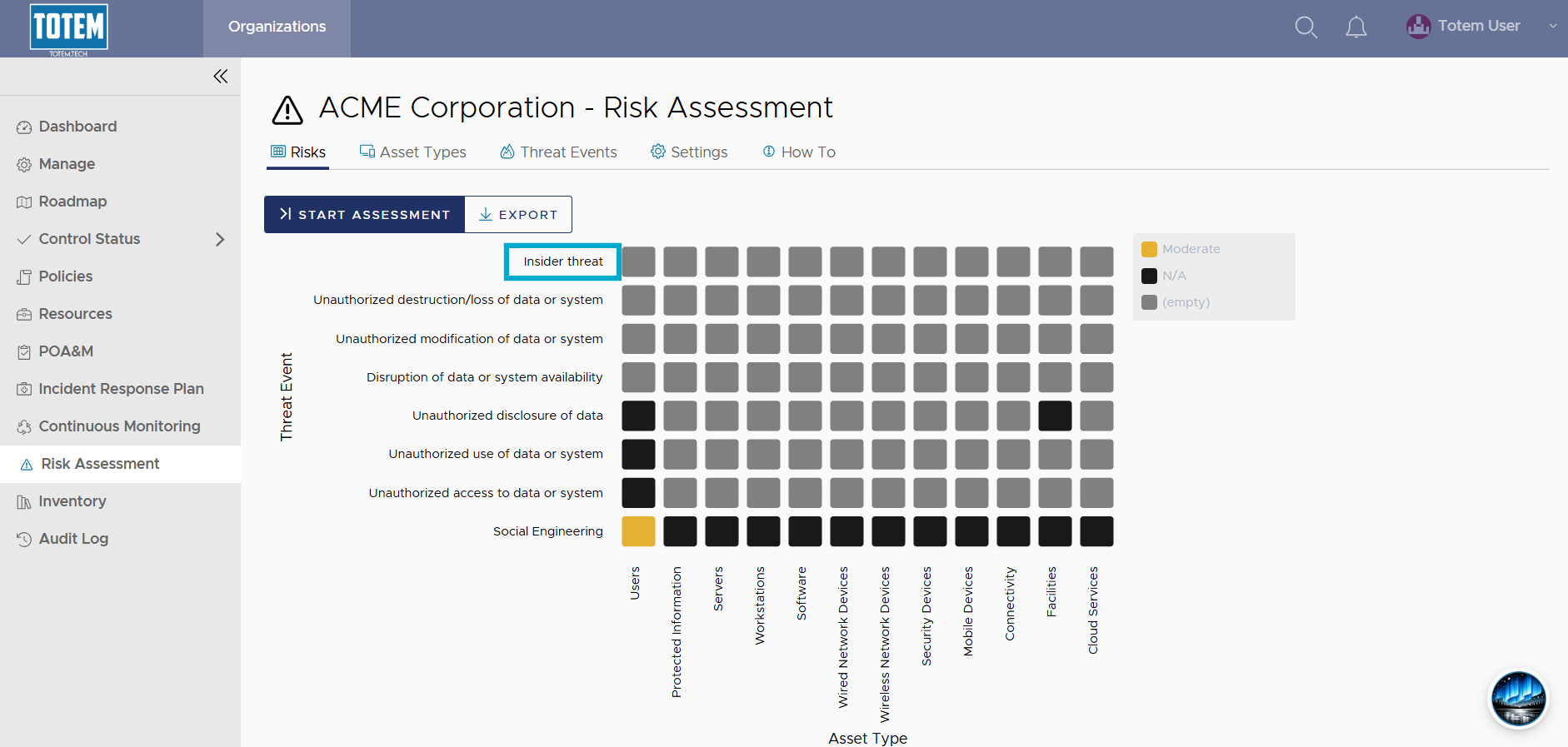
- See that the new Threat Event now appears on the Risk Assessment matrix:
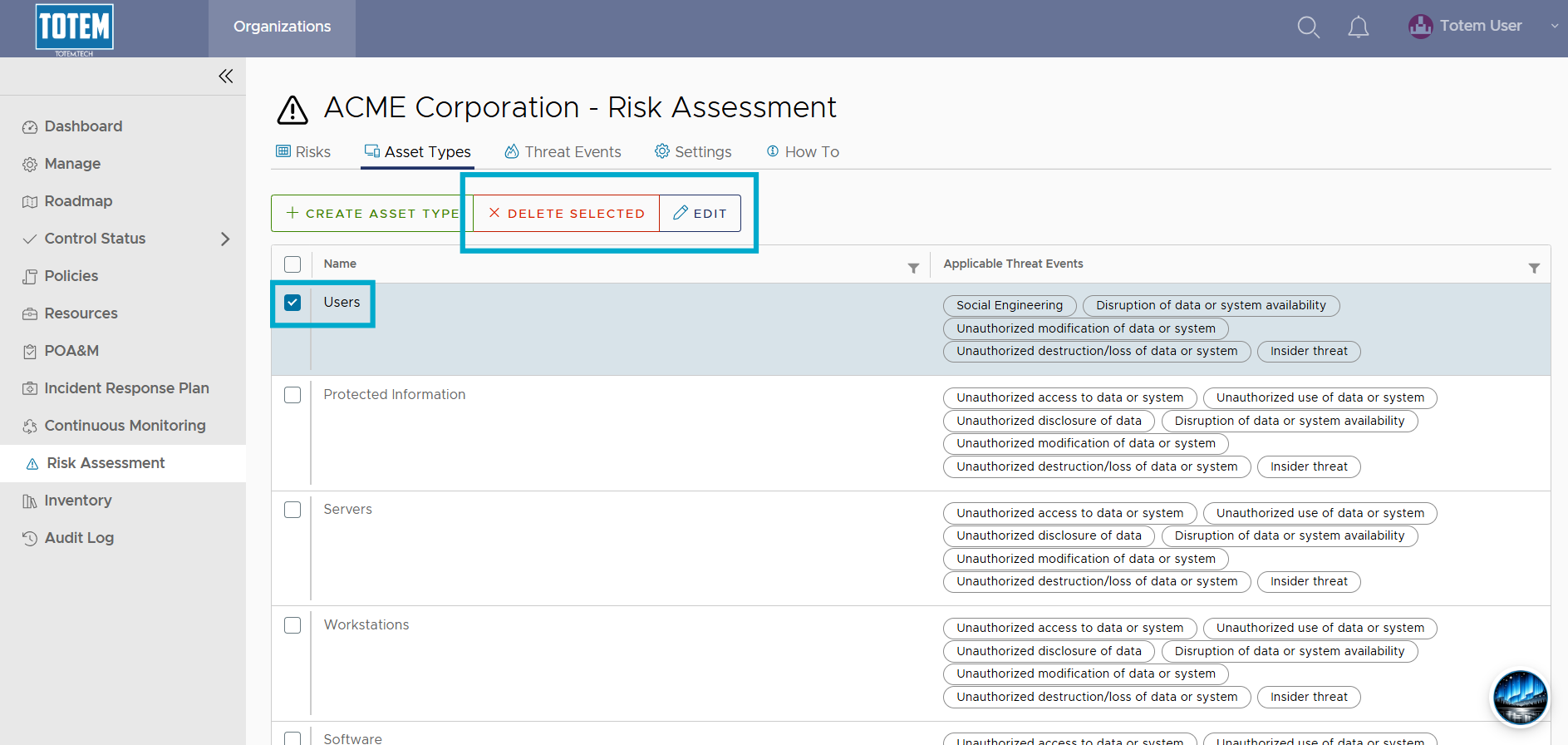
- If you want to modify an existing Asset Type or Threat Event, navigate to the respective page, select the checkbox next to the Asset or Threat, then choose Edit. Alternatively, if you want to delete the selected Asset or Threat, select Delete Selected.
- If editing, make your desired changes and save.