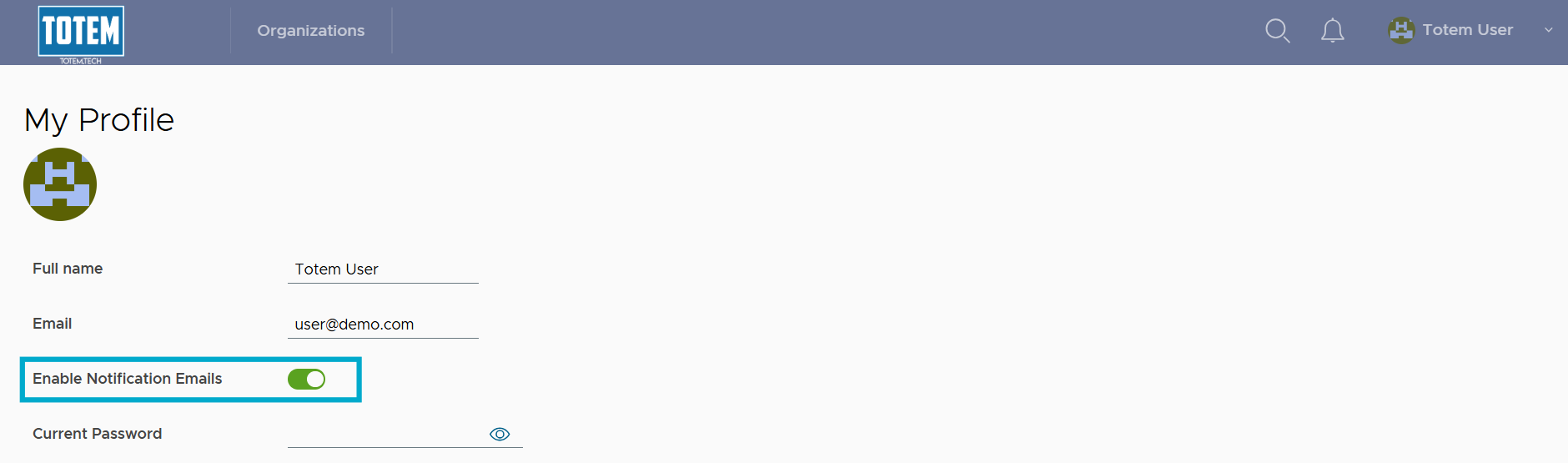
Update email notification preferences
As of Totem v6.0, email notifications are enabled by default for new users. For existing users, email notifications remain either enabled or disabled depending upon what users had set as their preference. Email notifications are generated and sent immediately for critical items:
- POA&M corrective action upcoming (both seven days and one day from due date)
- Continuous Monitoring task upcoming (both seven days and one day from due date)
- Organization Status change
- Mentions in a POA&M corrective action via the “Responsible Entity” field
- Mentions in a Continuous Monitoring task via the “Assignees” field
- Expiring organization affirmation (both seven days and one day from expiration date)
Email notifications are generated and sent as a weekly batch for non-critical items:
- Control Status changes
- Bulk update Control Status change
- POA&M corrective action created
- POA&M corrective action or step deleted
- POA&M corrective action status changed
- AI assistant bulk update control status
To enable or disable email notifications:
- Log in to Totem.
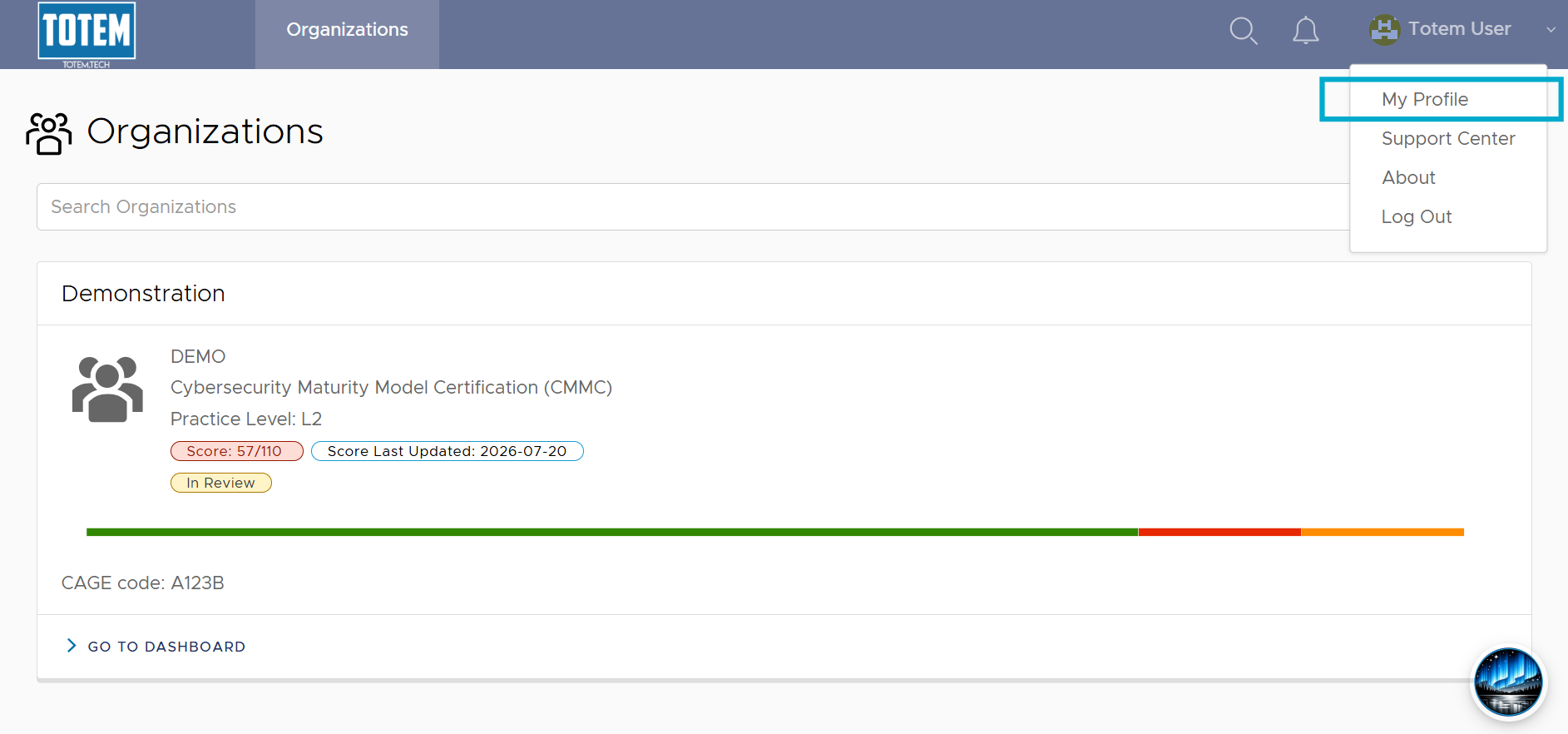
- Navigate to the upper right-hand menu and select My Profile.
- Toggle Enable Notification Emails to on or off depending on your notification preferences. Scroll down and select Update Profile to save your changes.