
Upload a Shared Responsibilities Matrix
Administrators can upload Shared Responsibilities Matrices (SRM) and quickly populate SRMs within client organizations. This makes it easy to demonstrate how External Service Providers (ESP) are helping your clients fulfill their contractual cybersecurity obligations. This page explains how to upload an SRM, the required format, and how to populate an SRM within a Totem organization.
- Log in to Totem.
- Navigate to Administration from the top-right menu. Authenticate using your administrator credentials.

- Select SRMs from the left-hand menu.
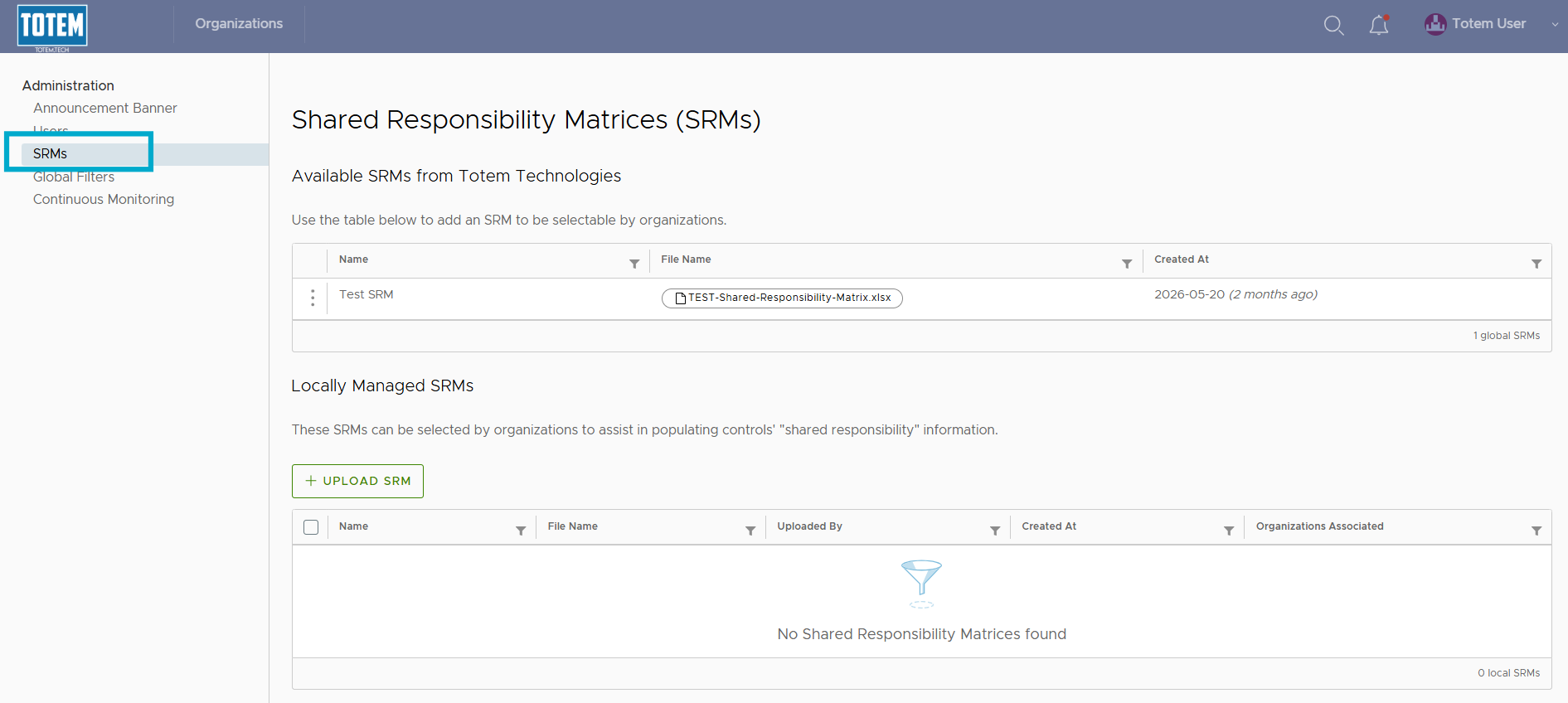
- You’ll find that there are two types of SRMs in Totem:
- Global: These are SRMs provided by Totem Technologies, globally available across all Totem instances.
- Local: These are SRMs provided by you, the instance administrator, available to Totem organizations within your instance only. These SRMs do not leave your Totem instance.
Global SRMs
- You can choose to make a Global SRM available for use by your clients by selecting the vertical ellipses “⋮” next to the SRM and choose “Make available locally”.
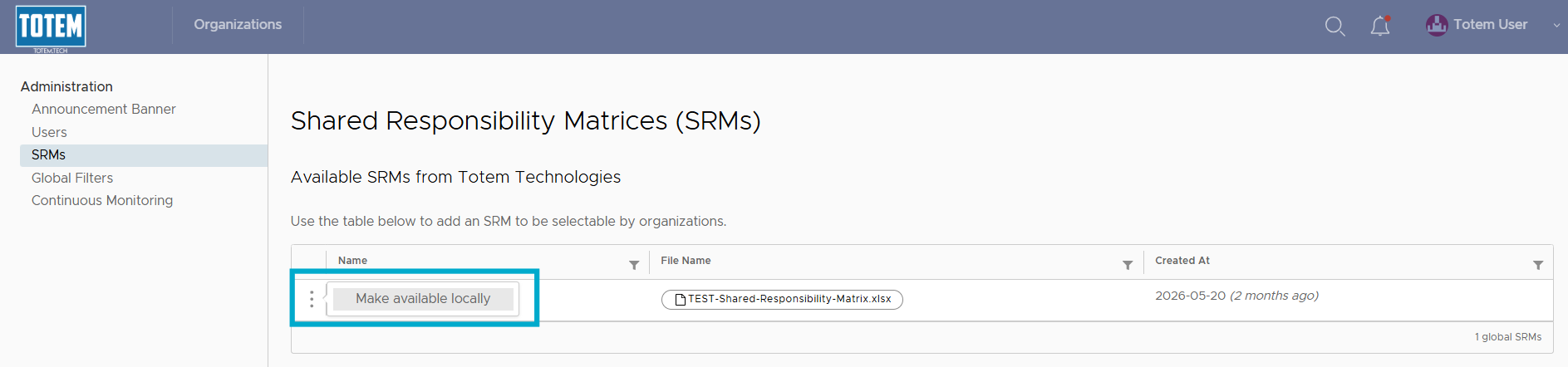
- You’ll see that the SRM is now available locally. To apply to an organization, navigate to the Manage module for that organization, and scroll down to the Shared Responsibility Matrices option. Select the drop-down, and you’ll see that the SRM can be selected:
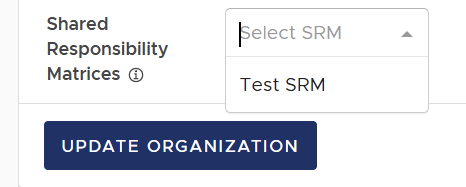
- Select the SRM and choose Update Organization. The SRM will load into the Totem organization.
- Navigate to the Control Status module and open the Shared Responsibilities field for any Organization Action.
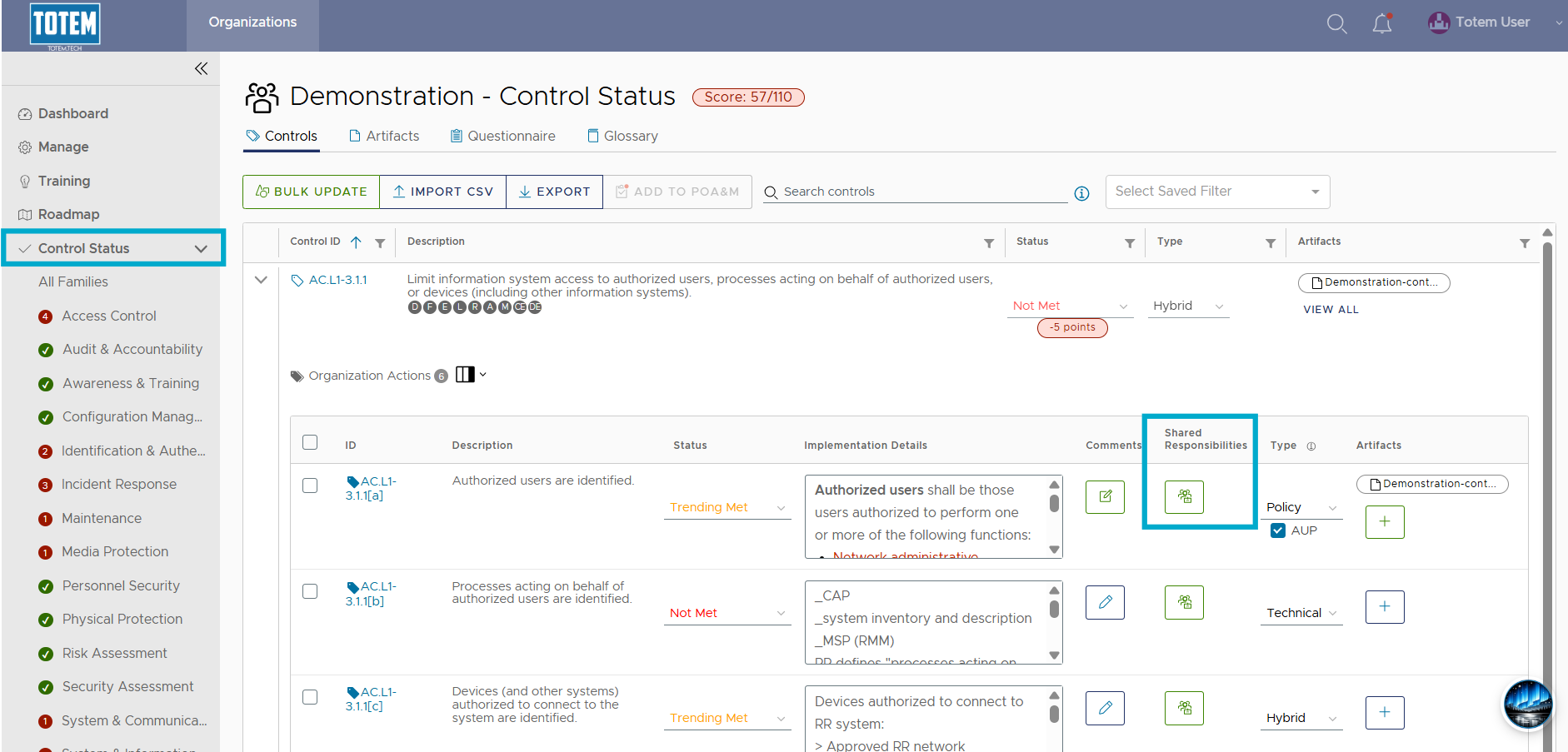
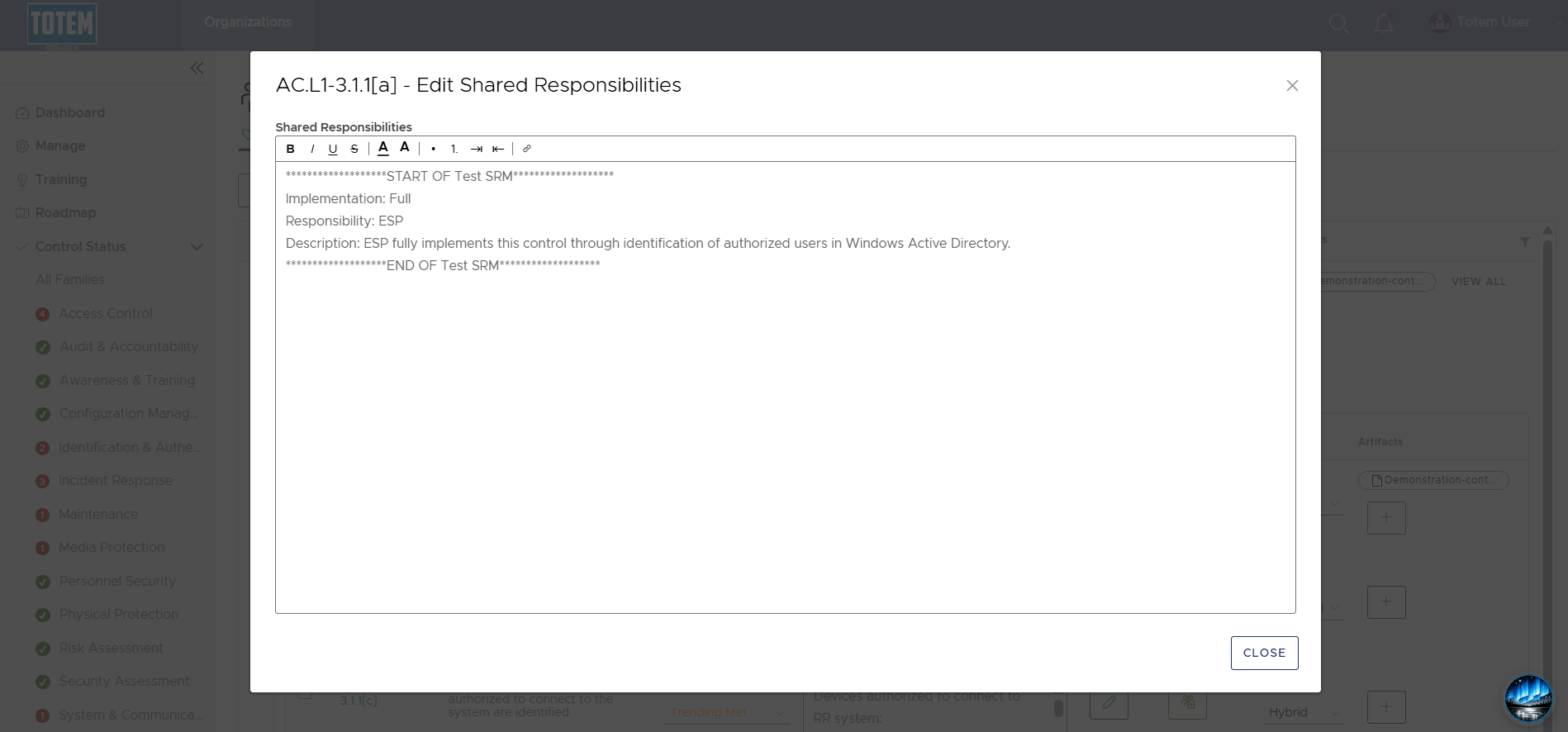
- See that the Shared Responsibilities field has been populated with the SRM text for that OA:
Local SRMs
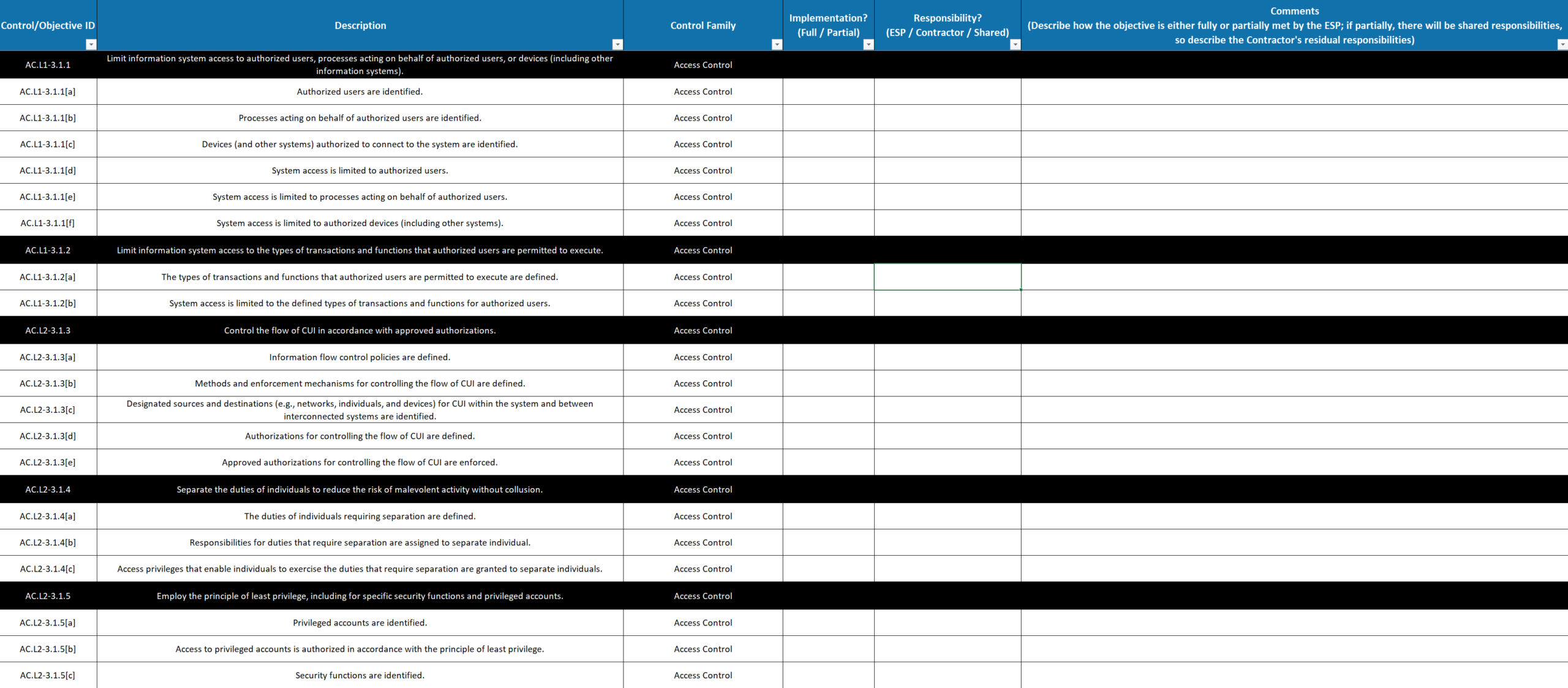
To upload a Local SRM, you first will need to format the SRM according to Totem Technologies’ SRM template. This template requires that SRMs be addressed at the Organization Action (assessment objective) level. Please contact support with any questions about the required format. For more on shared responsibilities in the context of CMMC, read our blog.
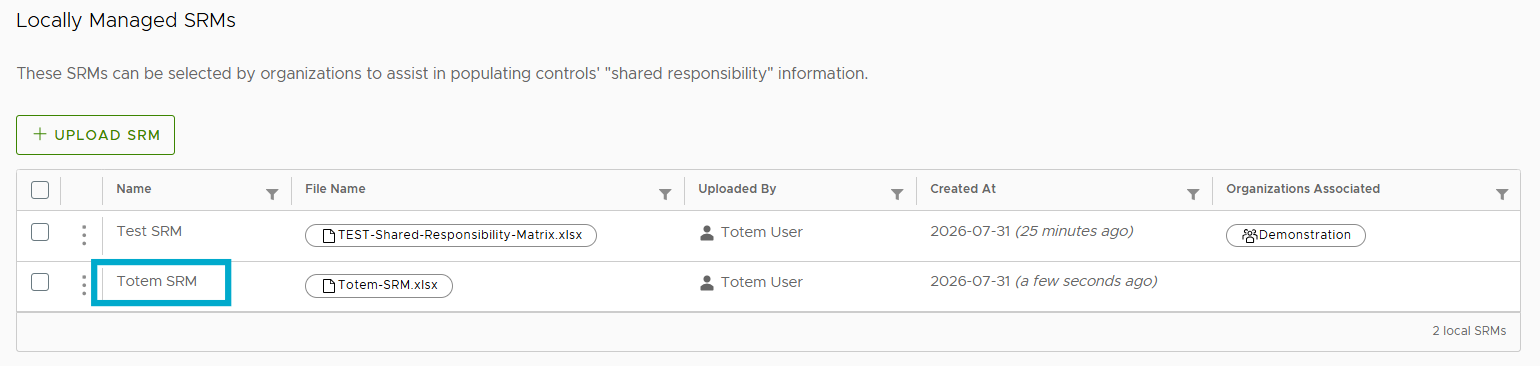
- Under Locally Managed SRMs, select Upload SRM.

- Upload the new SRM. If the SRM matches the expected format, it will upload successfully.
- Now that the SRM is uploaded to Totem, you can populate it in whichever organizations you choose. To do so, navigate to the Manage module for that organization, and scroll down to the Shared Responsibility Matrices option. Select the drop-down, and you’ll see that the SRM can be selected:
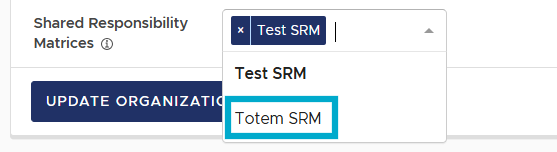
- Select the SRM and choose Update Organization. The SRM will load into the Totem organization.
- Navigate to the Control Status module and open the Shared Responsibilities field for any Organization Action.
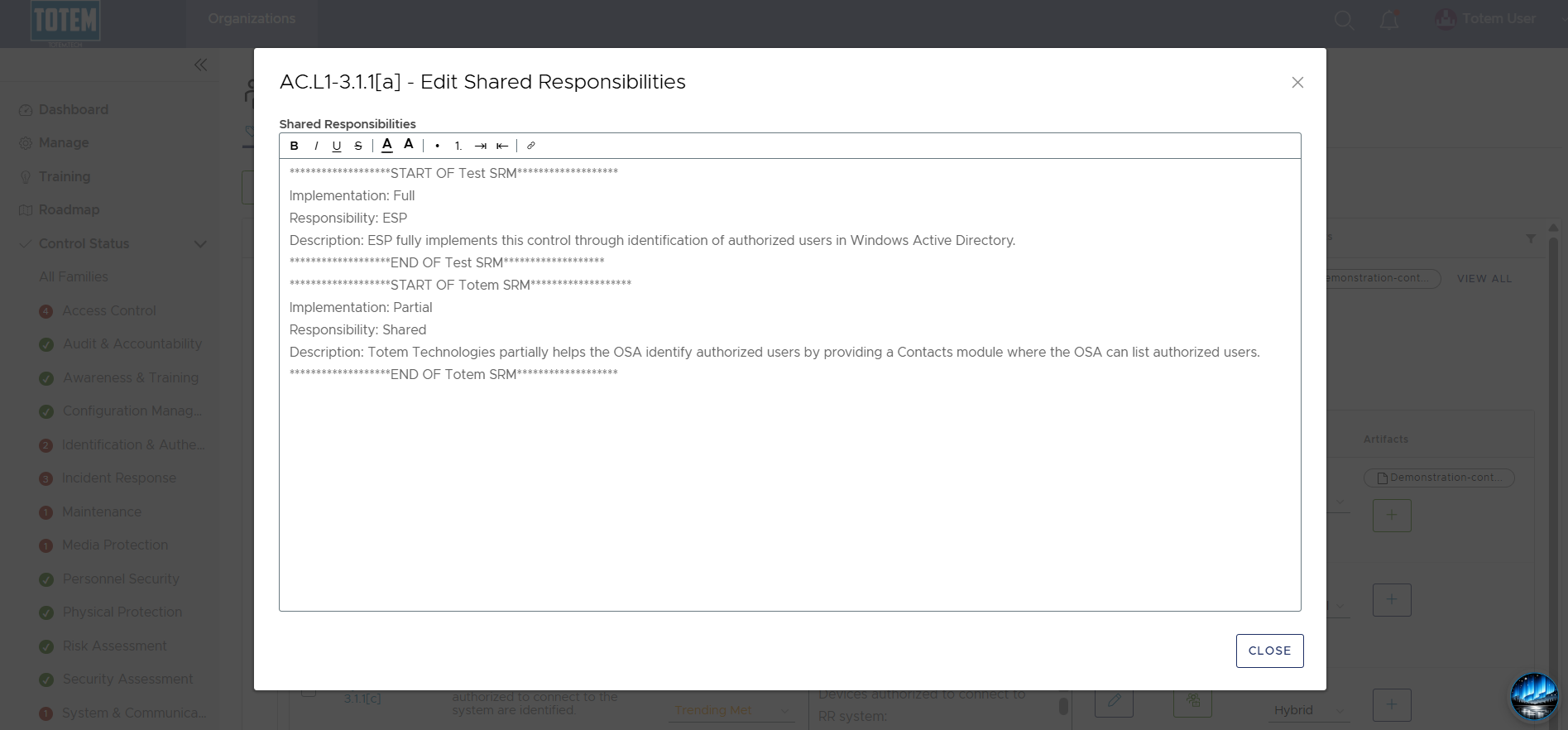
- See that the Shared Responsibilities field has been populated with the SRM text for that OA, including any additional SRMs you’ve populated:
Important notes
- Loading multiple SRMs will append newer SRMs below older SRMs.
- To delete an SRM and remove the text from the Shared Responsibilities field, simply unselect the SRM on the Manage page and update the organization.