
Using the CUI inventory
For Federal and Department of War (DoW) contractors pursuing CMMC compliance, identifying exactly how they handle Controlled Unclassified Information (CUI) is paramount to their compliance efforts. The CUI inventory in Totem helps you do just this in a way that is simple and intuitive.
Using the CUI inventory module assumes the organization has made some effort to understand which CUI elements they handle. Totem does not identify CUI for you; this needs to come from the entities flowing CUI to you (e.g., your customer). Additionally, the CUI inventory module is for describing CUI flow; it is not for storing actual CUI. Do not put CUI in Totem.
To begin using the CUI inventory:
- Log in to Totem.
- Navigate to the Inventory module. By default, you’ll arrive on the CUI page.
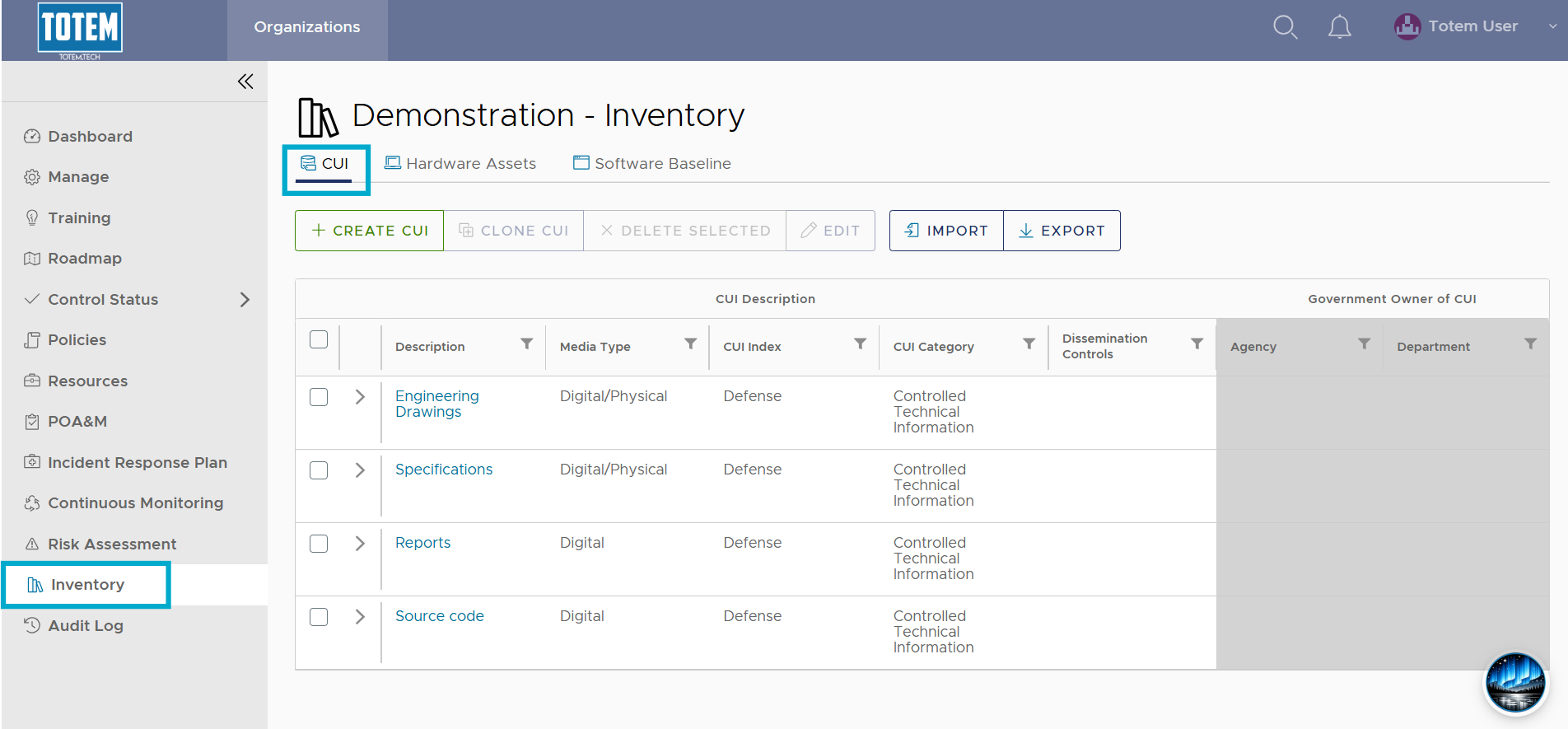
- Select Create CUI. This will bring up the CUI inventory workflow.
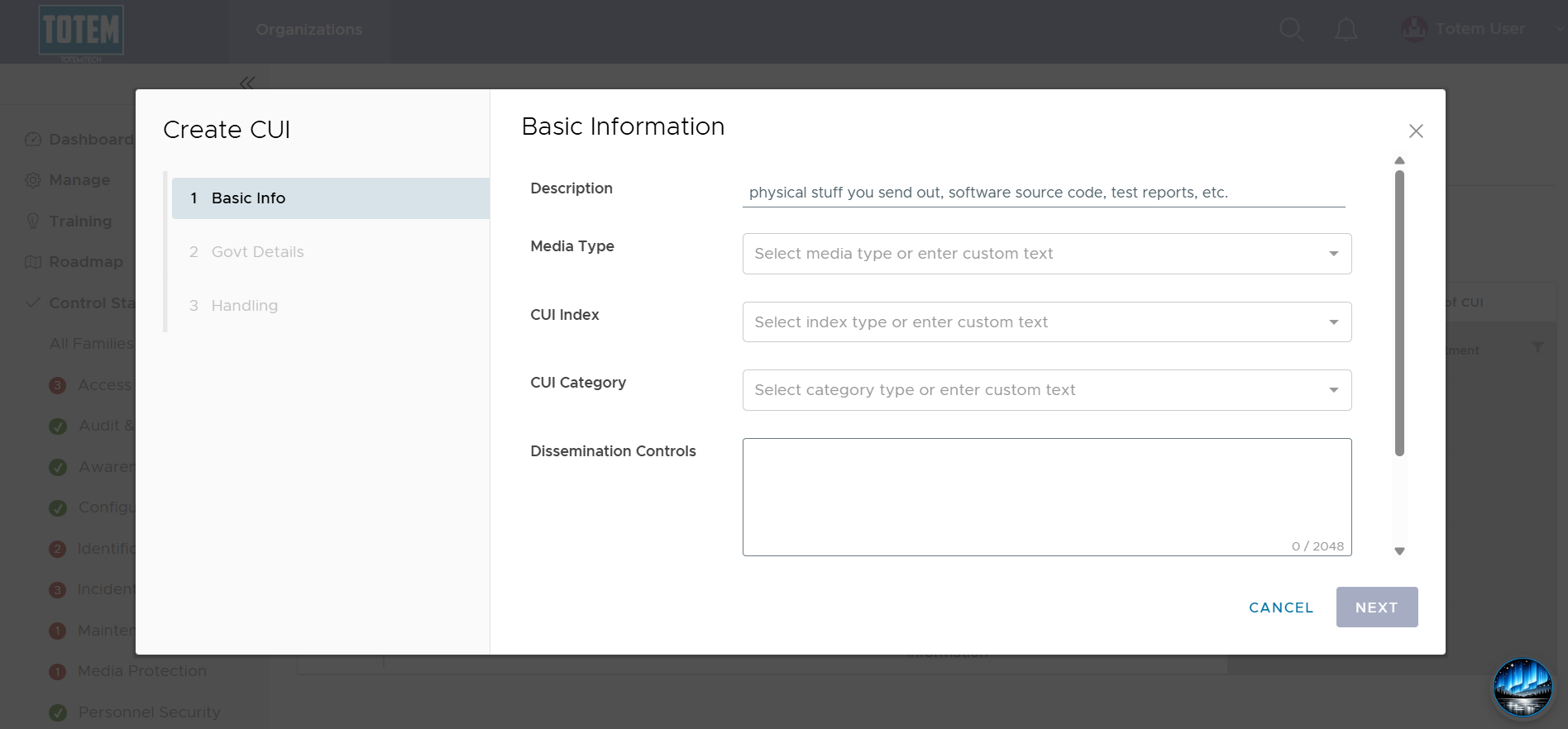
- Using the below guidance, populate the Basic Information fields for the specific CUI elements that you handle:
- Description: A simple description/summary of your CUI.
- Examples: Design drawings, test results, manufacturing specifications, source code, technical reports
- Media Type: Select Digital if you only handle the CUI in digital form (e.g., you don’t print it or receive it in paper form). Select Physical if you handle the CUI in physical format only. Select Digital/Physical if the CUI element is handled in both formats.
- Example: Source code is handled in purely Digital, while engineering drawings are handled in Digital/Physical.
- CUI Index: This is the “Organizational Index Grouping” as defined by the National Archives (NARA) CUI Registry. Use the CUI Registry to determine your Index Grouping.
- Example: If you are a DoW contractor handling Controlled Technical Information, your CUI Index would be Defense.
- CUI Category: This is defined by the NARA CUI Registry. Select the specific category that matches the CUI you handle.
- Example: Controlled Technical Information is a CUI category.
- Dissemination Controls: Record any specific limitation from the registry entry, contract, agency direction, and document markings. Refer to NARA’s Limited Dissemination Controls description. Capture who may receive it, approved sharing channels, and any export, distribution, or handling caveats.
- Example: No foreign dissemination (NOFORN); Federal employees and contractors only (FEDCON)
- Description: A simple description/summary of your CUI.
- Select Next.
- Populate your specific Government customer Department and Agency, if applicable.
- Example: Department of War (DoW) and Defense Logistics Agency (DLA)
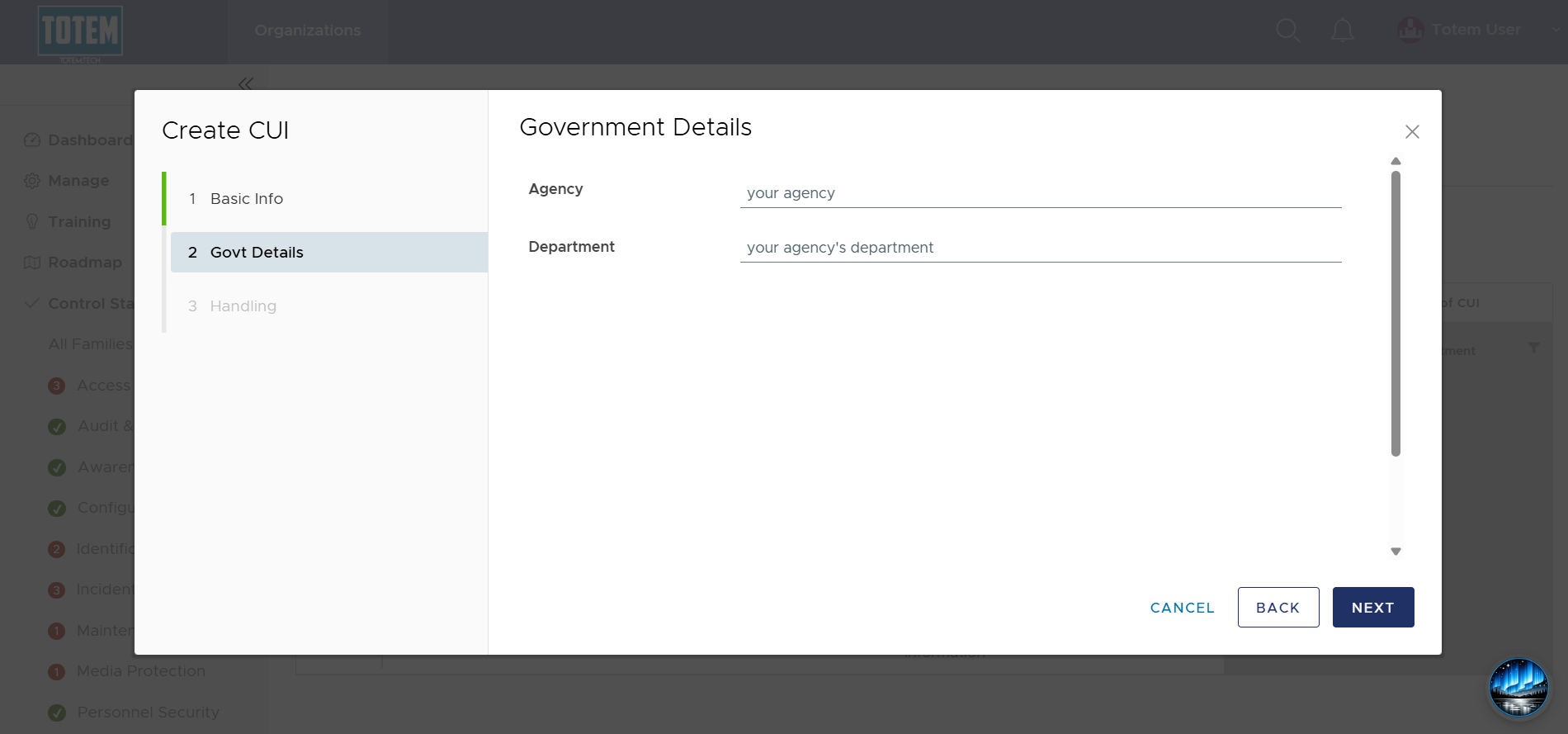
- Select Next, where you’ll be brought to the Handling Information page. This is where you’ll identify your CUI “lifecycle”; in other words, you’ll identify exactly how that CUI flows throughout your organization, for what purposes, and in what manner. Totem Tech recommends gathering key stakeholders from within the organization to assist with creating this lifecycle.
- For your identified CUI element, populate its lifecycle across the six major phases: Receival/Generation, Storage, Access, Marking, Dissemination, and Disposal. Each field (with the exception of Disposal) contains Totem Tech’s CUI lifecycle “ghost text” that you can use as a boilerplate.
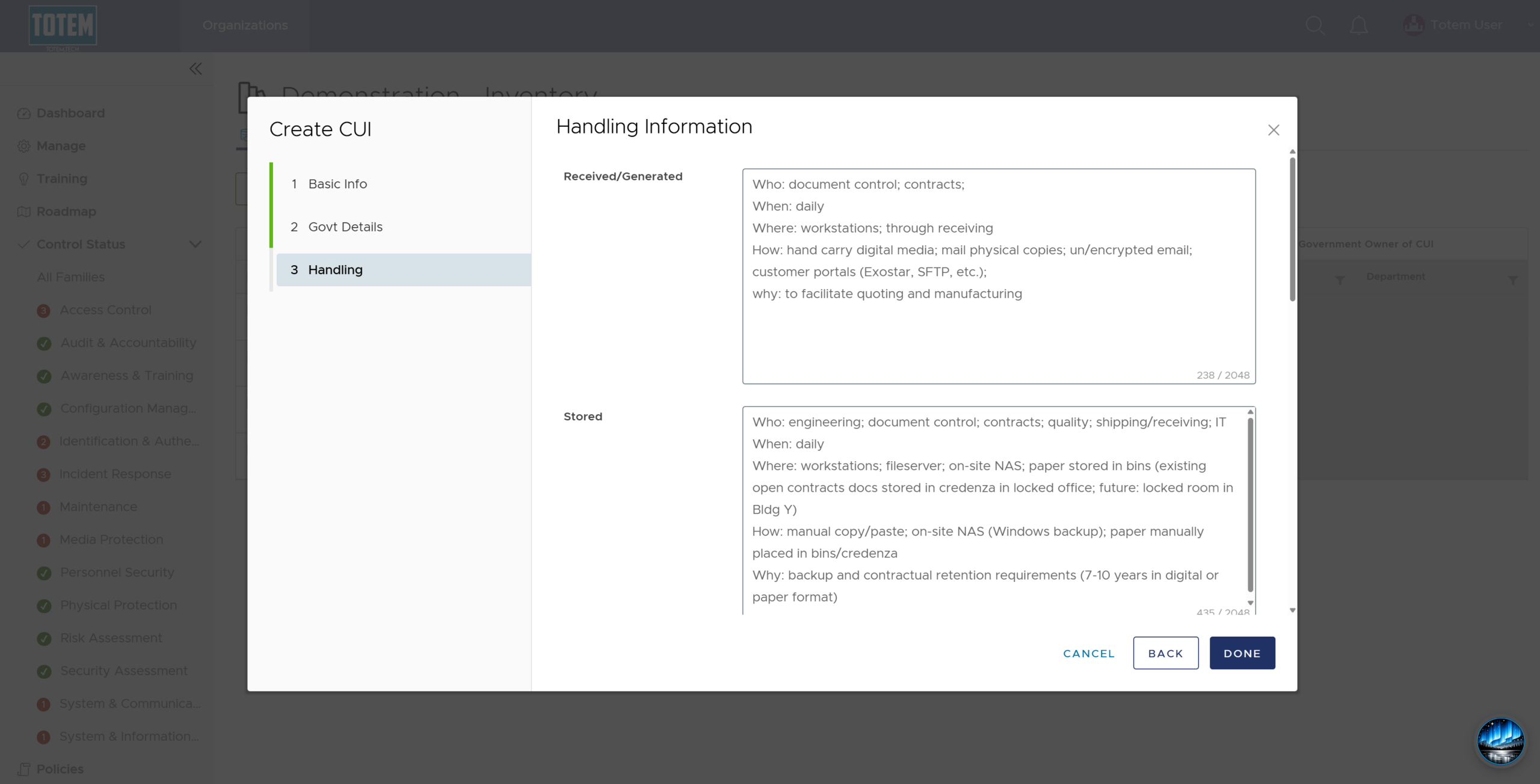
- Select Done to complete inventorying your CUI element. Repeat for any additional CUI elements you want to include on your inventory.