
Totem user roles
Totem contains four default “pre-canned” roles that can be assigned to new or existing users. To create a new role, refer to our role creation guide. This guide elaborates on the four default roles and their common use cases.
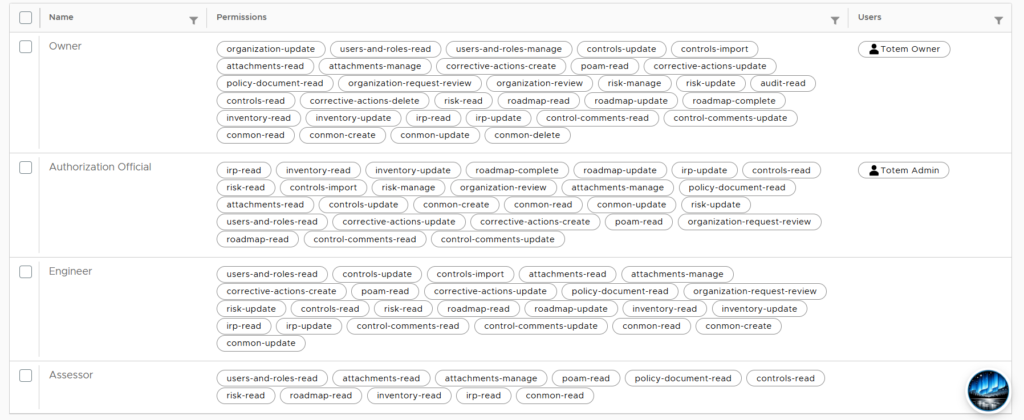
- Owner: Can read and write all details across all modules within their organization. Cannot perform instance-level permissions, such as deleting their organization. Ideal for the organization’s information security officer or whomever else is managing and ultimately responsible for the company’s cybersecurity compliance program.
- Authorization Official: Can read and write details across nearly all modules, with the exception of the Audit Log. Limited in which Manage details it can update, such as the Organization Status. Ideal for the organization’s authorization official, typically a senior executive such as the President or CEO.
- Engineer: Can read and write details across nearly all modules, with the exception of Manage and Audit Log. Ideal for system technicians and those assisting with the ongoing documentation and maintenance but that do not require Owner-level permissions.
- Assessor: Has purely read-only rights across the organization. Ideal for those who need to view but not update the organization, such as senior executives or external assessors/auditors.