
Migrate from NIST 800-171 Revision 2 to Revision 3
At the time of this guide being published, NIST SP 800-171 Revision 2 is the Department of War’s (DOW) current standard for CMMC Level 2. However, eventually, CMMC Level 2 will be updated to instead align with NIST SP 800-171 Revision 3. This will bring about many changes that defense contractors must be aware of, including:
- An ~11% reduction in the total number of security controls, from 110 to 97
- A ~60% increase in the total number of assessment objectives (organization actions), from 320 to 510
- Three new control families: Planning, Supply Chain Risk Management, and System and Services Acquisition
- The inclusion of Organization-Defined Parameters (ODP); parameters defined by DOW that contractors must align their security control implementation with
- Example: DOW defines the inactivity time period before a user is required to log out as at most 24 hours. So, to prove you’ve met this requirement, you must logout inactive users within 24 hours of them being deemed “inactive”.
Refer to our blog on NIST 800-171 Revision 3 for more about what changes you can expect with this version of the 800-171 standard.
The good news, however, is that if you have been working towards your NIST 800-171 Revision 2 implementation, much of your work will carry over and apply towards NIST 800-171 Revision 3. Additionally, you won’t have to worry about how Revision 2 maps to Revision 3 or migrating all your efforts, as Totem can take care of this for you, setting you up for long-term cyber compliance success. Totem Technologies has mapped all 320 Revision 2 organization actions to their Revision 3 counterpart(s), if such a mapping exists, and we’ve made it easy to copy your data over. Unfortunately, some Revision 2 assessment objectives had no Revision 3 mapping. Additionally, many Revision 3 organization actions are entirely new.
To perform a migration to NIST 800-171 Revision 3, navigate to the Manage module in Totem. Only Totem subscribers with an Enhanced or Engaged subscription may migrate to Revision 3.
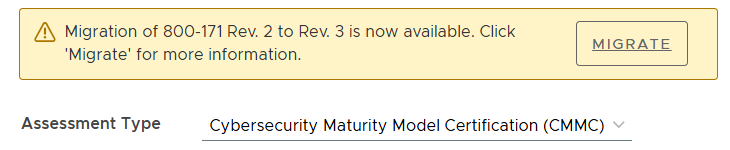
Ensure your Assessment Type is Cybersecurity Maturity Model Certification (CMMC). You will be presented with the following migration message:
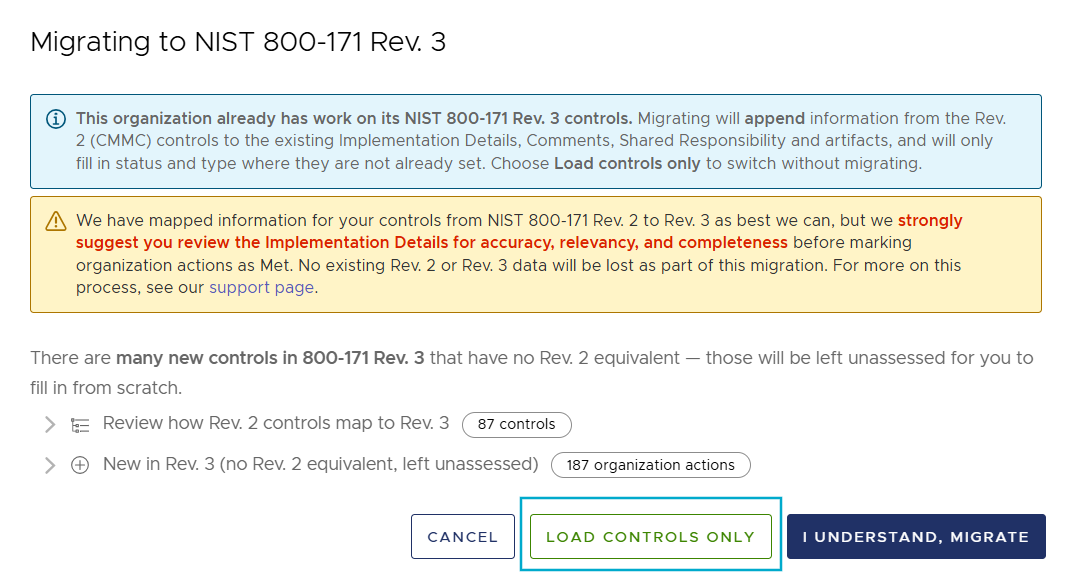
Selecting Migrate will bring up the following confirmation message. Take several minutes to review the new controls, as well the rest of this guide, to better understand how these map to Revision 2:
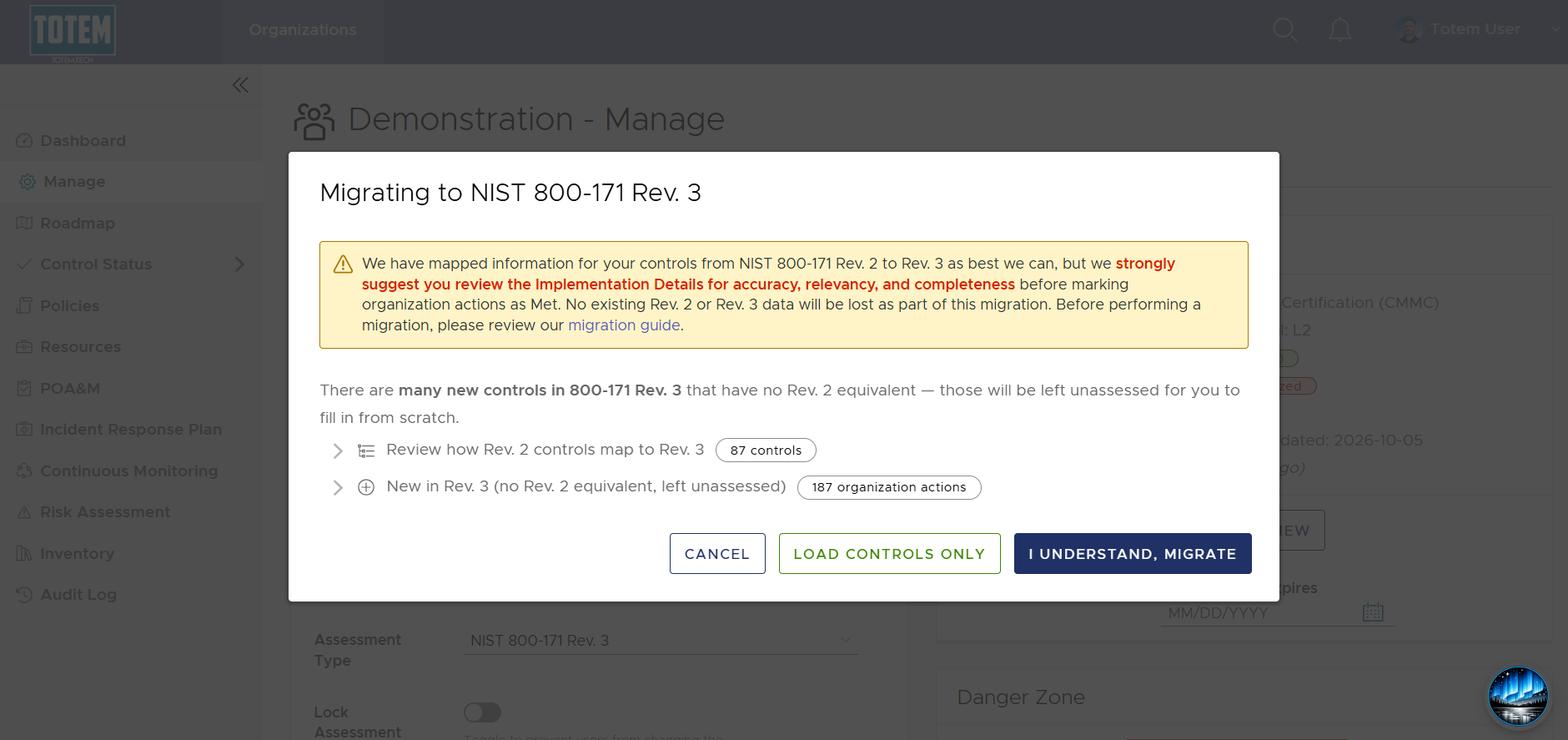
If you’d like to delay migrating, select Load controls only. This will switch the Assessment Type to Revision 3 but will not migrate any data. Otherwise, if you are ready to migrate, select I understand, migrate. Read below for more on what happens during the migration process.
Performing a Revision 2 to Revision 3 migration in Totem will not result in any data loss. Specifically, the Totem migration process will do the following:
- Search your current Revision 3 implementation in Totem to see which (if any) controls and organization actions have been addressed. If you have already made progress on your Revision 3 implementation, the migration will respect all progress made and will not change any existing data, including Assessment Status or Implementation Details.
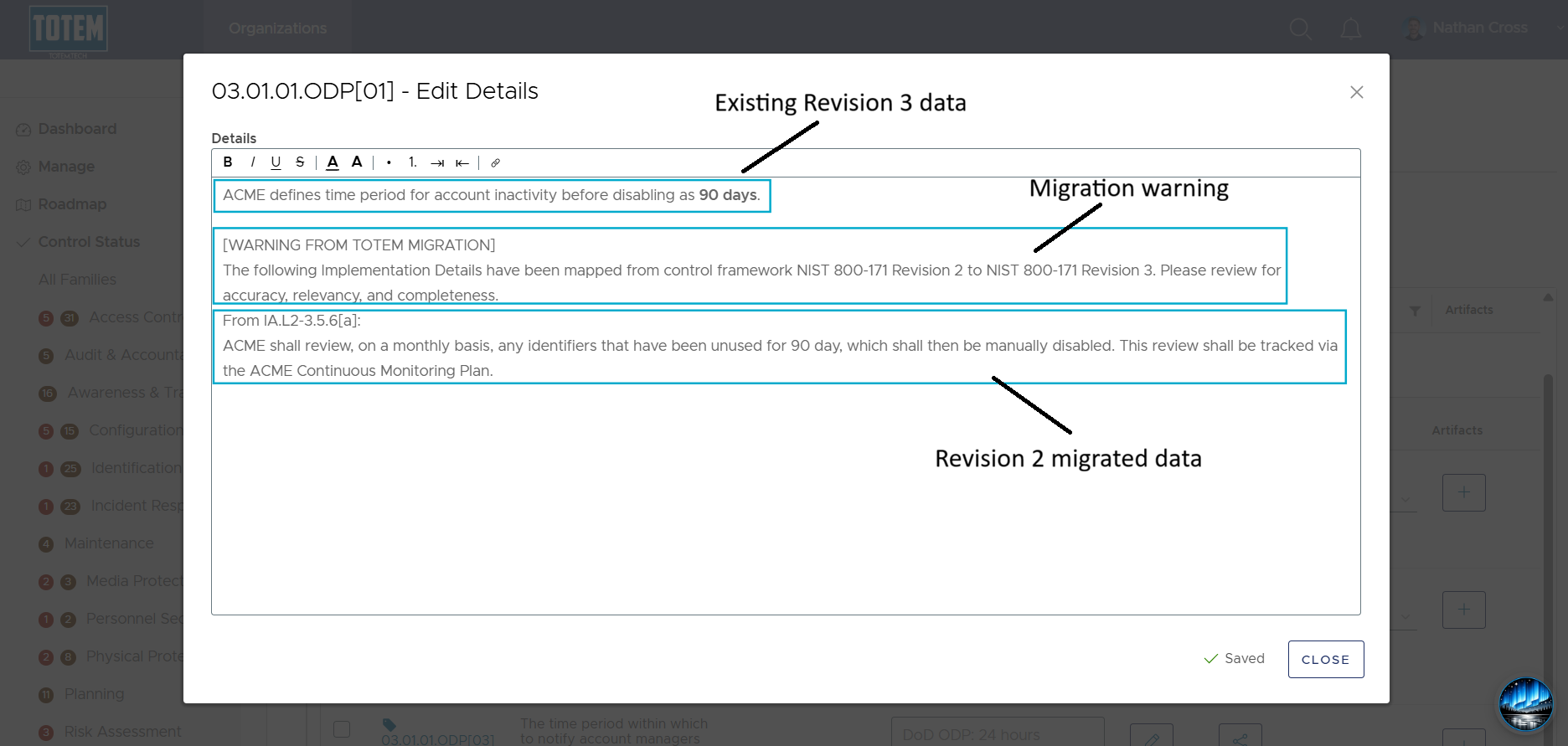
- Next, the migration workflow will retrieve your current Revision 2 implementation data (Implementation Details, Comments, and Shared Responsibilities) from the organization actions that have a corresponding Revision 3 mapping and add this data to the appropriate field, appending below any existing data. Your existing Revision 2 data will not be deleted or modified in any way, and your existing Revision 3 data will not be overwritten. You will know when data has been migrated over, as there will be a migration disclaimer above the migrated data. See the image below for an example of migrated Revision 2 implementation data with existing Revision 3 data.
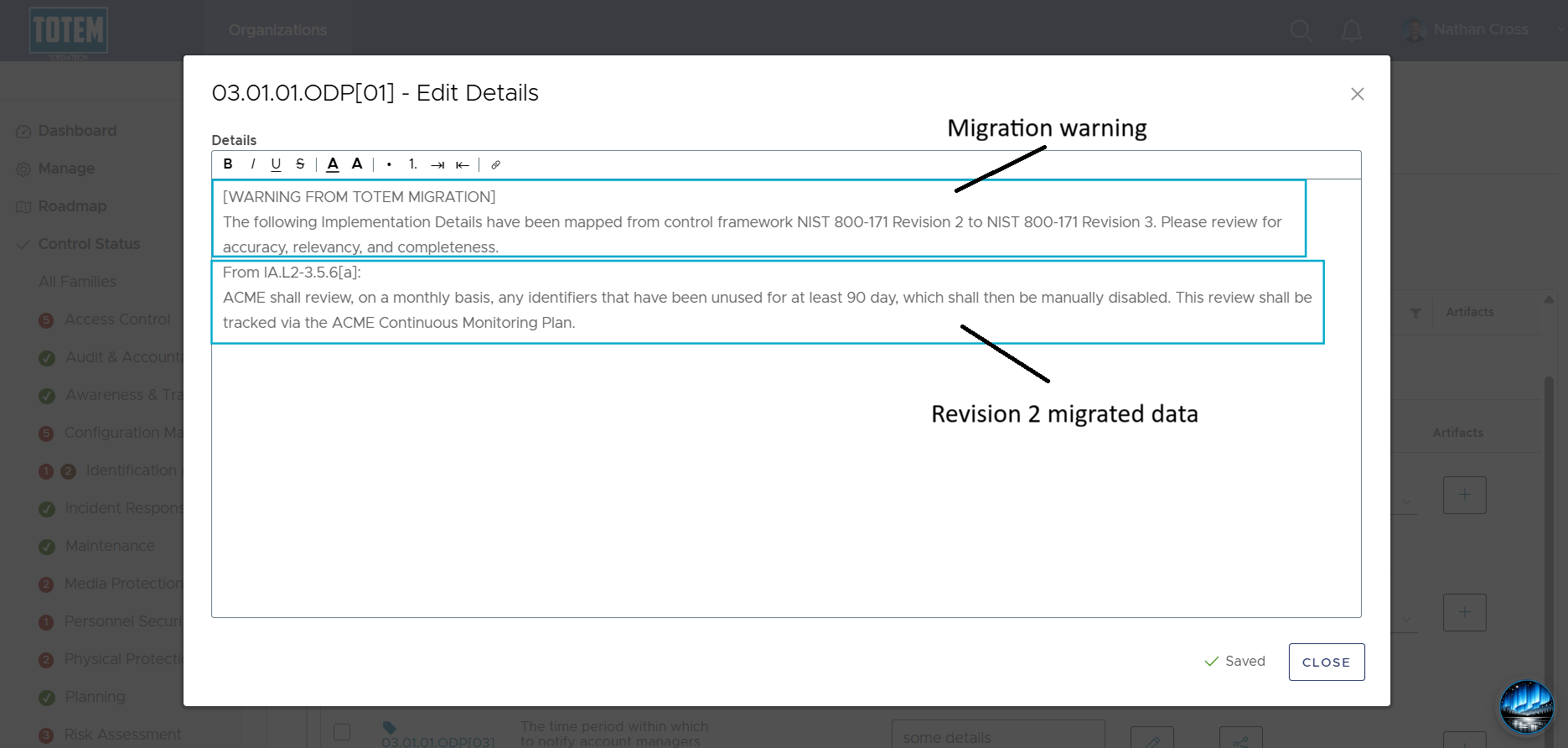
- Alternatively, if you do have Revision 2 implementation data but have not yet made any progress towards Revision 3, the migration will simply copy over the mapped Revision 2 data.
In addition to copying data, a migration will also impact the Assessment Status of Revision 3 assessment objectives. The following will occur:
- If ALL relevant Revision 2 organization actions are Met, the mapped Revision 3 assessment objective will be marked Trending Met. This is intentional, as many of the mapped Revision 3 organization actions are not verbatim from Revision 2, so you will want to review if your approach still meets the requirement, and especially that it falls within the defined ODP.
- If any relevant Revision 2 organization actions are Not Met, the mapped Revision 3 assessment objective will be marked Not Met.
- If ALL relevant Revision 2 organization actions are Trending Met, the mapped Revision 3 assessment objective will be marked Trending Met.
- If ALL relevant Revision 2 organization actions are Not Applicable, the mapped Revision 3 assessment objective will be marked Not Applicable.
- If ALL relevant Revision 2 organization actions are Not yet assessed, the mapped Revision 3 assessment objective will be marked Not yet assessed.
- If you’ve marked a Revision 2 organization action as any status (Met, Not Met, Trending Met, Not Applicable, or Not yet assessed) but this organization actions does not map to any Revision 3 organization actions, nothing will change.
No changes will be made to the Assessment Status of any Revision 2 assessment objectives as a result of a migration.
Frequently Asked Questions
Since NIST 800-171 Revision 3 is not yet the DOW’s required standard for CMMC Level 2, this decision is up to your organization. Totem Tech recommends those who have already received their CMMC Level 2 C3PAO assessment to consider migrating to NIST 800-171 Revision 3, as it is likely to be the DOW’s required standard for CMMC Level 2 when your next C3PAO assessment comes due.
If you operate in both the DOW space and in other areas of Federal Government that are already requiring NIST 800-171 Revision 3 (e.g., General Services Administration), you should consider migrating.
No existing data, whether for Revision 2 or Revision 3, will be deleted or overwritten as a result of performing a migration.
Yes, you will still see Revision 2 as its own independent Assessment Type. You will not lose access to this control set or the existing data as a result of migrating.
There are many changes. Refer to our blog summarizing these changes.
Your artifacts (attachments) will not be migrated. This is intentional, as very few Revision 3 organization actions are the exact same as Revision 2, so the evidence you need to gather will likely be different.
Any text within the Implementation Details, Comments, or Shared Responsibilities fields will be migrated.
Yes. When in the migration selection window, select Load controls only. This will allow you to look at the Revision 3 requirements but will not copy any data over.
No, migration to Revision 3 is a one-time event. Ensure you are ready to migrate before doing so.
Yes, since even the CMMC Level 1 requirements can be mapped to NIST 800-171 Revision 3. However, if you are subscribed to our Essentials tier, you won’t have access to NIST 800-171 Revision 3 in Totem and thus won’t be able to perform a migration. If/when the Federal Government updates the underlying FAR clause 52.204-21/52.240-93 to align with NIST 800-171 Revision 3, we’ll update the control set in Totem and migrate for you.
Only the CMMC and NIST 800-171 Revision 3 frameworks are affected by this migration. Those pursuing ISO 27001 or HIPAA 405d will not see any changes.
If you need additional information on what this migration means, please contact support. Or, register for our next Subscribers Forum, occurring the first Thursday of every month. You will receive an email invitation to this forum.