
Disable a Totem user
Instance administrators can disable and re-enable Totem users. This will preserve their user account but prevent them from logging in to Totem.
- Log in to Totem.
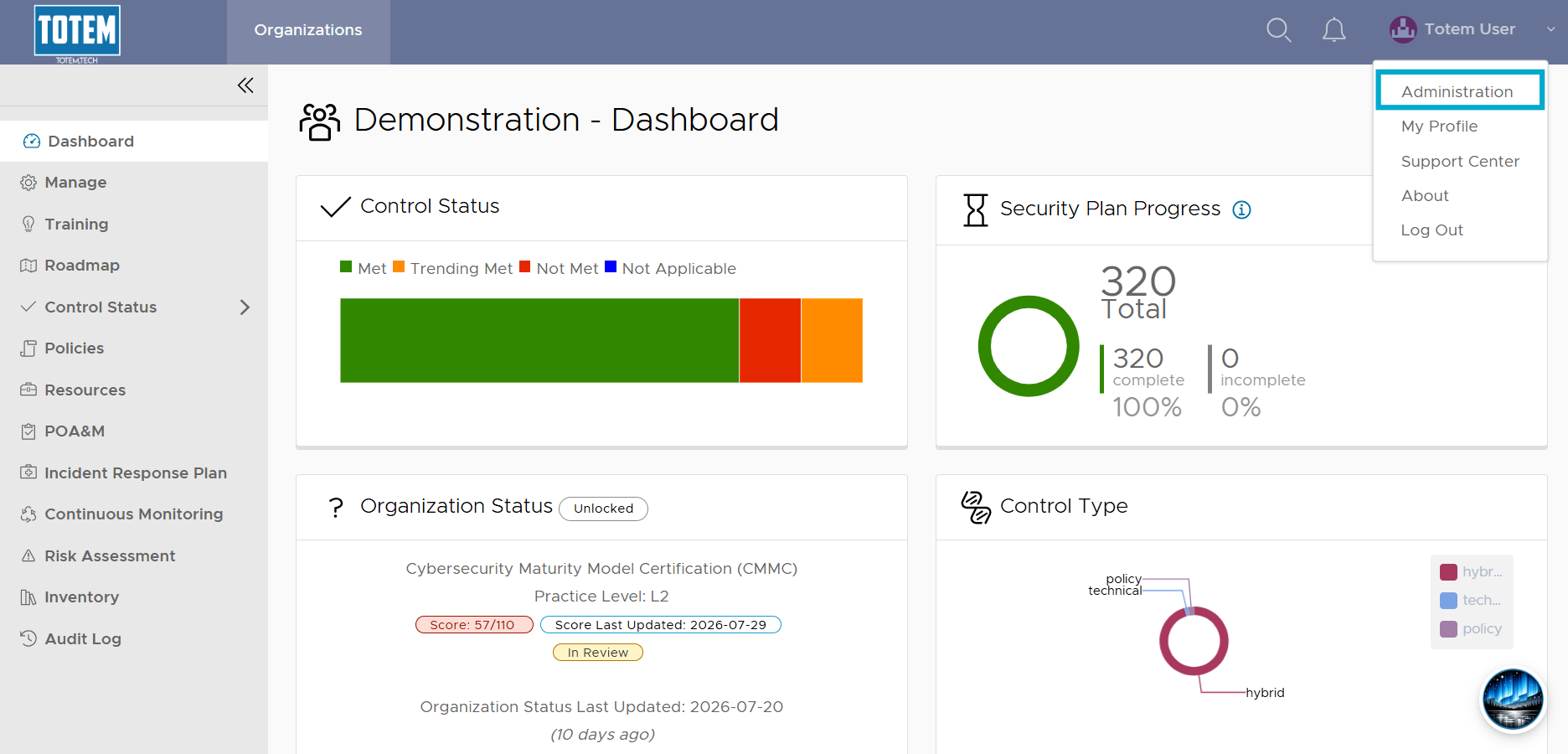
- Navigate to the top-right corner, select the dropdown, and choose Administration.
- Enter your Administrator password and select Authenticate.
- Navigate to the Users page. Identify the user you’d like to disable.

- Select the vertical ellipses “⋮” next to the user’s name, choose Edit, then turn off the Enabled toggle:
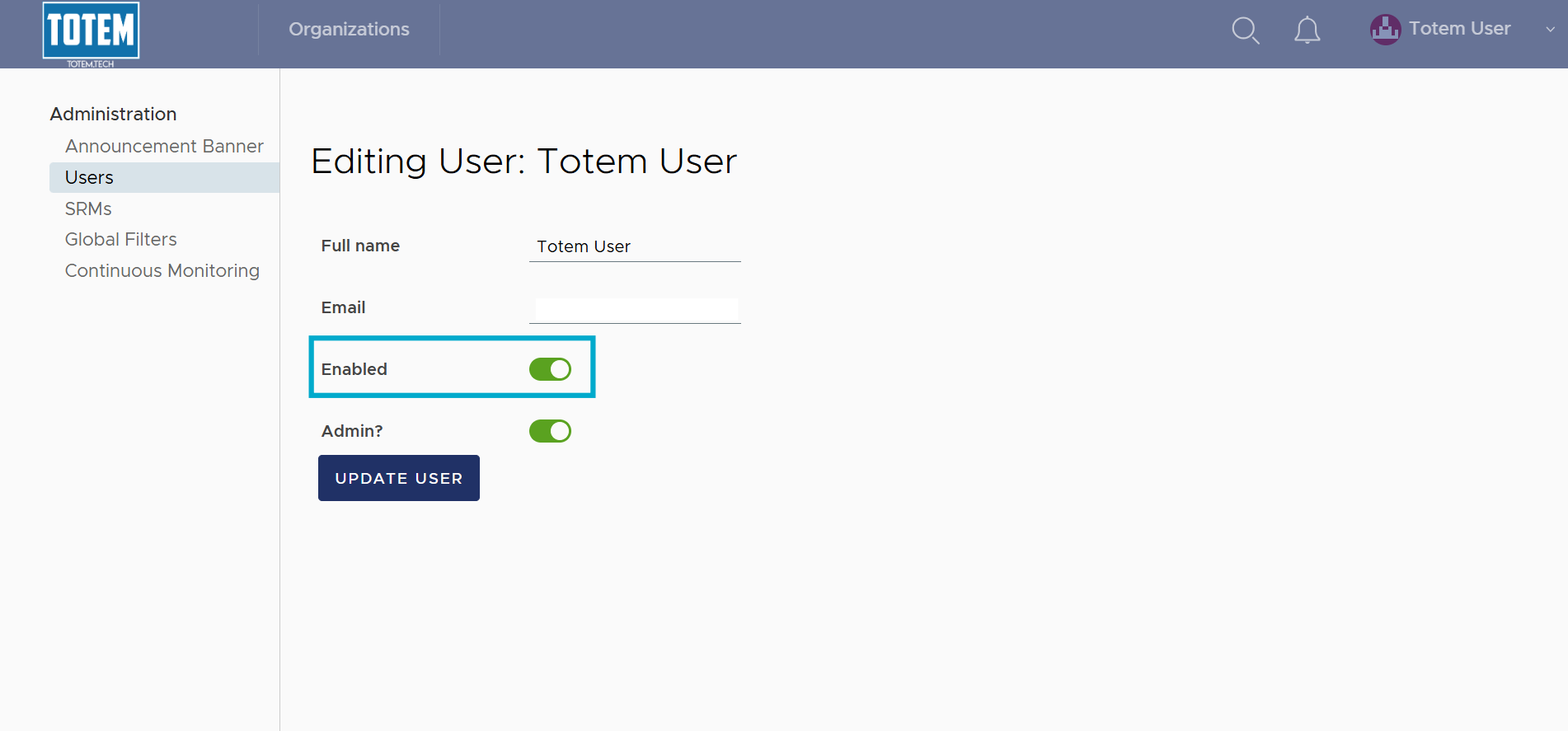
- When complete, select Update User. The user is now disabled and will be unable to log in to Totem. To re-enable the user, simply turn the toggle back on and select Update User again.